
jupyterlab_iframe
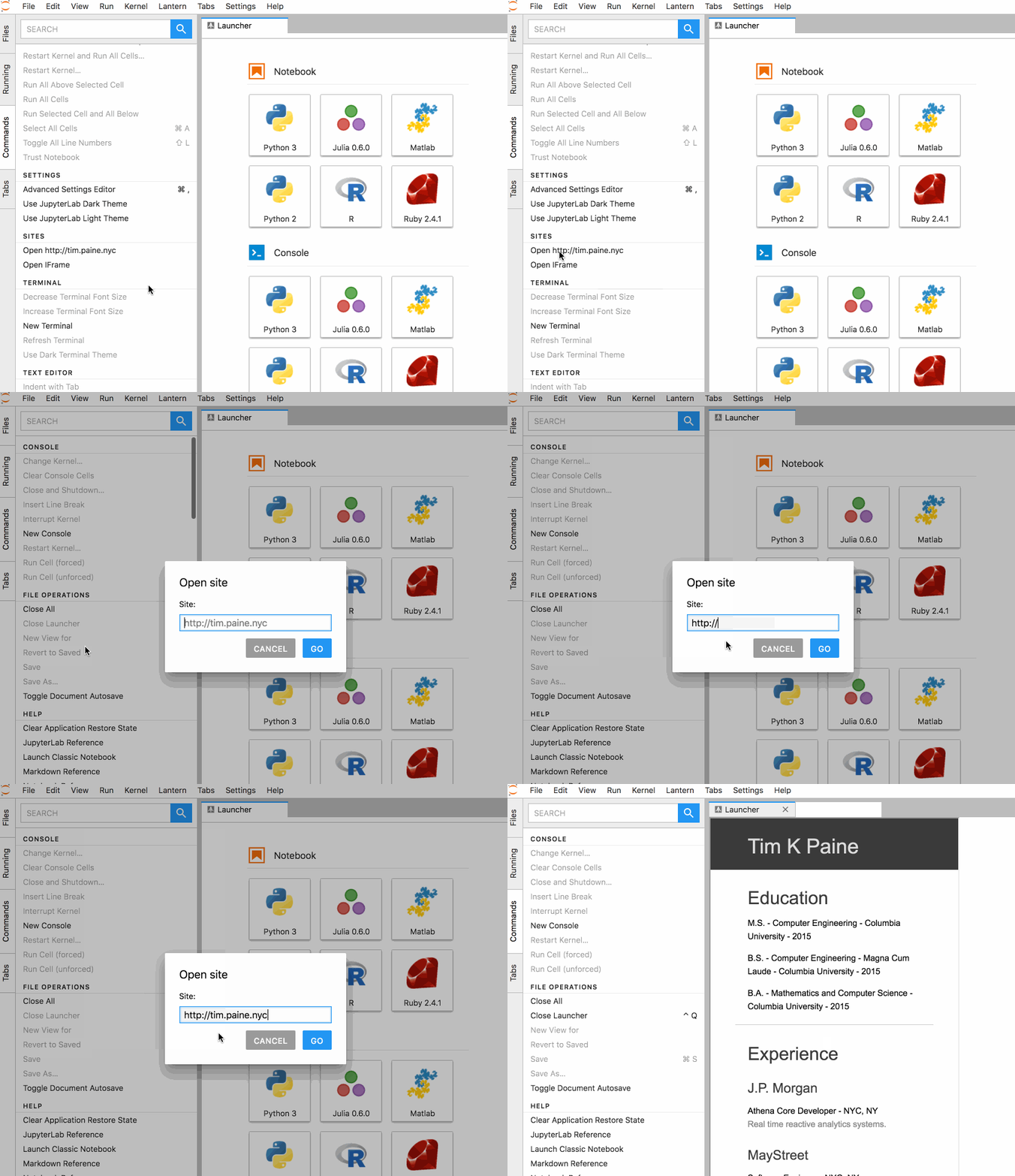
Open a site in a widget, or add a set of "quicklinks".




Install
pip install jupyterlab_iframe
jupyter labextension install jupyterlab_iframe
jupyter serverextension enable --py jupyterlab_iframe
Options
Sites are configured as a list of objects. Each entry supports the following fields:
| Field | Type | Description |
| ------------ | ------ | ---------------------------------------------------------------------------------------------- |
| path | string | URL (http/https) or local:// path to an HTML file on the filesystem. |
| openOnLoad | bool | Open this site automatically the first time JupyterLab loads. Defaults to False. |
| launcher | bool | Show a launcher tile for this site. Defaults to False. |
| customIcon | string | URL to a custom icon for the launcher tile (optional). If omitted, the site's favicon is used. |
Add the following to jupyter_notebook_config.py:
c.JupyterLabIFrame.sites = [
    {
        "path": "https://jupyter.org",
        "openOnLoad": False,
        "launcher": True,
        "customIcon": "",   # leave blank to use the site's favicon
    },
    {
        "path": "local://path/to/local/file.html",
        "openOnLoad": True,
        "launcher": False,
        "customIcon": "",
    },
]
By default any local file on the filesystem can be opened via the local:// scheme.
To restrict access to only the explicitly listed sites, set:
c.JupyterLabIFrame.allow_any_local = FalseCaveats
Update for version v0.0.12 - Most of these are covered by #31
~~This package uses iframes, so is subject to a few restrictions:~~ ~~- If Jlab is served over SSL, so must the sites (http/https must match)~~ ~~- If the underlying site enforces same-origin, then we cannot navigate to them (e.g. google)~~
Similar Packages
- Jupyterlab-html displays local html files as websites in an iframe
- Jupyterlab-sandbox
- Main JLab Issue
Configuring Binder with a landing page
To configure binder to serve a landing page, simply add the following configuration:
To requirements.txt:
jupyterlab_iframe>=0.2
To postBuild:
jupyter labextension install jupyterlab_iframe@^0.2
jupyter serverextension enable --py jupyterlab_iframe
config="c.JupyterLabIFrame.sites = [{'path': 'local://binder/landing.html', 'openOnLoad': True, 'launcher': False, 'customIcon': ''}]"
mkdir -p ~/.jupyter
echo -e $config > ~/.jupyter/jupyter_notebook_config.py
[!NOTE]
This library was generated using copier from the Base Python Project Template repository.