
Sutando

My AI Stand — Realtime by Day, Rewriting Itself by Night. Summon my AI superpower.
Voice, vision, screen, meetings, calls when I'm engaged. Learns my patterns, ships its own code when I'm not. Runs across my Macs, interacts with people & their Stands.
It belongs entirely to you.
🛠 Open source: this repo — clone, build, run locally on your own Mac.
🍎 Native app preview: sutando.ai — packaged Mac app, request access.
No pay-per-token core API key required. Sutando runs through the Claude Code or Codex CLI session you select, with optional service credentials only for the capabilities you enable.
Named after Stands from JoJo's Bizarre Adventure — a personal spirit that fights on your behalf. Like a Stand, Sutando starts unnamed. As it learns your style and earns real capabilities, it names itself and generates its own avatar — your Stand, unique to you.
https://github.com/user-attachments/assets/a86ec34e-3b26-4011-824c-d2d124753c25
24 tool calls. 6 tasks. 7 minutes. All by voice from a phone. Demo by @liususan091219. Watch on YouTube (full quality) →
⭐ If Sutando is useful to you, star this repo — it's how other people find it.
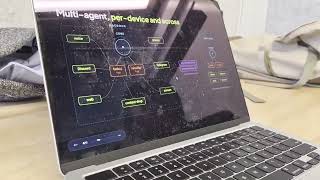
| 

Sutando in action
- The Pentagon Declassified a UAP Case Its Own Analysts Rate 40% "Unrecognized", Oct 2023 Orb Incident
- We Measured Our Agent's First 48 Hours on Claude Fable 5 — Then It Got Pulled
- An AI agent caught a bug humans missed — phantom voice sessions, found via anomaly detection
- Anthropic's $150M Bet: 1,000 Paid Fellows to Build AI Inside Nonprofits
- OpenAI's AI Just Disproved Paul Erdős's 80-Year-Old Math Conjecture
@sutando-ai channel · Sutando WIRE playlist
What can you do with it?
Talk while you work. You're looking at a doc. You say "make this paragraph shorter." Sutando sees your screen, rewrites the paragraph, and replaces the original text directly.
Join meetings for you. "Join my 2pm call." It reads your calendar and joins — Zoom via the desktop app, Google Meet via the browser — with computer audio. It can also dial in by phone when you ask. It takes screenshots to identify participants, does live research when someone asks a question, and writes you a summary when the call ends. Meeting access is gated — it messages you on Telegram asking for approval before enabling task delegation.
Make calls for you. "Call her and leave a message." Sutando looks up the contact, dials the number, has the conversation, and reports back — while you keep working. It can even make concurrent calls while in a meeting.
Work from your phone. Call Sutando and say "summon." It opens Zoom with screen sharing — join from your phone to see its screen in real time. "What's on my screen?" — it takes a screenshot and tells you. "Fix the typo in that file" — done. You scroll, switch apps, navigate — all by voice while walking around.
Get better on its own. When you're not giving it tasks, Sutando runs an autonomous build loop — it monitors its own health, detects patterns in how you work, discovers new skills, and builds missing capabilities. Most of Sutando's code was written this way. It learns from your corrections and adapts over time.
Remember everything — and act on it. You have an idea while walking. Say it out loud. Sutando captures it, tags it, and saves it as a searchable note. If there's something actionable, it starts working on it right away or queues it for the next free cycle.
Reach you anywhere. Voice, Zoom, Google Meet, Telegram, Discord (text + voice channel), web, phone, or email — same agent, same memory, any channel.
Scale across machines. Plug in a second Mac and Sutando sets it up — the original agent opens a Discord channel, sends setup commands, and migrates services. The new machine handles phone calls 24/7 while your laptop stays portable. No migration scripts needed — the two agents coordinate the handoff themselves.
Status: Alpha
This is an early-stage project. Honest status:
| | Count | Details | |---|---|---| | Verified working | 30 | Voice, screen capture, notes, calendar, reminders, contacts, browser, phone calls, meeting dial-in, task delegation, pattern detection, health check, dashboard, Telegram, Discord, multi-machine migration, onboarding tutorial, and more | | Needs external setup | 3 | Twilio (phone), Telegram bot, Discord bot |
We're looking for contributors to help test and harden these capabilities. If you try something and it breaks, open an issue.
How it works
See Sutando architecture boundaries for the normative definitions of core, adapters, apps, skills, tooling, and workspace state.
The core agent's loop is a cron job that fires /proactive-loop every 15 minutes (/15 * in the per-host crons.json). On Claude, Sutando backs that off to every 30 minutes when 7-day quota utilization reaches 80%, restoring the configured cadence once an authoritative routed reading drops below it; missing, stale, rejected, or unrouted telemetry holds the slower cadence and reports why. Each pass keeps a persistent watcher on tasks/ via Claude Code's Monitor tool, so tasks are processed on arrival rather than on the tick, and also runs health checks and picks the next build-log item.
Four processes work together:
- Voice agent (Gemini Live, WebSocket on :9900) — listens and talks in real time for browser voice.
- Web client (
com.sutando.web-client.plist, HTTP on :8080) — separate launchd service that serves the browser UI. The browser then connects directly to the voice agent's WebSocket on :9900 — the web client is not in the WebSocket data path. - Conversation server (Gemini Live, Twilio WebSocket on :3100) — same role as the voice agent for inbound and outbound phone calls.
- Core agent (Claude Code or Codex CLI) — executes tasks with full system access. The persistent CLI session provides an interactive terminal and runs Sutando's task watcher and scheduled work.
tasks/; core reads them, executes, and writes to results/, which each channel speaks or messages back. Telegram and Discord bridges only use the tasks/ path.
Quick start
Prerequisites — bash src/startup.sh checks that these are installed and refuses to boot otherwise:
- Claude Code or Codex CLI — whichever you select
- Node.js (
brew install node) - Python 3 (
brew install python3) - fswatch (
brew install fswatch) — auto-installs via Homebrew on first start
SUTANDO_SKIP_AUTH_PREFLIGHT=1 bypasses this
once for recovery; the runtime launcher still checks again before replacing the
core session.
Recommended, but not checked at boot — macOS 15+ and Node.js 22+.
bash src/verify-setup.sh covers this second list — it checks the Node version and whether your CLI is actually authenticated. Run it if startup succeeds but the core doesn't.
Optional — each unlocks one feature and degrades alone:
- Gemini API key — voice (text/core paths work without it)
pip3 install discord.py/slack_bolt— Discord / Slack bridges (Telegram needs no package)- ffmpeg (
brew install ffmpeg) — subtitle-burn, video-concat, recording handoff - tmux (
brew install tmux) — Sutando.app watcher auto-restart; the core starts without it - git — vault sync, self-upgrade, commit provenance
- Twilio account + ngrok — phone calls and SMS
# Clone
git clone https://github.com/sonichi/sutando.git
cd sutando
Configure optional integrations (skip for text/core-only use)
cp .env.example .env
Add GEMINI_API_KEY only if you want voice
Start everything on macOS / Linux — core, app, and dashboard
./start.sh
Start everything on Windows
pwsh -File src/startup.ps1
That is the whole first run. start.sh is a thin front door: it delegates to src/startup.sh --with-app and opens the dashboard once it answers. Extra arguments pass straight through (./start.sh --runtime codex). Set SUTANDO_OPEN_DASHBOARD=0 to skip the browser, or SUTANDO_DASHBOARD_URL to point it elsewhere. If the dashboard never comes up the core still starts — the browser open is backgrounded and can never gate it.
src/startup.sh remains the supported lower-level entry, and is what you want when there is no desktop to open things on:
# Headless core only — no app, no browser
bash src/startup.sh
Core plus the macOS menu-bar app, still no browser
bash src/startup.sh --with-app
Either path starts the core services (voice agent, phone conversation server, web client, dashboard, and API) and the autonomous loop. The browser UI is at http://localhost:8080 and the dashboard at http://localhost:7844; src/startup.sh never opens a browser for you.
The macOS menu-bar app is opt-in and separate. Plain bash src/startup.sh never touches it, so the core stays headless. --with-app builds, signs, and launches the bundle; a failure there is reported and never stops the core.
Auto-start at login is a further, explicit opt-in. Neither ./start.sh nor --with-app installs a launchd job — running the app and having macOS resurrect it forever are different decisions. When you do want it, run the installer from the checkout you actually use: it records that path in the LaunchAgent, so installing from a temporary worktree leaves you with a login job pointing at a directory that will be deleted.
To manage the app on its own — build only, launch once, or supervise — use its installer directly:
bash scripts/install-menu-bar-app.sh              # build + sign, print next steps
bash scripts/install-menu-bar-app.sh --launch     # …and open it now
bash scripts/install-menu-bar-app.sh --supervise  # …and auto-start it at login
First run needs Accessibility granted in System Settings → Privacy & Security. Run the installer from the checkout you actually use: it records that path in the launchd job, so running it from a temporary worktree pins the app to a directory that will be deleted.
Why Sutando runs with elevated permissions. Autonomous voice-driven work means startup.sh launches the selected core CLI with unattended approvals and full local access — permission prompts would otherwise break the voice-in / answer-out flow. In exchange:
> - It's local. Sutando runs entirely on your Mac. No remote control plane, no third party with write access.
- You control the audience. 3-tier access gating means owner / verified / unverified callers get different capability bands on phone, Discord, and Telegram. SetVERIFIED_CALLERSin.envbefore going live.
- Actions are auditable. Every task lands intasks/+results/, and service activity is written tologs/*.log. Use the Core CLI terminal while it works to watch in real time.
- Hooks are your brake pedal.git-rules-guard.sh(see$CLAUDE_CONFIG_DIR/hooks) pops a Discord approval DM for any public write (push / PR / issue comment) regardless of transport. Reject with 👎 to block.
> Keep the Core CLI terminal reachable — quota exhaustion or an unrecognized CLI prompt can leave the core agent waiting for you to respond. See Codex core setup to select or roll back the Codex runtime.
Why macOS 15+? The setup scripts assume the Sequoia System Settings layout for granting TCC permissions (Screen Recording, Accessibility, Input Monitoring). Earlier macOS versions may work for the headless parts (proactive loop, Discord/Telegram bridges) but aren't tested.
macOS permissions — on first run, macOS will ask you to grant Screen Recording, Accessibility, and Microphone access. See Security for what each permission is used for.
Windows support
Sutando started life on macOS and most of its app-automation surface — AppleScript-driven Chrome/QuickTime control, Cmd+Ctrl+F fullscreen, the Sutando menu-bar Swift app — has no portable Windows equivalent. The core Sutando loop nevertheless runs on Windows; what's there is the headless agent: voice, screen capture, clipboard, notifications, the task bridge, the dashboard, and the messaging bridges.
Works on Windows:
- Voice agent (Gemini Live WebSocket on :9900) — talk to Sutando in the browser
- Web client (:8080) and Dashboard (:7844) and Agent API (:7843)
- Screen capture (:7845) — uses PowerShell
System.Drawing.Bitmapinstead ofscreencapture - Task bridge — file-based; uses a PowerShell
FileSystemWatchershim in place offswatch - Clipboard (Get-Clipboard / Set-Clipboard) and desktop notifications (balloon-tip)
- Telegram, Discord, Slack bridges (any feature that runs in the core agent)
- Capture screen + describe screen tools
/tasks/active use platform process probes, not a fixed pgrep path.
Unavailable process probes do not abort either response: the dashboard reports unavailable status and /tasks/active returns null for watcher state. The macOS-only Sutando app reports as not running on Windows.
Proactive orphan recovery uses the shared, non-signalling process-identity probe:
only confirmed dead owners release claims; live or uninspectable owners keep them.
switch_app and pwsh -File scripts/open-app.ps1 "Calculator" identify Windows
apps by registered app ID or exact executable path and verify foreground focus.
They reuse existing windows, restore minimized ones, and fail explicitly if no
interactive desktop exists or Windows refuses focus. Bundled services include
the same native backend; no window-title guessing or simulated keystrokes are used.
Returns a macOSOnly error on Windows (the voice agent stays up; Gemini tells the user):
press_key,type_text,volume,brightness,fullscreen,slide_control,toggle_tasksscroll,switch_tab,close_tab,open_url,click,point_at(browser AppleEvents)join_gmeet,call_contact(Chrome AppleScript)screen_record,play_video,pause_video,resume_video,replay_video,close_video,scroll_and_describe(QuickTime + Chrome)- Sutando.app menu-bar shortcuts (Swift/Cocoa), Twilio + ngrok auto-launch from startup
# Clone (PowerShell)
git clone https://github.com/sonichi/sutando.git
cd sutando
Configure
Copy-Item .env.example .env
Edit .env in your editor; set GEMINI_API_KEY
Install dependencies + start everything
pwsh -File src/startup.ps1
Stop everything
pwsh -File src/stop.ps1
Restart
pwsh -File src/restart.ps1
The Windows scripts mirror their .sh twins:
src/startup.ps1— launches voice agent + web client + dashboard + agent API + screen capture (+ optional bridges)src/restart.ps1— stops everything, then starts (matchesrestart.sh); it runs detached so a restart requested from chat survives stopping its caller, logging to/logs/restart.log src/stop.ps1— stops everything without restarting (matchesstop.sh; shortcut forrestart.ps1 -StopOnly)src/notify.ps1 "msg"— desktop notification + Discord DM (matchesnotify.sh)src/watch-tasks-stream.ps1— task-folder watcher; emitsTASK_FILE: …per new file
- Windows 10/11
- PowerShell 7+ (
winget install Microsoft.PowerShell—pwshshim) - Node.js 22+ from nodejs.org
- Python 3.11+ from python.org (used by the dashboard, agent API, and bridges)
- Claude Code installed and logged in (
claudeonce)
npm ci --ignore-scripts and require the shipped runtime build. Repository paths and workspace names may contain spaces and Unicode.
Workspace: identical contract as macOS — defaults to sutando.config.local.json (see docs/workspace-config.md).
What's not ported (and why):
- Sutando.app menu bar — Swift / AppKit, no Windows equivalent. The global ⌃C / ⌃V / ⌃M shortcuts aren't available; use the web client UI instead.
- AppleScript-driven app automation — Windows has no equivalent of System Events that's portable from the CLI. UIAutomation via PowerShell could replace some of this if there's demand.
- Phone-call flow —
startup.ps1skips Twilio + ngrok auto-launch. If you want phone calls on Windows, start ngrok manually and setWEBHOOK_BASE_URLin.env. - macOS permissions block — Windows has no TCC; screen capture and microphone "just work" once you grant Chrome microphone access.
Monitor tool that streams stdout from a long-running command (e.g. bash src/watch-tasks-stream.sh) and wakes the agent on every TASK_FILE: event. Claude Code 2.1.168 on Windows does not include the Monitor tool (verified: not in the agent's tool list, and the literal string "Monitor" is absent from claude.exe). Without Monitor, there's no push-based file-watch primitive available to the agent, so the long-running sutando-core TUI would only pick up new tasks on its */5 proactive-loop cron tick — fine for autonomous work, far too slow for chat.
The Windows port works around this with src/task-dispatcher.ps1, a standalone process auto-launched by src/startup.ps1. It uses FileSystemWatcher to watch tasks/, claims new files via atomic rename, and runs each one through claude --print as a one-shot subprocess. Each queued chat task starts as soon as the dispatcher is available; inference and delivery time depend on the model and connection. The long-running core still handles autonomous proactive-loop work + cron jobs; the dispatcher only intercepts user-driven chat tasks.
Task context and authorization: owner turns and authenticated Discord collaborator turns resume a session per channel. Collaborators require both a verified task envelope and a current access entry. Other non-owner turns use codex exec --sandbox read-only; when Codex is unavailable, they are refused. Owner and collaborator turns in the same channel share conversational context.
The dispatcher holds an exclusive lifetime lock and publishes results atomically. After a crash or forced restart, abandoned claims are archived with an interruption result instead of being retried: actions may already have run. Check their outcome before resubmitting. Restart stops the dispatcher process tree, including its in-flight CLI child.
Try saying:
- "What's on my screen?" — takes a screenshot and describes it
- "Summon my computer to zoom" — opens Zoom with screen sharing, join from your phone
- "Join my next meeting" — checks your calendar and joins
- "Take a note: my first idea" — saves a searchable note
- "Tutorial" — walks you through all capabilities step by step
bash src/verify-setup.shTroubleshooting:
- Browser shows blank page? Services may still be starting — wait 5 seconds and refresh
- Microphone not working? Chrome will ask for permission on first connect — click Allow
- Voice agent not responding? Check
logs/voice-agent.logfor errors. Common causes:
GEMINI_API_KEY not set or invalid in .env — get one at ai.google.dev
- Port 9900 already in use — run lsof -i :9900 to check
npm installfailed? Make sure Node.js 22+ is installed:node --version- Gemini 429 errors? Your shell may have a stale
GEMINI_API_KEYoverriding.env— rununset GEMINI_API_KEYthen restart - Screen recording produces 0-second files?
screencapture -vneeds a TTY. Sutando usesffmpeginstead — make sure it's installed:brew install ffmpeg - Something broke? Run
bash src/restart.sh— this kills all services and restarts fresh - Sutando acting confused, contradicting itself, or giving stale answers after a long session? Restart the selected core CLI session to reset its context.
- Still stuck? Join the official Discord — real humans and community-run agents answer support questions there.
- Phone call answers with "We are sorry, an error has occurred"? The conversation server (
skills/phone-conversation/scripts/conversation-server.ts, port 3100) isn't running. Runbash src/startup.shorbash src/restart.shto relaunch all services.
bash src/restart.sh    # stops all services (voice agent, web client, API, bridges, etc.)
pkill -x Sutando # stop the menu bar appstartup.sh alone does NOT stop background services. Always use restart.sh (or kill-all.sh if available) to cleanly shut everything down.
Uninstalling:
- Stop all services:
bash src/restart.sh && pkill -x Sutando - Remove the repo:
rm -rf ~/Desktop/sutando(or wherever you cloned it) - Remove config:
rm -rf $CLAUDE_CONFIG_DIR/projects/sutando - Remove npm packages (optional): the repo uses local
node_modules/— deleted with the repo - Remove any tools you installed during setup (e.g.
imsg,wacli) via the package manager you used to install them. - If you installed the OS-supervised health checks:
bash src/install-health-check-launchd.sh --uninstall(idempotent — no-op if not installed).
Optional integrations
These unlock more capabilities. Add to .env when ready:
| Integration | What it unlocks | Setup |
|-------------|----------------|-------|
| Gmail | Read/send/search email from voice | gws auth setup --login (OAuth, no app password) |
| Twilio + ngrok | Phone calls, SMS, meeting dial-in, task delegation via phone | twilio.com + brew install ngrok (see Running costs) |
| Telegram | Message Sutando from your phone. First DM auto-enrolls you as owner (trust-on-first-use). Subsequent senders need to be added: edit $CLAUDE_CONFIG_DIR/channels/telegram/access.json → allowFrom list. | Create bot via @BotFather, then /telegram:configure |
| Discord | Message Sutando from Discord (DM + channel @mentions) | Developer portal, then /discord:configure |
| Claude for Chrome | Browser automation — navigate, read pages, fill forms, interact with web apps | Install extension, log in with the same account as Claude Code |
| Sutando app (menu bar) | Optional global hotkeys (see Keyboard shortcuts) | Build and launch separately; core startup stays headless |
| OS-supervised health checks | Detect stuck loops, dead watchers, and queue pileups even when core is unresponsive — macOS notifies you when Sutando is broken | bash src/install-health-check-launchd.sh (idempotent; uninstall with --uninstall) |
| Multi-machine workspace sync | Run the same agent identity across Mac mini + MacBook + Mac Studio etc.; memory + notes + state stay consistent via a private git repo you own | Create a private vault repo, set vault.remote_url in sutando.config.local.json, run bash scripts/sync-workspace.sh --init once + cron it. See docs/workspace-sync.md. The legacy sync-memory.sh flow is deprecated in v0.3.0 and removed in v0.4.0. |
Running costs
One table, organized by capability. Core access comes from the Claude Code or Codex CLI account you select; the remaining services are optional and mostly free-tier-sufficient.
| Capability | When you need it | Service required | Cost |
|---|---|---|---|
| Basic (core agent + screen / notes / calendar / reminders / contacts / browser / iMessage) | Always — this is Sutando's baseline | Claude Code or Codex CLI access + macOS | Depends on the selected CLI account. No Gemini key or Google OAuth is required for core operation. |
| Voice agent (real-time conversation in browser or on phone) | If you want to talk to Sutando | Gemini voice API | Free tier covers normal use (~15 req/min). Heavy use: Gemini paid ~$0.30–$1.30/hr. |
| Telegram / Discord / WhatsApp (message Sutando from any of these) | If you want non-voice chat from your phone or desktop | Telegram BotFather, Discord developer portal, wacli (bundled) | All free for personal use. |
| Phone calls / summon (remote control) | If you want Sutando to make inbound/outbound calls, or to share its computer screen via Zoom/Google Meet and be controlled by voice from your phone | Twilio phone number + ngrok webhook | Twilio ~$1/mon number + ~$0.0085/min inbound + ~$0.015/min outbound + Media Streams ~$0.004/min. ngrok and Zoom free tiers both work for the summon flow. |
| Agent joining meetings via dial-in (PSTN join into Zoom / Google Meet) | If you want the phone agent to dial into a meeting as a participant | Zoom Pro OR Google Workspace Business on the host side (the meeting organizer's account needs toll dial-in enabled) | Zoom Pro ~$15/mon, Google Workspace Business Starter ~$7/mon. Sutando's side is already covered by the Phone row above. |
Minimal-cost path: use your selected core CLI account for text, browser, and messaging. Add Gemini for voice, Google OAuth for Google services, and Twilio for phone or meeting dial-in only when needed.
What's inside
| Capability | Script | Status |
|-----------|--------|--------|
| Voice conversation | voice-agent.ts | Verified |
| Task delegation (voice → core) | task-bridge.ts + watch-tasks-stream.sh + tasks/ dir | Verified |
| Screen capture + analysis | macos-tools skill | Verified |
| Notes / second brain | notes/ directory (YAML-frontmatter markdown) | Verified |
| Context drop + shortcuts | src/Sutando/ menu bar app | Verified |
| Gmail read/send/search | gws-gmail skill | Verified |
| Calendar reading | google-calendar skill | Verified |
| Reminders management | macos-tools skill | Verified |
| Contacts lookup | macos-tools skill | Verified |
| Browser automation | browser.mjs + MCP tools | Verified |
| Conversational phone calls | phone-conversation/ | Verified (needs Twilio + ngrok) |
| Phone → task delegation | phone-conversation/ | Verified (needs Twilio + VERIFIED_CALLERS) |
| Join Zoom (computer audio) | inline-tools.ts | Verified |
| Join Google Meet (browser audio) | inline-tools.ts | Verified |
| Meeting dial-in (Meet + Zoom) | phone-conversation/ | Verified (needs Twilio + ngrok) |
| Meeting approval via Telegram | phone-conversation/ | Verified (needs Twilio + Telegram) |
| Inbound call handling | phone-conversation/ | Verified (needs Twilio) |
| Telegram messaging | telegram-bridge.py | Verified (text + photos + files + voice) |
| Discord messaging | discord-bridge.py | Verified (DMs + channel @mentions + files) |
| Cross-device task submission | agent-api.py | Verified |
| Health monitoring | health-check.py | Verified |
| Pattern detection + user modeling | Core memory files + selected CLI | Verified |
| System dashboard | dashboard.py | Verified |
| Info-radar (arXiv / GitHub / HN / news monitoring) | info-radar skill + daily digest | Verified |
| Menu-bar avatar states (idle/listening/speaking/working) | src/Sutando/main.swift + /sse-status | Verified |
Services
When running, Sutando exposes these local ports:
| Port | What | |------|------| | 8080 | Voice web client — talk to Sutando here | | 7844 | Dashboard — status, activity, and capability matrix | | 7843 | Agent API — submit tasks from any device | | 9900 | Voice agent WebSocket | | 7845 | Screen capture server | | 3100 | Phone conversation server (Twilio webhook target) | | 4040 | ngrok admin UI (when ngrok is running) |
Keyboard shortcuts
The optional Sutando menu bar app (src/Sutando/) provides global keyboard shortcuts. It is separate from the headless core and is never built or launched by startup.sh. All shortcuts are configurable — the bindings below are the shipped defaults, published at runtime to ~/.config/sutando/hotkeys.json.
| Action | Default binding |
|--------|-----------------|
| Toggle Voice — connects/disconnects voice in the browser | toggle_voice (default ⌃V) |
| Drop Context — sends selected text, clipboard image, or Finder file to Sutando | drop_context (default ⌃⇧C) |
| Toggle Mute — mutes/unmutes microphone during voice | toggle_mute (default ⌃M) |
| Drop Video Clip — sends a screen recording of the active window/screen to Sutando | drop_video_clip (default ⌃⇧R) |
| Drop Screenshot — sends a screenshot of the active window/screen to Sutando | drop_screenshot (default ⌃S) |
The action names above are the stable keys in state/hotkeys.json; the ⌃-combos are only the current defaults and may be remapped, so treat the action — not the keystroke — as the contract.
The menu bar also has Open Core (brings up the selected core CLI terminal) and Open Dashboard (opens the status dashboard at localhost:7844).
On first run:
- Grant Accessibility permission to the Sutando app in System Settings → Privacy & Security
- Enable Allow JavaScript from Apple Events in Chrome: View → Developer → Allow JavaScript from Apple Events (required for the Toggle Voice hotkey — default ⌃V, see Keyboard shortcuts)
cd src/Sutando && swiftc -O -o Sutando main.swift SutandoConfig.swift RestartCoordinator.swift -framework Cocoa -framework Carbon -framework ApplicationServices -framework AVFoundation, then run ./Sutando. The app and its accessibility helper are not core boot dependencies.
Proactive mode
startup.sh automatically enables proactive mode. Sutando runs an autonomous loop that:
- Processes voice tasks and context drops immediately
- Runs health checks and auto-fixes failed services
- Picks the highest-value improvement work when idle
- Learns from your corrections and adapts over time
- Notifies you on Discord and voice when it completes autonomous work
Autonomous self-development is enabled by default. To run Sutando in a stable
product context without idle-time code evolution, set
SUTANDO_SELF_DEVELOPMENT_ENABLED=0 in .env and restart the core. Sutando
continues to process owner requests, monitor health, and deliver tasks; it only
stops choosing and executing autonomous improvement work. An explicit
owner-requested code change is still allowed.
Security
🚨 Sutando has deep access to your computer — file system, screen, keyboard, browser, email, and phone. Understand the risks before deploying.
Built-in protections:
- STIR/SHAKEN verification — inbound calls are checked for carrier-level caller ID attestation. Spoofed numbers are automatically downgraded and denied owner access.
- 3-tier access control — owner, verified, and unverified callers get different levels of access on phone, Discord, and Telegram.
- Keep your Twilio phone number private
- Set
VERIFIED_CALLERSexplicitly in.env(don't leave it empty)
- Screen Recording → add your selected core CLI (
claudeorcodex) andnode. Required fordescribe_screen,capture_screen, and the screen-capture server (port 7845) — lets Sutando see what you're looking at when you ask "what's on my screen?". Also used by the screen-record skill for subtitled recordings. - Accessibility → add the Sutando menu-bar app. Required for the global hotkeys (see Keyboard shortcuts) and for the
macos-useskill to click/type into native apps on your behalf. - Microphone → Chrome (and Terminal, for the screen-record skill). Chrome asks on first voice connect — click Allow.
- Contacts / Calendar / Reminders → asked on demand by the features that use them (contact lookup before a call,
gws calendar +agenda,reminders.py add/list/complete). You can grant these when first prompted rather than up front.
For setup guides, operator runbooks, architecture, protocols, and release policy, start at the documentation hub.
Contributing
This is alpha software. The biggest need is testing — try a capability, report what breaks.
- Join the Discord for help, discussion, and updates
- Open an issue for bugs
How it was built
Sutando was largely built by its own autonomous build loop -- a Claude Code session that reads a build log, picks the highest-value missing piece, builds it, and loops. The human provides direction and testing; the agent does the rest.
Acknowledgments
Voice agent built on bodhi-realtime-agent, a Gemini Live voice session library.
License
MIT