

Documentation sites for Python packages: start simple, go deep











Quickstart · Features · Configuration · Recipes · Docs
[!TIP]
📺 Featured on Talk Python: the "Great Docs" live stream
> See Great Docs in action and hear the story behind it: a full walkthrough on Talk Python.
>
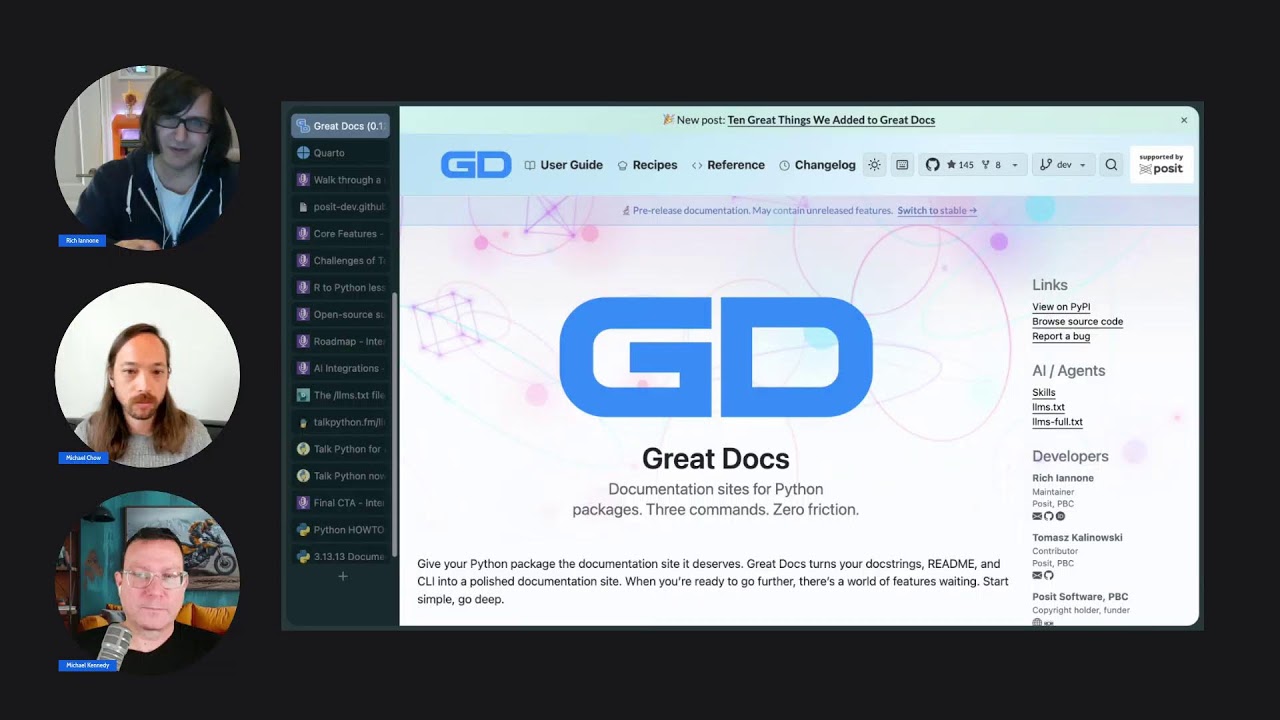
Great Docs turns your Python package into a polished documentation site in minutes. It auto-discovers your public API, detects your docstring format, generates structured reference pages, and renders a modern site, all from a single command. When you're ready to customize, there's a deep set of tools and options waiting for you.
And it's battle-tested: every release runs against 300+ synthetic packages in the Great Docs Gauntlet, backed by a suite of 26,000+ tests.

From zero to a live site in three commands.
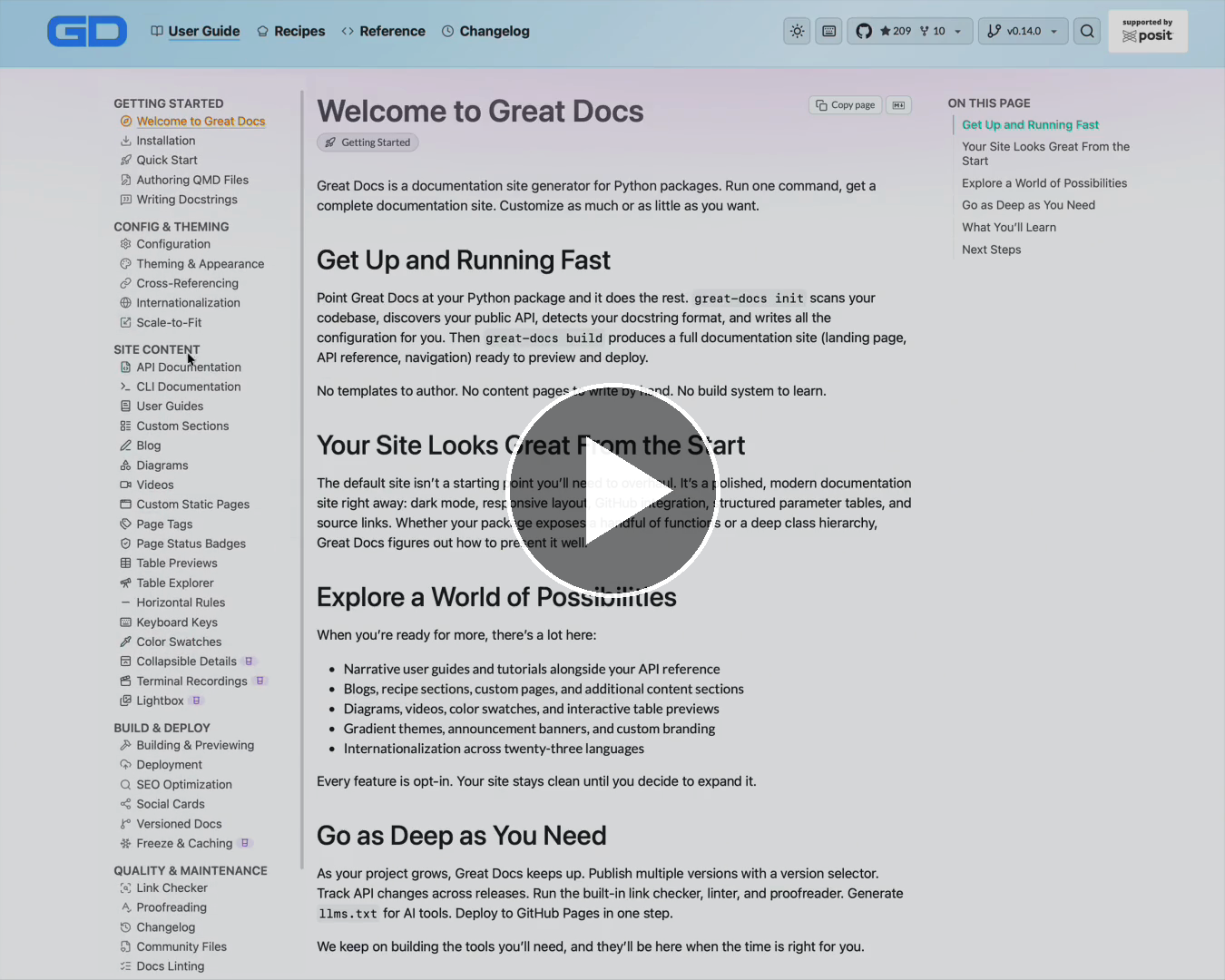
A 22-second tour of a generated site: going through some of the site's many useful pages. Great Docs documents itself -> explore the live site.
Why Great Docs?
Writing documentation shouldn't be harder than writing the code it describes. Most documentation generators require you to author page templates, organize content by hand, and wire up a build system. Great Docs inverts that: point it at a Python package and get a great site right away, then explore further at your own pace.
- Instant setup:
great-docs initinspects your package and generates a complete config - Smart defaults: API reference pages are created automatically from your code (no manual authoring needed)
- Real documentation, not stubs: renders full parameter tables, return types, examples, and cross-references from your existing docstrings
- Looks great out of the box: gradient navbars, dark mode, responsive layout, GitHub widget, sidebar search, keyboard navigation
- Deep when you need it: user guides, multi-version docs, freeze caching, link checking, proofreading, SEO, internationalization (20+ languages), and more (all opt-in)
- AI-ready: auto-generates
llms.txt, agent skills, and markdown pages for LLM consumption - Deploys anywhere: one command creates a GitHub Actions workflow for GitHub Pages
How It Compares
Most Python documentation tools hand you a framework and ask you to assemble the site yourself. Great Docs assembles a complete site for you first, then gets out of the way when you want control.
| | Great Docs | Sphinx | MkDocs | pdoc |
| --- | :---: | :---: | :---: | :---: |
| Polished site with zero config | ✅ | ➖ | ➖ | ✅ |
| API reference from your docstrings | ✅ | ✅ | plugin | ✅ |
| Prose guides, recipes, custom pages | ✅ | ✅ | ✅ | ➖ |
| Click CLI and MCP server reference | ✅ | ➖ | ➖ | ➖ |
| Dark mode, search, theming built in | ✅ | theme | theme | basic |
| AI-ready: llms.txt, agent skills | ✅ | ➖ | ➖ | ➖ |
| Link check, lint, proofread, SEO | ✅ | partial | plugins | ➖ |
Great Docs is built on Quarto, so you get its rendering power (executable code, math, diagrams) without having to wire any of it up.
Get Started in 60 Seconds
[!IMPORTANT]
Great Docs needs two things on your system: Python 3.11+ and Quarto, the rendering engine. Quarto is a separate, one-time install (it isn't a Python package), so set it up before running the commands below. See Requirements for details.
Install
pip install great-docsInitialize, build, and preview
cd your-python-package
great-docs init     # auto-detect package, generate config
great-docs build    # generate and render the site
great-docs preview  # open in your browser at localhost:3000
That's it. Your documentation site is ready.
What Gets Generated
Every site built by Great Docs includes:
Landing Page
Your README is transformed into a landing page with a hero section, metadata sidebar (authors, license, links), and quick-start instructions.
API Reference
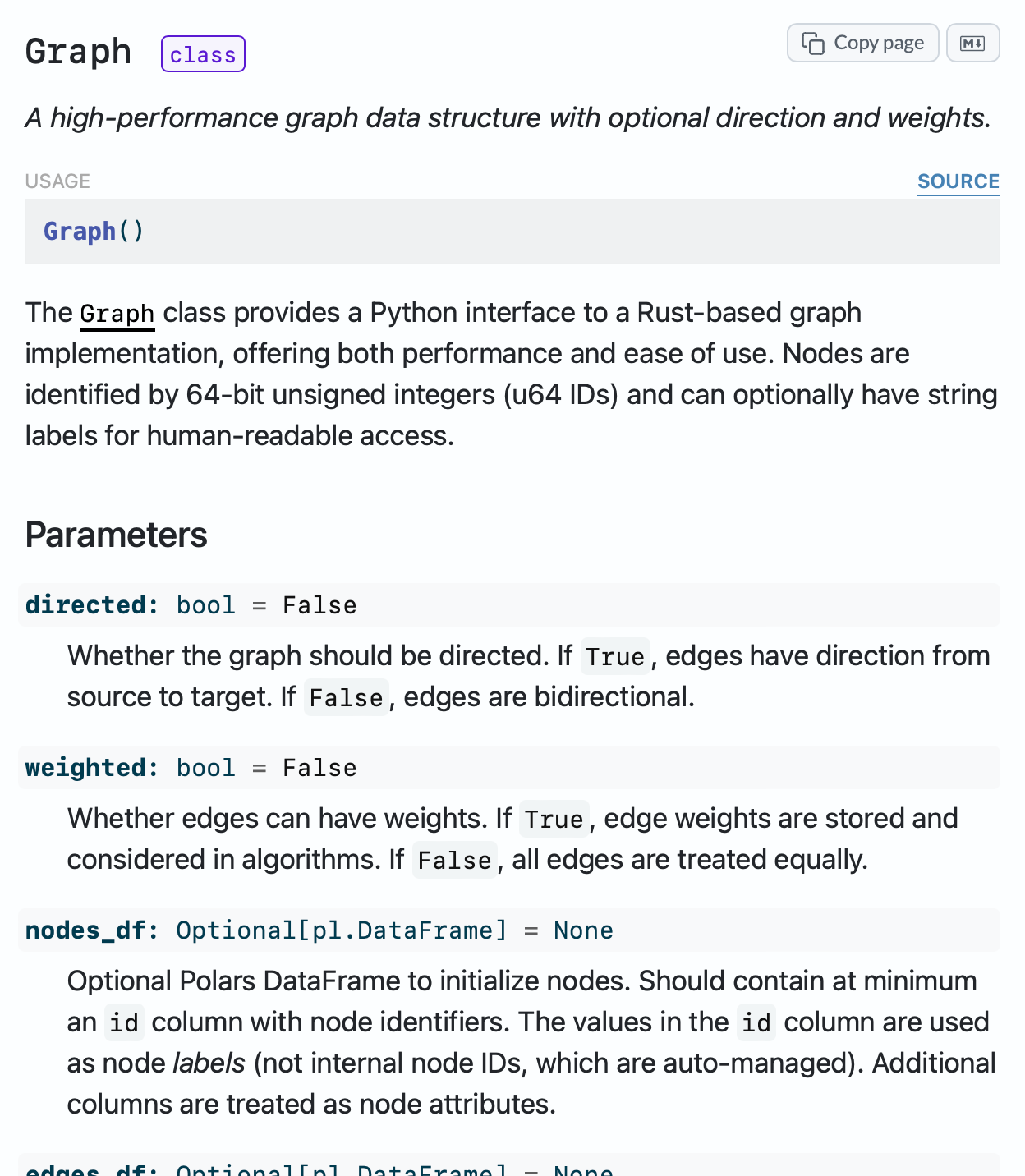
Classes, functions, methods, and attributes are automatically organized into categorized sections. Large classes get dedicated method pages. Every item links back to source code on GitHub.
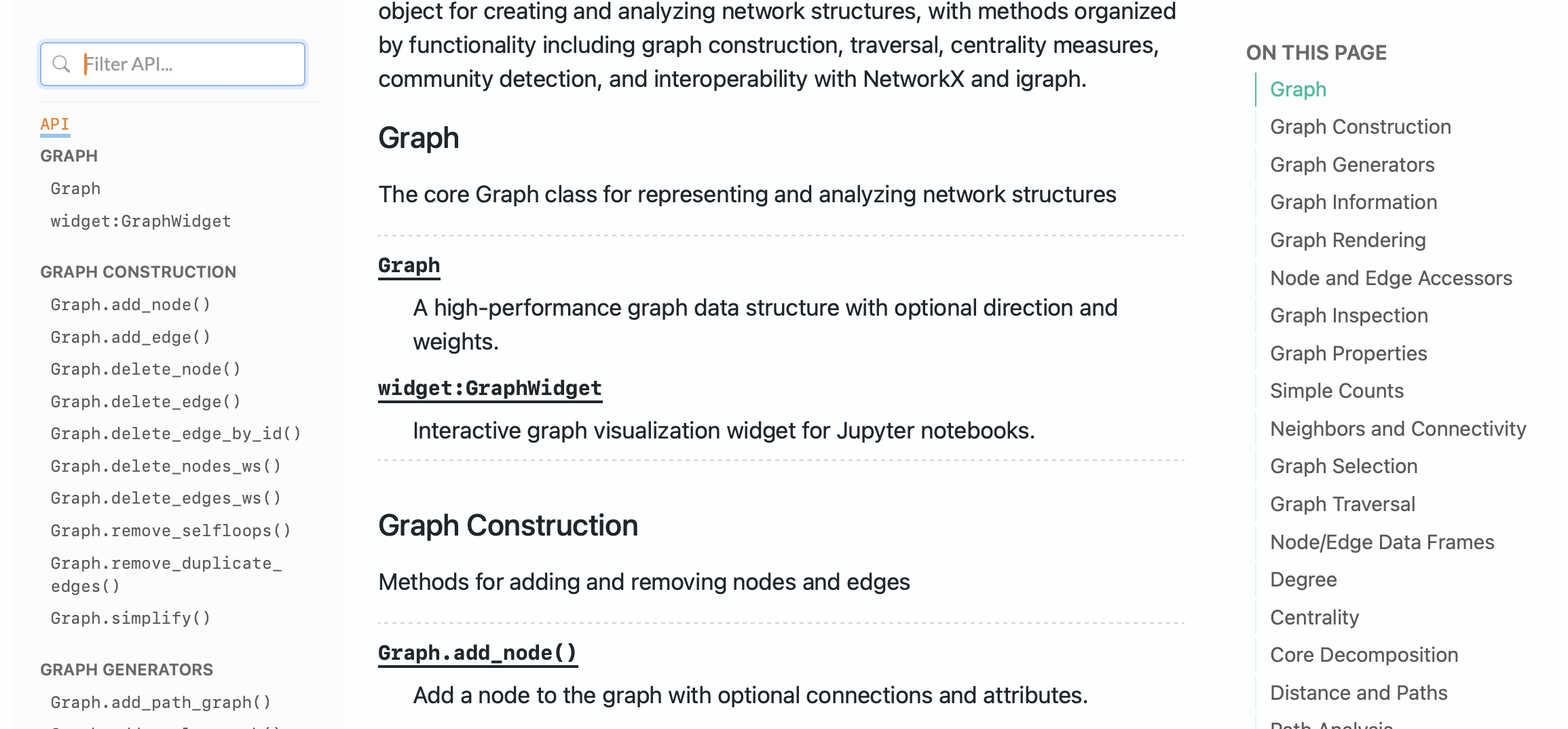
See more: class page and method page
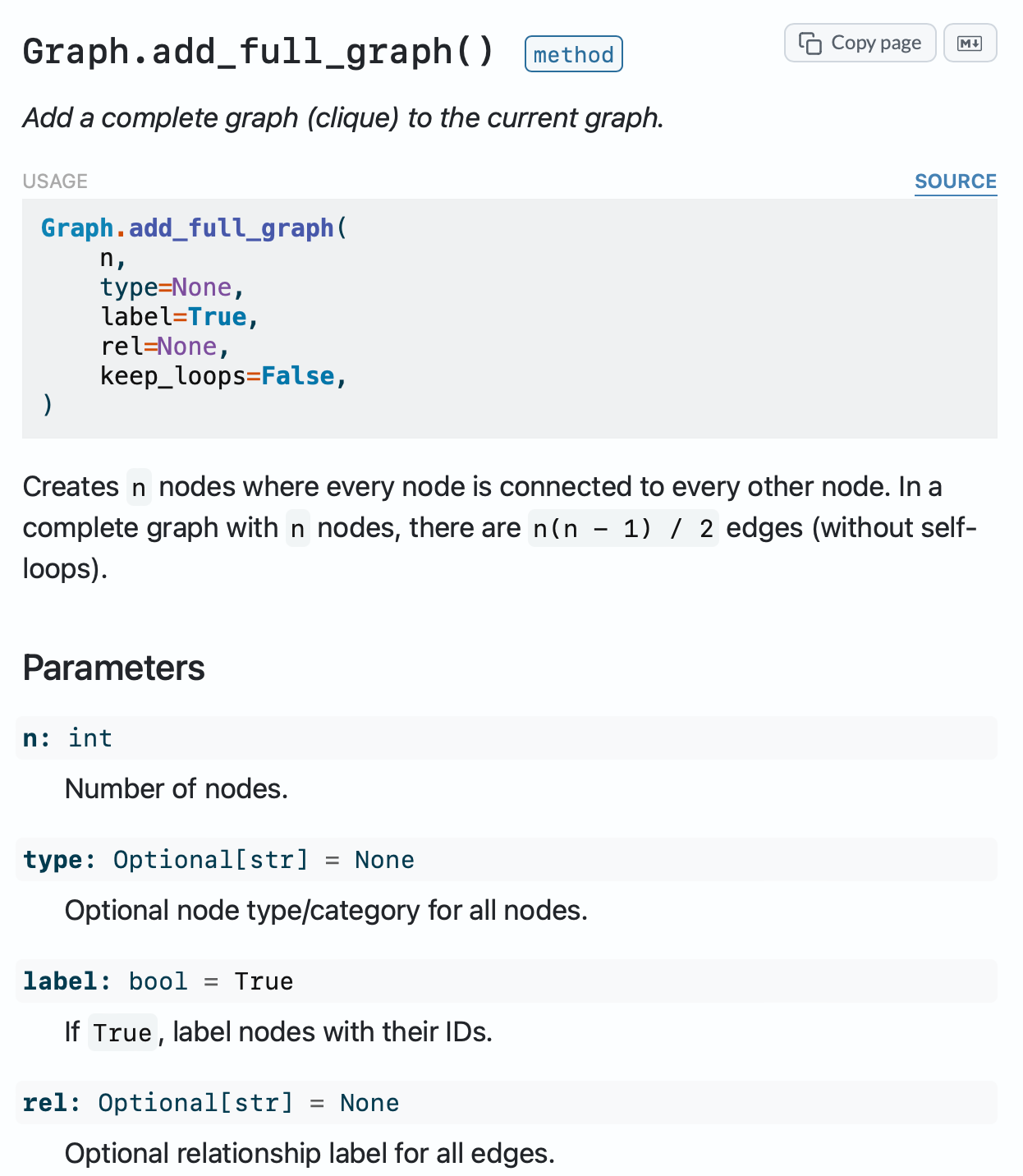
CLI Reference
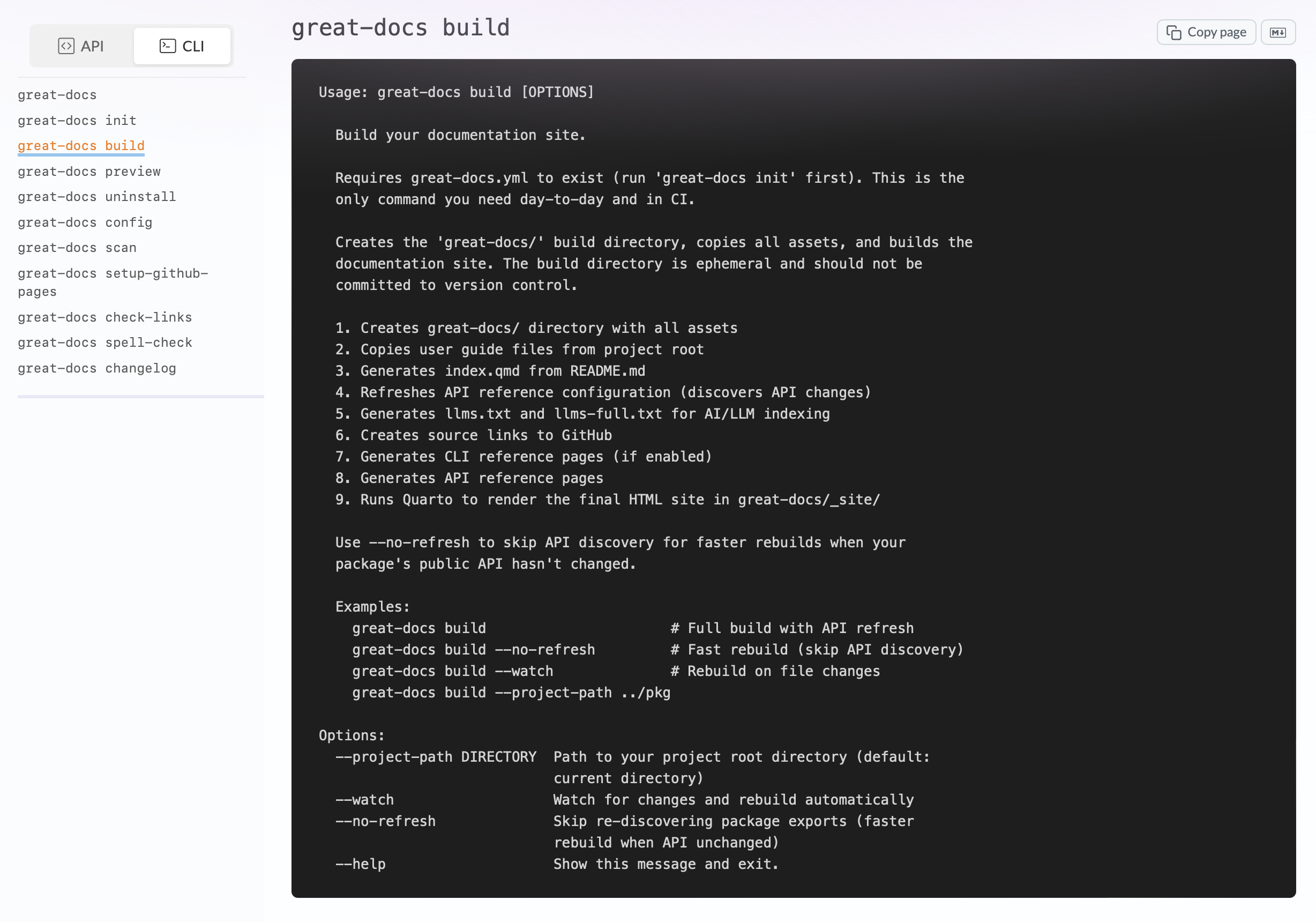
Click-based CLIs get rich, sectioned reference pages with usage signatures, typed options, and descriptions extracted directly from code. Each command page includes structured documentation alongside a collapsible --help output view.
MCP Server Reference
If your package ships an MCP server, Great Docs generates structured reference pages for every tool, resource, and prompt it exposes. Parameters, types, required/optional markers, and descriptions are extracted automatically from your server definitions. Both standard MCP and FastMCP servers are detected automatically.
Terminal Recordings
Teach your CLI visually with Termshow: record terminal sessions (by hand, or from a list of steps that can be re-recorded whenever the output changes), edit them in a browser-based visual editor, and embed the results as animated SVG players in your documentation. Recordings are lightweight, theme-aware, and play inline without JavaScript dependencies. It's incredibly useful in onboarding guides, tutorials, and landing pages. For places that can't run the player, such as a GitHub README, great-docs termshow export writes the recording as a single animated SVG, with light and dark versions if you want them. On sites built without Quarto, a
Lightbox
Any image can expand into a focused, full-screen view. Add a .lightbox class to a single image or set lightbox: auto on a page to enlarge them all. The viewer supports zoom and panning, multi-image galleries with a filmstrip, captions and credits, dark-mode variants, image annotations, before/after comparison, and a copy/download toolbar. Assets load automatically, so there's nothing to install or enable.
Dark Mode
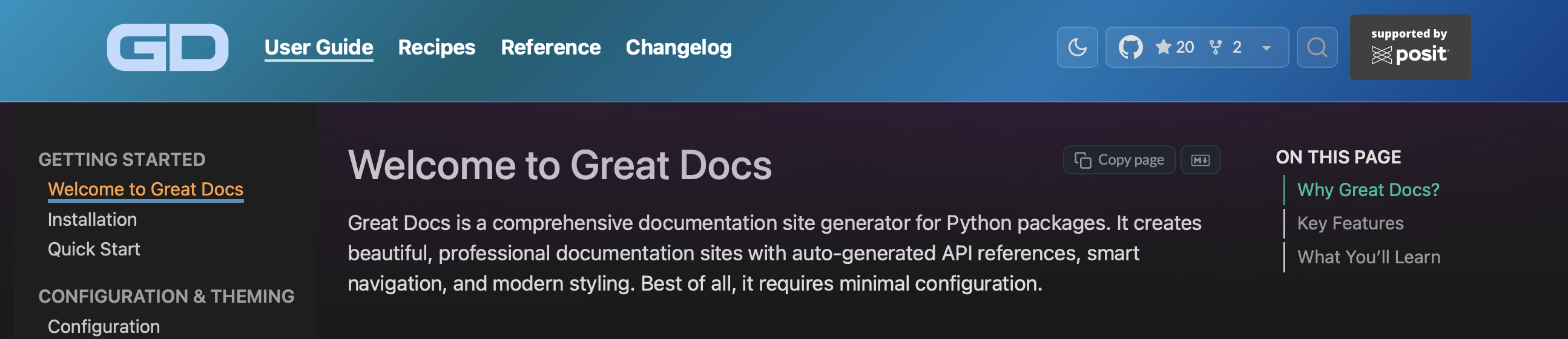
A persistent dark mode toggle with flash-free loading. Your users' preference is remembered across visits.
Full Feature Set
80+ capabilities across 8 categories (click to expand)
|
Documentation Generation
|
Site Features
|
|
AI & LLM Integration
|
Configuration & Branding
|
|
Quality & Reliability
|
Deployment
|
|
Shortcodes & Widgets
|
Developer Experience
|
Configuration
All configuration lives in docs/great-docs.yml. The init command generates it for you.
Source paths such as assets/logo.svg are relative to docs/; package metadata,
Python sources, and the README stay at the project root. You can customise everything:
# Theming
navbar_style: sky
content_style: lilac
dark_mode_toggle: true
accent_color: "#3b82f6"
Branding
display_name: My Package
logo:
  light: assets/logo.svg
  dark: assets/logo-dark.svg
Announcement banner
announcement:
  content: "v2.0 is here!"
  style: mint
  dismissable: true
GitHub integration
repo: https://github.com/your-org/your-package # Optional override
github_style: widget
CLI documentation
cli:
  enabled: true
  module: my_package.cli
  name: cli
Multi-version documentation
versions:
  - tag: v2.0.0
    label: "2.0 (latest)"
  - tag: v1.5.0
    label: "1.5"
Freeze cache for expensive computations
freeze: auto
Internationalization
site:
  language: fr
Custom sections
sections:
  - title: Recipes
    dir: recipes
    navbar_after: User Guide
Custom HTML pages can live in a custom/ directory and are discovered automatically during build.
---
title: Landing Page
layout: passthrough
navbar: true

<section class="hero">...</section>
Use layout: passthrough to wrap the HTML body with the normal Great Docs shell, or layout: raw to copy the HTML file through unchanged.
Set navbar: true to add the page to the site navbar using its title, or use navbar: {text: Showcase, after: Guide} for explicit navbar label and placement.
Build with great-docs build and deploy docs/_site/. Generated Quarto projects
live in docs/_quarto/default/, with historical versions in docs/_quarto/.
For a custom source directory, run
great-docs build --config website/great-docs.yml; its output is website/_site/.
See the Configuration Guide for the full reference.
Deploying to GitHub Pages
great-docs setup-github-pagesThis creates a .github/workflows/ file that builds and publishes your site on every push to main. Your docs stay in sync with your code automatically.
CLI Commands
Beyond init, build, and preview, Great Docs includes a full suite of quality and maintenance tools:
| Command | Purpose |
| --- | --- |
| great-docs scan | Preview discovered exports before building |
| great-docs lint | Check for missing docstrings, broken cross-refs, style issues |
| great-docs proofread | Catch spelling and grammar problems |
| great-docs check-examples | Check that code examples in pages and docstrings run without errors |
| great-docs check-links | Validate all links in the built site |
| great-docs seo | Audit SEO health (sitemap, meta tags, structured data) |
| great-docs api-diff OLD NEW | Show API changes between two versions |
| great-docs api-snapshot | Capture a JSON snapshot of your public API |
| great-docs versions | List and validate multi-version configuration |
| great-docs changelog | Generate changelog from GitHub Releases |
| great-docs freeze | Execute specific pages and persist their freeze cache |
| great-docs timings | Show page-level build timings from the last build |
| great-docs setup-github-pages | Create CI workflow for GitHub Pages deployment |
| great-docs ci pr-comment | Post or refresh a PR comment with the local-preview command (in CI) |
| great-docs ci notice | Print a workflow log notice with the local-preview command (in CI) |
| great-docs config | Generate a fully-documented config template |
| great-docs uninstall | Remove great-docs from your project |
| great-docs skill install | Install AI agent skills for your package |
| great-docs skill check | Check if installed skills are up to date |
| great-docs skill list | List available skills from a package or URL |
| great-docs termshow record | Record a terminal session as a .termshow file, live or from scripted steps: |
| great-docs termshow edit | Open the browser-based visual editor for a recording |
| great-docs termshow play | Preview a recording in the terminal |
| great-docs termshow render | Render SVG frames without a full site build |
| great-docs termshow export | Export a recording as one animated SVG for READMEs |
| great-docs termshow validate | Check a recording and its script for mistakes |
| great-docs termshow assets | Copy the web player for pages built without Quarto |
| great-docs termshow import-cast | Import an asciinema .cast file |
Recipes
The documentation includes 24 step-by-step recipes.
Browse all 24 recipes (click to expand)
Content & API
| Recipe | Topic | | ------------------------------------------------------------------------------------------------------------ | ------------------------------------------ | | Hide Internal Symbols | Control what appears in your API reference | | Customize API Organization | Structure reference sections your way | | Document a CLI | Auto-generate CLI reference from Click | | Cross-Reference Items | Link between documented objects | | Write Effective Docstrings | Get the most out of auto-generated docs | | Add Images & Diagrams | Include visuals in your documentation | | Embed Videos | Add YouTube, Vimeo, and local videos |
Theming & Appearance
| Recipe | Topic | | ------------------------------------------------------------------------------------------------------------------ | ------------------------------------------ | | Add Custom CSS | Override styles with your own SCSS | | Choose Gradient Theme | Pick and customize navbar gradients | | Add Logo & Favicon | Brand your site with custom icons | | Customize Announcement Banner | Add dismissible site-wide notices |
Publishing & Versioning
| Recipe | Topic | | ------------------------------------------------------------------------------------------------------------------ | ------------------------------------------ | | Create Changelog | Pull changelog from GitHub Releases | | GitHub Pages & CI | Automate deployment with Actions | | Add Custom Domain | Serve docs from your own domain | | Enable Multi-Version Docs | Add a version selector to your site | | Use Version Fences and Badges | Annotate version-specific content |
AI-Assisted Workflows
| Recipe | Topic | | -------------------------------------------------------------------------------------------------------- | ------------------------------------------ | | Install Great Docs Skill | Generate an Agent Skill for your package | | Build Site with LLM | Use an AI assistant to set up your site | | Customize Site with LLM | Use an AI assistant to tweak your site | | Understand llms.txt | Make your docs AI-accessible |
Build & Quality
| Recipe | Topic | | ------------------------------------------------------------------------------------------------------ | ------------------------------------------ | | Fix Common Build Errors | Troubleshoot build issues quickly | | Proofread Documentation | Catch spelling and grammar issues | | Use Freeze Cache | Cache expensive notebooks across builds | | Freeze a Page to Cache Outputs | See page-level freeze in action |
Documentation
Full documentation is available at posit-dev.github.io/great-docs.
Full guide index (45 pages, click to expand)
Getting Started
- Welcome to Great Docs: what Great Docs does and what this guide covers
- Installation: setup and requirements
- Quick Start: first site in minutes
- Authoring QMD Files: Markdown, frontmatter, and Quarto features
- Writing Docstrings: docstrings that render into great reference pages
- Configuration: every option explained
- Theming & Appearance: gradients, colors, dark mode
- Cross-Referencing: linking between documented items and pages
- Internationalization: 20+ language translations
- Scale-to-Fit: auto-shrink wide output
- API Documentation: how API references are generated
- CLI Documentation: documenting Click, Go, and Rust CLIs
- User Guides: adding prose documentation
- Custom Sections: recipes, tutorials, and other sections
- Blog: a dated, listing-based blog
- Diagrams: Mermaid and D2 diagram pre-rendering
- Videos: embedding YouTube, Vimeo, and local videos
- Custom Static Pages: static HTML pages
- Page Tags: categorize pages with tags
- Page Status Badges: lifecycle indicators
- Table Previews: show what a dataset looks like
- Table Explorer: interactive data tables
- Horizontal Rules: styled section dividers
- Keyboard Keys: styled keyboard shortcuts
- Color Swatches: inline and grid color swatches
- Collapsible Details: expandable sections for long pages
- Terminal Recordings: record, edit, embed, and export terminal sessions
- Termshow File Formats: the recording and script file formats
- Lightbox: full-screen image viewer with zoom, galleries, and annotations
- Marimo Notebooks: interactive notebooks embedded in pages
- Building & Previewing: the build command and local previews
- Deployment: GitHub Pages and beyond
- SEO Optimization: search engine optimization
- Social Cards: Open Graph and Twitter cards
- Versioned Docs: version selector and versioned builds
- Freeze & Caching: caching expensive computations
- Link Checker: validate all links
- Proofreading: spelling & grammar checks
- Changelog: a changelog page from GitHub Releases
- Community Files: contributing guides, codes of conduct, and more
- Docs Linting: documentation quality checks
- API Evolution: tracking API changes across versions
- Agent Skills: AI coding agent integration
- llms.txt: making your docs readable by LLMs
- MCP Documentation: reference pages for MCP servers
Requirements
- Python 3.11+
- Quarto (the rendering engine)
Contributing
Contributions are welcome! Please see CONTRIBUTING for guidelines and the Code of Conduct.
License
MIT License. See LICENSE for details.
Built by Posit, PBC.