
OpenSprinkler App

[Official Site][official] | [Support][help] | [Changelog][changelog]
© 2013-2016 [Samer Albahra][salbahra] (@salbahra)
A mobile interface for the OpenSprinkler irrigation device. This app provides manual control, program management, run-once programs, device status viewing, rain delay adjustment, and OpenSprinkler settings changes.
[official]: https://opensprinkler.com [help]: http://support.opensprinkler.com [changelog]: https://github.com/OpenSprinkler/OpenSprinkler-App/releases [salbahra]: http://albahra.com
Features
- Manual Control: Water your lawn instantly with easy-to-use controls.
- Program Management: View, edit, add, or delete watering programs to fit your schedule.
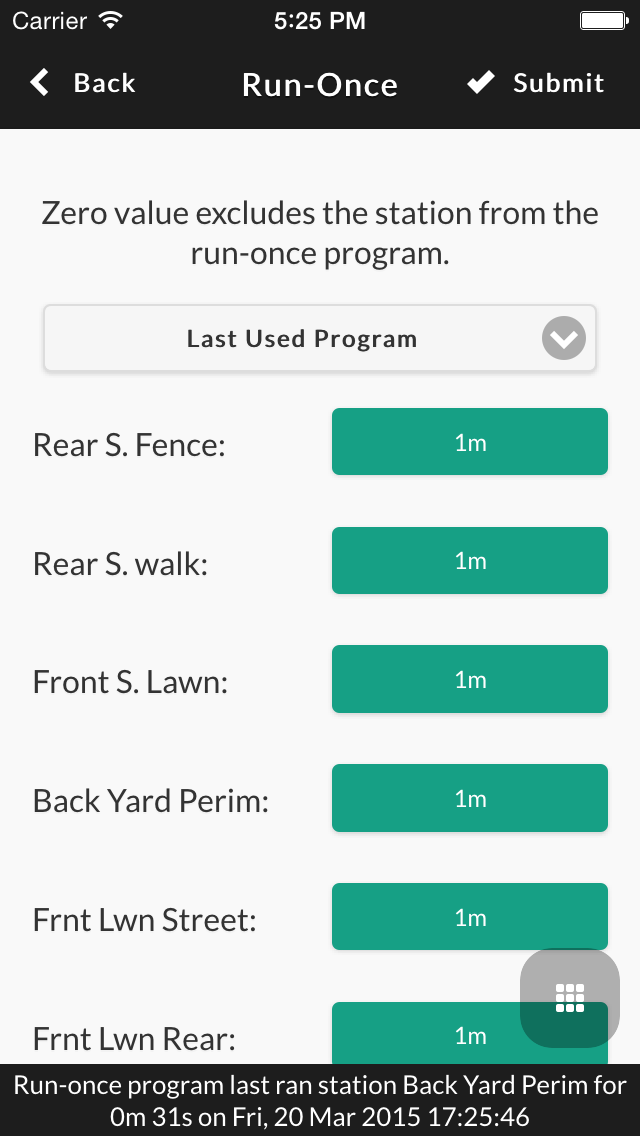
- Run-Once Programs: Quickly set up a one-time watering program for special needs.
- Device Status: Monitor the status of your OpenSprinkler device in real-time.
- Rain Delay: Adjust the rain delay to avoid overwatering during rainy periods.
- Settings: Customize OpenSprinkler settings directly from the app.
Getting Started
Download:
Prerequisites:- An OpenSprinkler device with Unified firmware (version 2.0.3 or later).
- Download and install the OpenSprinkler app on your device.
- Connect your mobile device to the same network as your OpenSprinkler device.
- Launch the app and follow the on-screen instructions to connect to your OpenSprinkler.
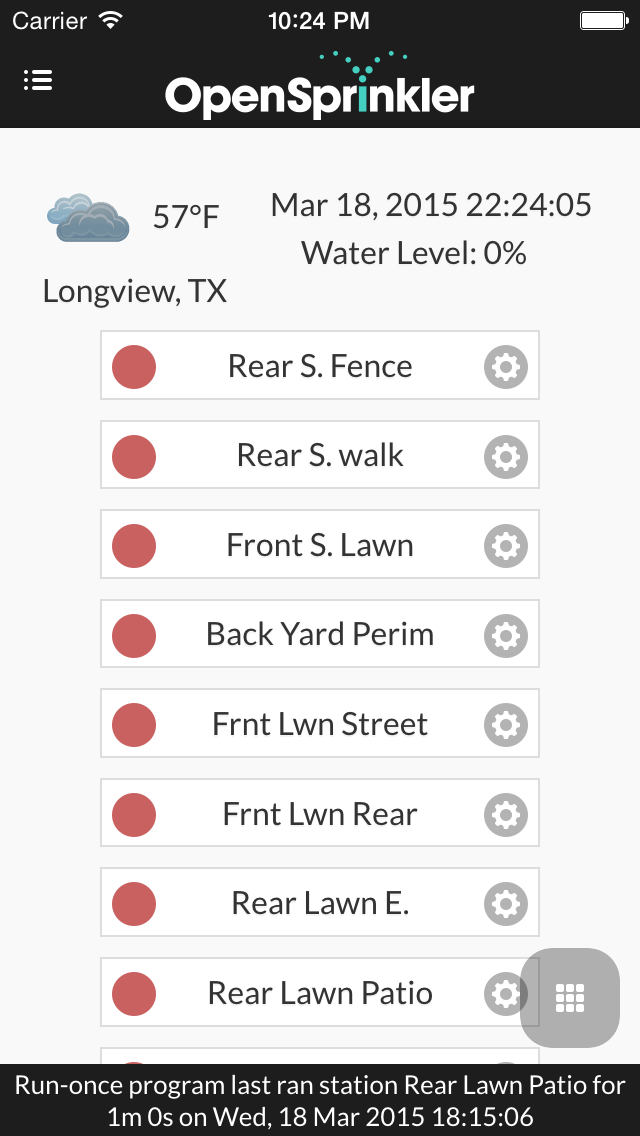
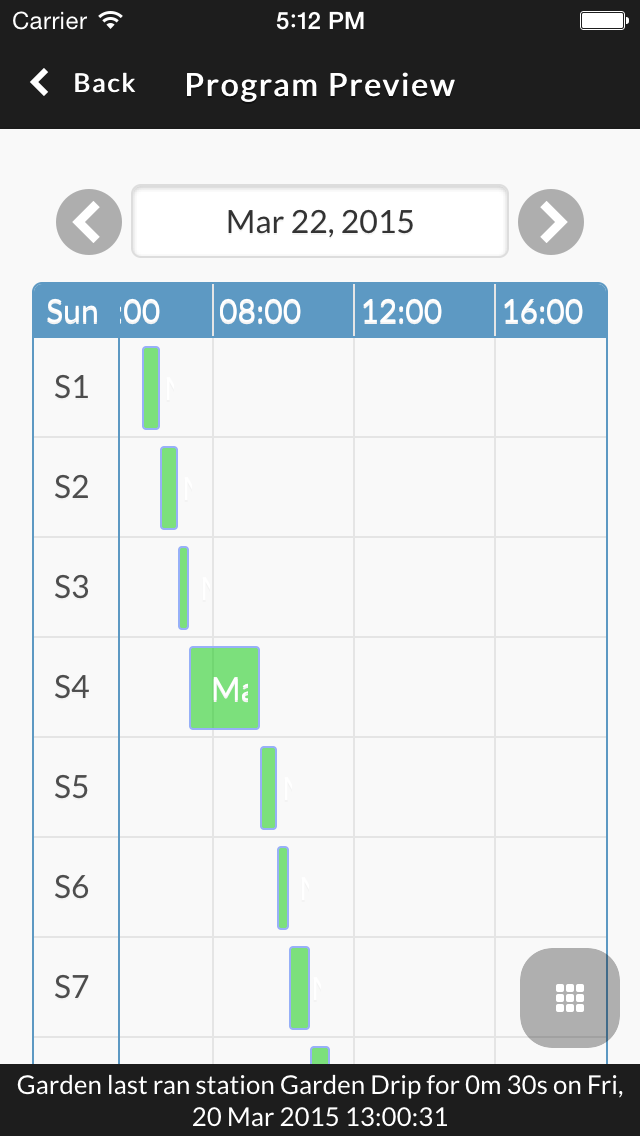

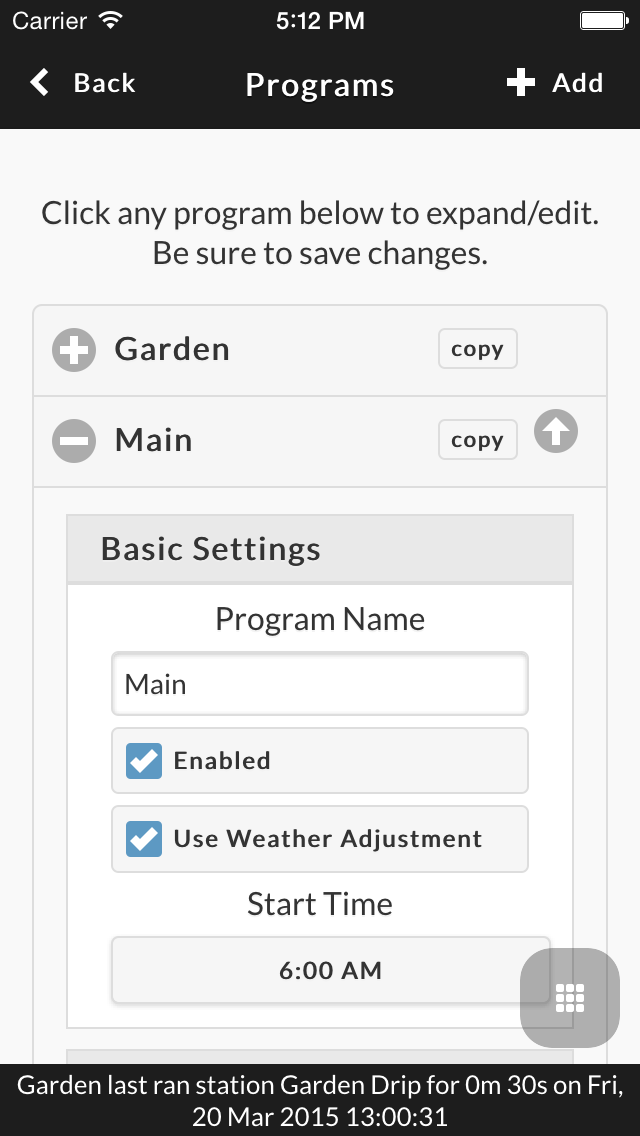
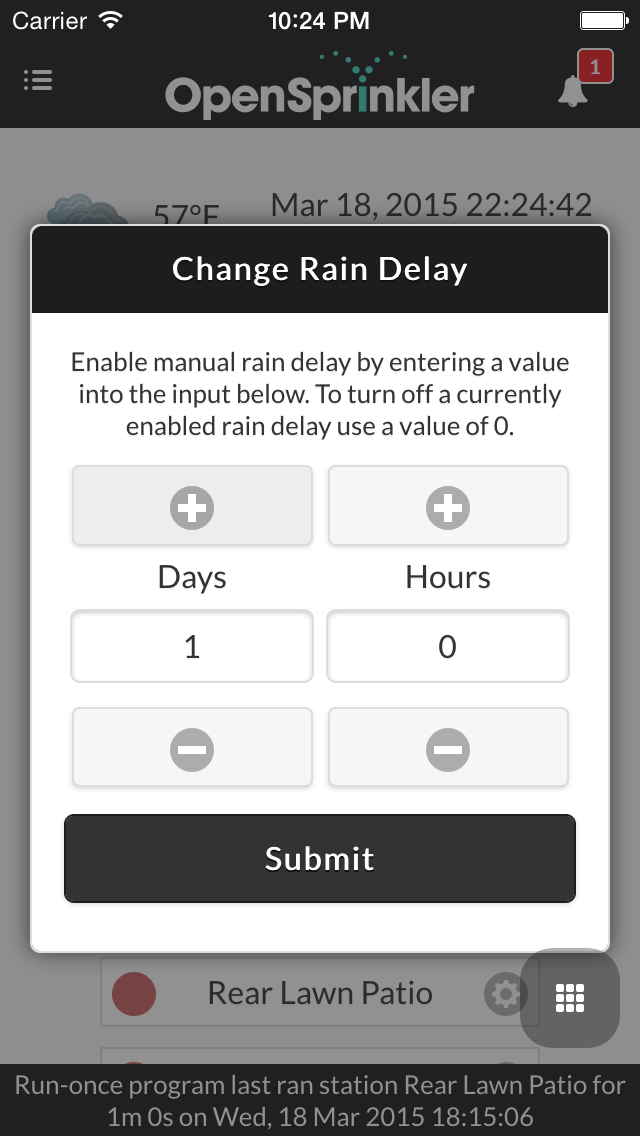
Unified Firmware
Starting with firmware 2.0.3, an option has been added to change the Javascript URL path for the UI. The application now offers an injection method which takes over Ray's OpenSprinkler UI. Just follow the simple steps below to switch your UI:
Firmware 2.1.0 and newer have the following settings by default.
- Navigate to http://x.x.x.x/su (replace x.x.x.x with your OpenSprinkler IP)
- For "Javascript URL" field use the following: https://ui.opensprinkler.com/js
- Enter your password in the field and push "Submit"
- Your page will reload and you will now see the application
Troubleshooting
If you encounter any issues, please check the following resources:
- Support Forum: Search for existing solutions or ask for help.
- GitHub Issues: Check for known issues or report a new one.
- App version:
- OpenSprinkler firmware version:
- Device type: (e.g., iPhone, Android, etc.)
- Steps to reproduce the issue:
- Screenshots or error messages: (if applicable)
Contributing
We welcome contributions to the OpenSprinkler app! If you'd like to contribute, please follow these guidelines:
- Fork the repository: Create your own copy of the repository.
- Create a branch: Make a new branch for your feature or bug fix.
- Make your changes: Implement your changes with clear commit messages.
- Submit a pull request: Open a pull request to the main repository. Please be sure to include either a short demo video or screenshots to show your change.
git commit step, husky will automatically run grunt to check for syntax and styling errors before the commit will be accepted.
Local Development
Fork this repository then:
npm install
npm start
From here you can open your browser to http://localhost:8080 and begin your development.
Grunt Tasks
This project uses Grunt to automate various development tasks. Here are some of the key Grunt tasks available:
Code Quality and Testing
grunt eslint: Checks JavaScript code for potential errors and style issues.grunt csslint: Analyzes CSS code for potential errors and style issues.
Building and Deployment
grunt prepareFW: Builds the hosted firmware UI and itsbuild/firmware/UI.ziparchive.
Firmware UI caching
The firmware loads the stable js/home.js URL. Each build stamps this loader with an assets/ directory.
That directory contains the matching module list, scripts, styles, HTML, images, and translations.
The hash changes when any packaged file changes, even when the application version stays the same.
Root files remain available for older loaders. The source files and native app bundles remain unchanged.
Firebase requires revalidation for mutable URLs, including js/home.js, modules.json, and index.html.
Files under assets/ can use long cache lifetimes because their paths identify their contents.
The UI hosts are ui.opensprinkler.com, betaui.opensprinkler.com, and devui.opensprinkler.com.
Before deploying this change, the release owner must configure Cloudflare to respect origin cache headers for these hosts:
- Set Browser Cache TTL to Respect Existing Headers.
- For matching Cache Rules, set Browser TTL to Respect origin and Edge TTL to use the origin's cache-control header.
- Remove conflicting cache rules or page rules that override these headers.
After each deployment, check the selected public host, including Cloudflare, with curl -I:
/js/home.jsand/modules.jsonmust returnCache-Control: no-cache, max-age=0, must-revalidate./assets/must return/js/main.js Cache-Control: public, max-age=31536000, immutable.
Localization
npm run translations:extract: Extracts English strings and source context locally.npm run translations:coverage: Reports translation gaps per language.npm run translations:compile: Merges human and machine sources into bundled dictionaries.npm run translations:check: Verifies the catalog and compiled files are current, without network access.grunt pushEng: Extracts English strings and uploads them to Transifex. No Git commit or push.grunt updateLang: Pulls Transifex translations into the human source layer and compiles the dictionaries. No Git commit or push.
Unit Tests
This project uses Karma as the test runner utilizing a headless Chrome browser (be sure that Chrome is installed on
your workstation).
npm test: Executes entire test suite located under/test/