

OctoTools: An Agentic Framework with Extensible Tools for Complex Reasoning





Updates
News
- 2026-04-06: Excited to have our paper on OctoTools accepted at ACL 2026! See you in San Diego!
- 2025-07-22: 📄 Added support for Ollama LLM. Now you can use any Ollama-supported models. Thanks @yeahdongcn for your contribution!
- 2025-07-03: 📄 Added support for LiteLLM LLM. Now you can use any LiteLLM-supported models. Thanks @axion66 for your contribution!
- 2025-06-25: 📄 Added backend support for Azure OpenAI. Thanks @sufiyan-ahmed for your contribution!
- 2025-05-21: 📄 Added support for vLLM LLM. Now you can use any vLLM-supported models and your local checkpoint models. Check out the example notebook for more details.
- 2025-05-19: 📄 A great re-implementation of the OctoTools framework is available here! Thank you Maciek Tokarski for your contribution!
- 2025-05-03: 🏆 Excited to announce that OctoTools won the Best Paper Award at the NAACL 2025 - KnowledgeNLP Workshop! Check out our oral presentation slides here.
- 2025-05-01: 📚 A comprehensive tutorial on OctoTools is now available here. Special thanks to @fikird for creating this detailed guide!
- 2025-04-19: 📦 Released Python package on PyPI at pypi.org/project/octotoolkit! Check out the installation guide for more details.
- 2025-04-17: 🚀 Support for a broader range of LLM engines is available now! See the full list of supported LLM engines here.
- 2025-03-08: 📺 Thrilled to have OctoTools featured in a tutorial by Discover AI at YouTube! Watch the engaging video here.
- 2025-02-16: 📄 Our paper is now available as a preprint on ArXiv! Read it here!
TODO
Stay tuned, we're working on the following:
- [X] Add support for Anthropic LLM
- [X] Add support for Together AI LLM
- [X] Add support for DeepSeek LLM
- [X] Add support for Gemini LLM
- [X] Add support for Grok LLM
- [X] Release Python package on PyPI
- [X] Add support for vLLM LLM
- [X] Add support for Azure OpenAI
- [X] Add support for LiteLLM (to support API models)
- [X] Add support for Ollama (to support local models)
TBD: We're excited to collaborate with the community to expand OctoTools to more tools, domains, and beyond! Join our Slack or reach out to Pan Lu to get started!
Get Started
Step-by-step Tutorial
Here is a detailed explanation and tutorial on octotools here.YouTube Tutorial
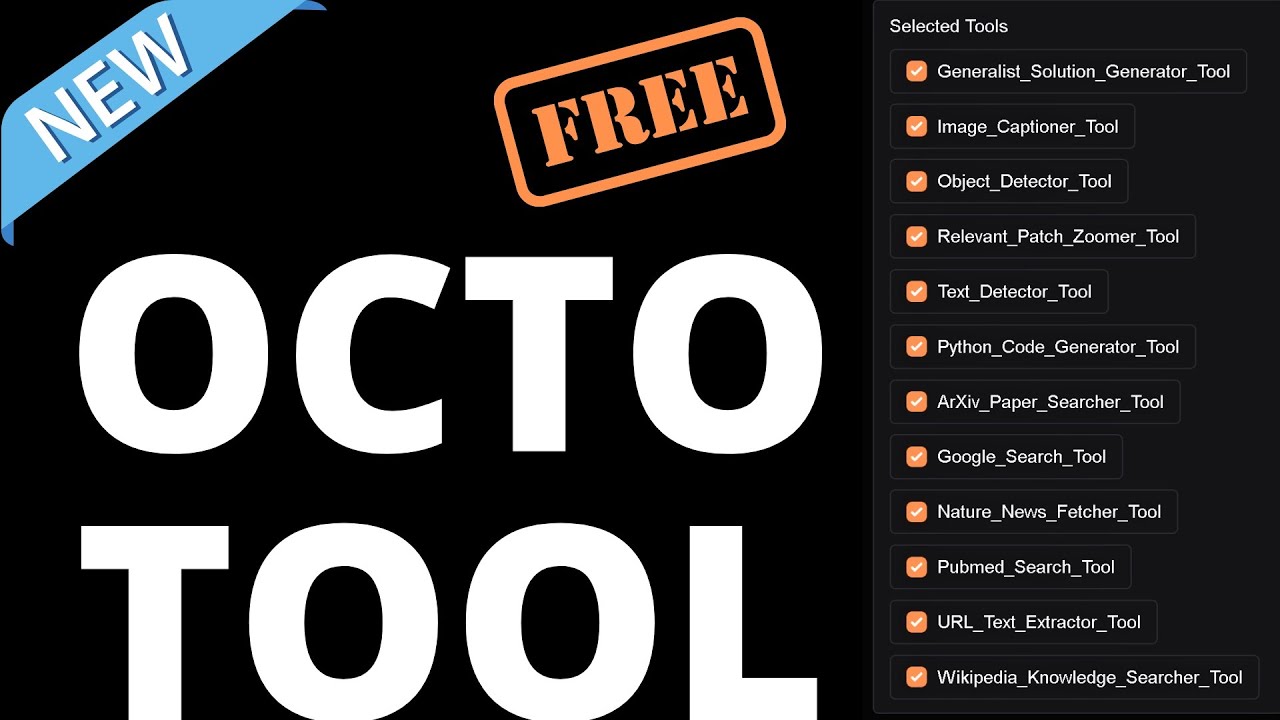
Excited to have a tutorial video for OctoTools covered by Discover AI at YouTube!
Introduction
We introduce OctoTools, a training-free, user-friendly, and easily extensible open-source agentic framework designed to tackle complex reasoning across diverse domains. OctoTools introduces standardized tool cards to encapsulate tool functionality, a planner for both high-level and low-level planning, and an executor to carry out tool usage.
Tool cards define tool-usage metadata and encapsulate heterogeneous tools, enabling training-free integration of new tools without additional training or framework refinement. (2) The planner governs both high-level and low-level planning to address the global objective and refine actions step by step. (3) The executor instantiates tool calls by generating executable commands and save structured results in the context. The final answer is summarized from the full trajectory in the context. Furthermore, the task-specific toolset optimization algorithm learns a beneficial subset of tools for downstream tasks.
!framework_overall !framework_example
We validate OctoTools' generality across 16 diverse tasks (including MathVista, MMLU-Pro, MedQA, and GAIA-Text), achieving substantial average accuracy gains of 9.3% over GPT-4o. Furthermore, OctoTools also outperforms AutoGen, GPT-Functions and LangChain by up to 10.6% when given the same set of tools.

Supported LLM Engines
We support a broad range of LLM engines, including GPT-4o, Claude 3.5 Sonnet, Gemini 1.5 Pro, and more.
| Model Family | Engines (Multi-modal) | Engines (Text-Only) | Official Model List |
|--------------|-------------------|--------------------| -------------------- |
| OpenAI | gpt-4-turbo, gpt-4o, gpt-4o-mini, gpt-4.1, gpt-4.1-mini, gpt-4.1-nano, o1, o3, o1-pro, o4-mini | gpt-3.5-turbo, gpt-4, o1-mini, o3-mini | OpenAI Models |
| Azure OpenAI | gpt-4o, gpt-4o-mini, gpt-4.1, gpt-4.1-mini, gpt-4.1-nano, o1, o3, o1-pro, o4-mini | gpt-3.5-turbo, gpt-4, o1-mini, o3-mini | Azure OpenAI Models |
| Anthropic | claude-3-haiku-20240307, claude-3-sonnet-20240229, claude-3-opus-20240229, claude-3-5-sonnet-20240620, claude-3-5-sonnet-20241022, claude-3-5-haiku-20241022, claude-3-7-sonnet-20250219 | | Anthropic Models |
| TogetherAI | Most multi-modal models, including meta-llama/Llama-4-Scout-17B-16E-Instruct, Qwen/QwQ-32B, Qwen/Qwen2-VL-72B-Instruct | Most text-only models, including meta-llama/Llama-3-70b-chat-hf, Qwen/Qwen2-72B-Instruct | TogetherAI Models |
| DeepSeek | | deepseek-chat, deepseek-reasoner | DeepSeek Models |
| Gemini | gemini-1.5-pro, gemini-1.5-flash-8b, gemini-1.5-flash, gemini-2.0-flash-lite, gemini-2.0-flash, gemini-2.5-pro-preview-03-25 | | Gemini Models |
| Grok | grok-2-vision-1212, grok-2-vision, grok-2-vision-latest | grok-3-mini-fast-beta, grok-3-mini-fast, grok-3-mini-fast-latest, grok-3-mini-beta, grok-3-mini, grok-3-mini-latest, grok-3-fast-beta, grok-3-fast, grok-3-fast-latest, grok-3-beta, grok-3, grok-3-latest | Grok Models |
| vLLM | Various vLLM-supported models, for example, Qwen2.5-VL-3B-Instruct and Qwen2.5-VL-72B-Instruct. You can also use local checkpoint models for customization and local inference. (Example-1, Example-2)| Various vLLM-supported models, for example, Qwen2.5-1.5B-Instruct. You can also use local checkpoint models for customization and local inference. | vLLM Models |
| LiteLLM | Any model supported by LiteLLM, including models from OpenAI, Anthropic, Google, Mistral, Cohere, and more. | Any model supported by LiteLLM, including models from OpenAI, Anthropic, Gemini, Mistral, Cohere, and more. | LiteLLM Models |
| Forge | Any Forge-supported models via forge/Provider/model-name (e.g., forge/OpenAI/gpt-4o-mini). | Same as multi-modal column. | Forge Models |
| Ollama | Any model supported by Ollama, such as DeepSeek-R1, Qwen 3, Llama 3.3, Gemma 3, and other models. | Any model supported by Ollama, such as Qwen 2.5‑VL. | Ollama Models |
Note: If you are using TogetherAI models, please ensure have the prefix 'together-' in the model string, for example,together-meta-llama/Llama-4-Scout-17B-16E-Instruct. For VLLM models, use the prefix 'vllm-', for example,vllm-meta-llama/Llama-4-Scout-17B-16E-Instruct. For LiteLLM, use the prefix 'litellm-', for example,litellm-gpt-4oorlitellm-claude-3-sonnet-20240229. For Ollama, use the prefix 'ollama-', for example,ollama-qwen3:latest. For Forge, use the prefix 'forge/', for example,forge/OpenAI/gpt-4o-mini, and setFORGE_API_KEY(optionalFORGE_API_BASE). For other custom engines, you can edit the factory.py file and add its interface file to add support for your engine. Your pull request will be warmly welcomed!
Installation
Currently, there are two ways to install OctoTools. For most use cases, standard installation would suffice. However, to replicate the benchmarks mentioned in the original paper and to make your own edits to the code, you would need to several bash scripts from Github. An editable installation is recommended.
1. Standard Installation
Create a conda environment and install the dependencies:
conda create -n octotools python=3.10
conda activate octotools
Alternatively, you can use: source activate octotools if the above command does not work
pip install octotoolkit
Make .env file, and set OPENAI_API_KEY, GOOGLE_API_KEY, GOOGLE_CX, etc. For example:
# The content of the .env file
Used for LLM-powered modules and tools
OPENAI_API_KEY=<your-api-key-here> # If you want to use OpenAI LLM
FORGE_API_KEY=<your-api-key-here> # If you want to use Forge LLM (OpenAI-compatible)
FORGE_API_BASE=https://api.forge.tensorblock.co/v1 # Optional custom Forge base URL
ANTHROPIC_API_KEY=<your-api-key-here> # If you want to use Anthropic LLM
TOGETHER_API_KEY=<your-api-key-here> # If you want to use TogetherAI LLM
DEEPSEEK_API_KEY=<your-api-key-here> # If you want to use DeepSeek LLM
GOOGLE_API_KEY=<your-api-key-here> # If you want to use Gemini LLM
XAI_API_KEY=<your-api-key-here> # If you want to use Grok LLM
Used for the Google Search tool
GOOGLE_API_KEY=<your-api-key-here>
GOOGLE_CX=<your-cx-here>
Used for the Advanced Object Detector tool (Optional)
DINO_KEY=<your-dino-key-here>
Obtain a Google API Key and Google CX according to the Google Custom Search API documentation and Programmable Search Engine Page. More details are available in the Google Search Tool documentation.
2. Editable Installation
Start with a fresh new environment:
conda create -n octotools python=3.10
conda activate octotools
Clone the github repo:
git clone https://github.com/octotools/octotools.gitIn the root directory (the directory that contains `pyproject.toml), run the following command:
pip install -e .
(Optional) Install parallel for running benchmark experiments in parallel:
sudo apt-get update
sudo apt-get install parallel
Optional vLLM server
vLLM is not installed with OctoTools. To use a local vLLM model, run the server in a separate environment on the same machine. vLLM 0.32.0 requires Python 3.11 through 3.14 and newer OpenAI and Pillow packages than OctoTools currently pins. Follow the vLLM installation guide for your hardware.
In a separate terminal, create the server environment and start a model:
python3.11 -m venv .venv-vllm
source .venv-vllm/bin/activate
python -m pip install "vllm==0.32.0"
vllm serve Qwen/Qwen2.5-VL-3B-Instruct --host 127.0.0.1 --port 8888
Wait for the server to finish starting. In your OctoTools environment (or notebook kernel), connect without launching another server:
from octotools.solver import construct_solver
solver = construct_solver(
    llm_engine_name="vllm-Qwen/Qwen2.5-VL-3B-Instruct",
    start_vllm_server=False,
)
The client uses http://localhost:8888/v1. The model name after vllm- must match the server's model identifier. For a local checkpoint, use --served-model-name to give it a stable name and use that same name in llm_engine_name.
Both python -m octotools.solver and python tasks/solve.py accept --no-start-vllm-server. For example:
python -m octotools.solver --llm_engine_name vllm-Qwen/Qwen2.5-VL-3B-Instruct --no-start-vllm-serverstart_vllm_server=True remains the default for existing environments that can launch vLLM themselves. vllm_config_path only applies to that automatic startup. With an independently started server, pass the configuration to vllm serve --config ... instead.
Removing the default dependency does not uninstall or update an existing vLLM server. Existing users should migrate to a separate server running vLLM 0.32.0 or a later version containing the fix for GHSA-h3rc-j82p-2c3h.
Quick Start
In a brand new folder, paste the following code to set the API keys:
# Remember to put your API keys in .env
import dotenv
dotenv.load_dotenv()
Or, you can set the API keys directly
import os
os.environ["OPENAI_API_KEY"] = "your_api_key"
Then, paste the following code to test the default solver:
# Import the solver
from octotools.solver import construct_solver
Set the LLM engine name
llm_engine_name = "gpt-4o"
Construct the solver
solver = construct_solver(llm_engine_name=llm_engine_name)
Solve the user query
output = solver.solve("What is the capital of France?")
print(output["direct_output"])
Similarly, you could pass in a photo
output = solver.solve("What is the name of this item in French?", image_path="<PATH_TO_IMG>")
print(output["direct_output"])
You should be able to see the output at the end, along with all the intermediate content.
More detailed jupyter notebook examples are available in the examples/notebooks folder.
Test Tools in the Toolbox (Need Test Scripts from Github)
Python execution is optional and is not sandboxed. The
Python_Code_Generator_Tool is excluded from enabled_tools=["all"]. To use it,
name it explicitly along with any other desired tools:
solver = construct_solver(
    enabled_tools=["Generalist_Solution_Generator_Tool", "Python_Code_Generator_Tool"]
)
This tool runs model-generated code with the permissions of the OctoTools process. It can import modules, access files, and use the network. Explicit selection is not isolation; use an appropriately isolated environment without sensitive files or credentials. Directly instantiating the tool or running its demo also executes unsandboxed code. Its timeout is not a security boundary, and the Windows timer does not reliably stop executing code.
Using Python_Code_Generator_Tool as an example, test the availability of the tool by running the following:
cd octotools/tools/python_code_generator
python tool.py
Expected output:
Execution Result: {'printed_output': 'The sum of all the numbers in the list is: 15', 'variables': {'numbers': [1, 2, 3, 4, 5], 'total_sum': 15}}You can also test all tools available in the toolbox by running the following:
cd octotools/tools
source test_all_tools.sh
Expected testing log:
Testing advanced_object_detector...
✅ advanced_object_detector passed
Testing arxiv_paper_searcher...
✅ arxiv_paper_searcher passed
...
Testing wikipedia_knowledge_searcher...
✅ wikipedia_knowledge_searcher passed
Done testing all tools
Failed: 0
Run Inference on Benchmarks (Need Bash Scripts from Github)
Using CLEVR-Math as an example, run inference on a benchmark by:
cd octotools/tasks
Run inference from clevr-math using GPT-4 only
source clevr-math/run_gpt4o.sh
Run inference from clevr-math using the base tool
source clevr-math/run_octotool_base.sh
Run inference from clevr-math using Octotools with an optimized toolset
source clevr-math/run_octotools.sh
More benchmarks are available in the tasks.
Experiments
Main results
To demonstrate the generality of our OctoTools framework, we conduct comprehensive evaluations on 16 diverse benchmarks spanning two modalities, five domains, and four reasoning types. These benchmarks encompass a wide range of complex reasoning tasks, including visual understanding, numerical calculation, knowledge retrieval, and multi-step reasoning.

More results are available in the paper or at the project page.
In-depth analysis
We provide a set of in-depth analyses to help you understand the framework. For instance, we visualize the tool usage of OctoTools and its baselines from 16 tasks. It turns out that OctoTools takes advantage of different external tools to address task-specific challenges. Explore more findings at our paper or the project page.

Example visualizations
We provide a set of example visualizations to help you understand the framework. Explore them at the project page.

Customize OctoTools
The design of each tool card is modular relative to the OctoTools framework, enabling users to integrate diverse tools without modifying the underlying framework or agent logic. New tool cards can be added, replaced, or updated with minimal effort, making OctoTools robust and extensible as tasks grow in complexity.

To customize OctoTools for your own tasks:
- Add a new tool card: Implement your tool following the structure in existing tools.
- Replace or update existing tools: You can replace or update tools in the toolbox. For example, we provide the Object_Detector_Tool
to detect objects in images using an open-source model. We also provide an alternative tool called the Advanced_Object_Detector_Toolto detect objects in images using API calls.
- Enable tools for your tasks: Set enabled_tools
in tasks/solve.py.["all"]loads tools that allow default loading. Tools such asPython_Code_Generator_Toolmust be named explicitly. To choose a custom set, list its tool names;["all", "Python_Code_Generator_Tool"]does not mean all tools plus Python.
Executor command format
ToolCommand.command remains a string, but now contains a JSON list of argument
objects for the selected tool. For example:
[{"query": "AI agents", "num_results": 5}]Each object becomes one tool.execute(**arguments) call. Use [{}] for a call
without arguments. The executor validates the entire batch before calling the
tool, including parameter names and required arguments. Commands are limited to
65,536 characters, 16 calls, and a nesting depth of 16 (the outer list is depth 0).
Duplicate keys and non-finite numbers are rejected.
The executor accepts only tools in its available_tools list. The solver supplies
this list automatically; callers constructing Executor directly must pass it.
An executor without that list cannot dispatch tools.
Existing Python command strings, including commands in old logs, cannot be replayed directly. Convert their arguments to JSON. Arbitrary Python preprocessing is no longer supported by the dispatcher. Tool cards may retain Python API examples, but the model must translate those examples into JSON arguments. Tool execute()` interfaces and the memory/log field names are unchanged.
This removes generated-code execution from tool dispatch, not from the optional Python tool. It does not sandbox tool implementations or restrict their legitimate file and network operations. Tools remain responsible for validating values and resource access.
Resources
Inspiration
This project draws inspiration from several remarkable projects:
- 📕 Chameleon – Chameleon is an early attempt that augments LLMs with tools, which is a major source of inspiration. A journey of a thousand miles begins with a single step.
- 📘 TextGrad – We admire and appreciate TextGrad for its innovative and elegant framework design.
- 📗 AutoGen – A trending project that excels in building agentic systems.
- 📙 LangChain – A powerful framework for constructing agentic systems, known for its rich functionalities.
Citation
@proceedings{lu2026octotools,
    title={OctoTools: An Agentic Framework with Extensible Tools for Complex Reasoning},
    author={Lu, Pan and Chen, Bowen and Liu, Sheng and Thapa, Rahul and Boen, Joseph and Zou, James},
    booktitle = {Proceedings of the 64th Annual Meeting of the Association for Computational Linguistics (ACL)},
    year={2026}
}
Our Codebase Contributors

Pan Lu |

Bowen Chen |

Sheng Liu |

Rahul Thapa |

Tony Xia |
Contributors
We are truly looking forward to open-source contributions to OctoTools! If you are interested in contributing, collaborating, or reporting issues, don't hesitate to contact us at [email protected] or join our Slack channel OctoTools.
We are also looking forward to your feedback and suggestions!