
Nanolathe
Nanolathe is an independent, open-source 2.5D real-time strategy engine in Go. Its current focus is a clean-room reimplementation of Total Annihilation. You can play campaigns, skirmish, Survival and online games on Windows, Mac and Linux using your own installed game files, or try three campaign missions in your browser without installing anything.
Single-player and multiplayer are broadly complete. Nanolathe is still in beta, so bugs and compatibility gaps remain. The engine, research and file-format documentation are public so you can investigate how TA works, make mods or experiment with engine changes yourself.
Play the demo · Install the beta · Renderer comparisons · Documentation · Contributing
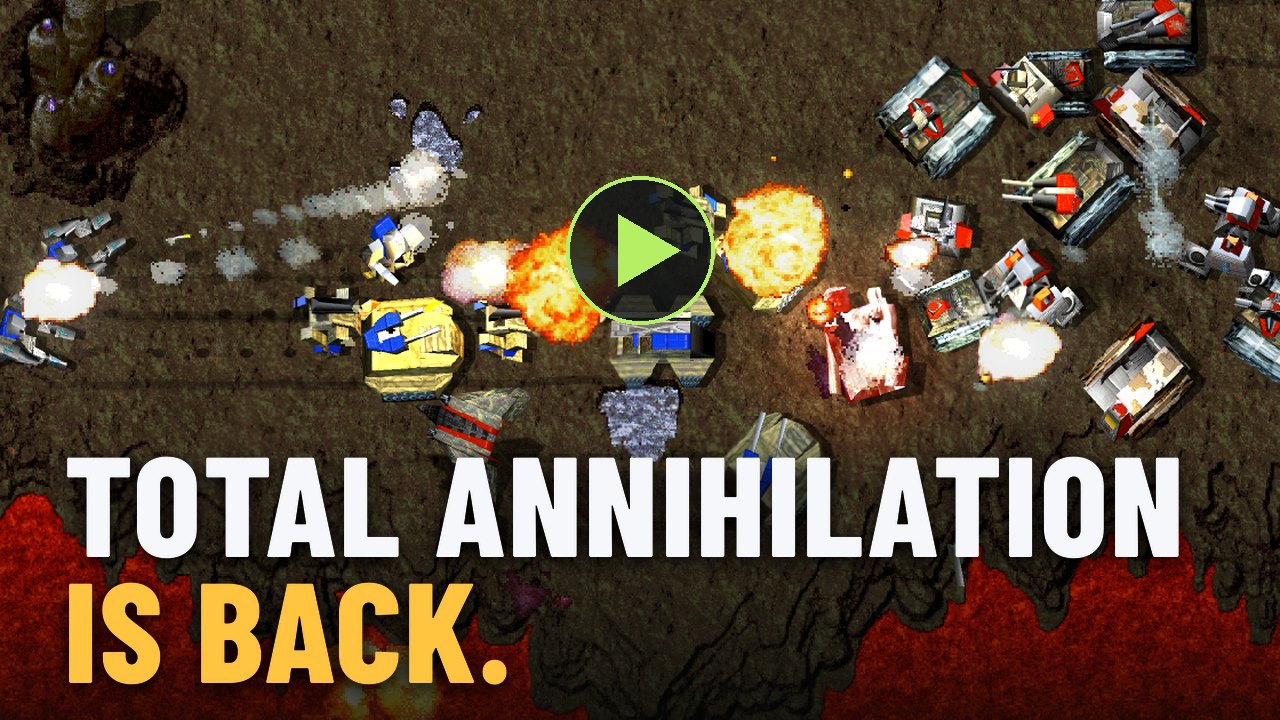
*Engine footage captured offline with --film from
films/announce.json.*
Play
The browser demo plays three missions from the original TA demo. You don't need game files to try it. You can also select your own installed TA folder in the browser to use the full game menus and play online; those files stay on your computer. The browser build is experimental. See browser controls and saves for requirements and limitations.
For the native beta, follow Get started.
The installer downloads its own Go toolchain, builds the latest code from main
and creates a shortcut. You don't need to install Go separately. The shortcut
remembers your game folder and offers an update when newer code is available;
you can keep playing your installed version offline.
You'll need an installed Total Annihilation folder containing the original HPI archives. Keep the base game and installed expansion data together. The reference installation includes Core Contingency, Battle Tactics and the 3.1 patch; other combinations are still being tested. On Mac or Linux, you can bring over an installed Windows game folder. Nanolathe itself runs natively.
The installer guide covers platform requirements, game-folder selection, unsigned-app warnings, updates, saves and removal.
To play online, choose MULTI, create a room and share its six-character code. See the online guide for joining friends and setting up a game.
Gameplay and graphics
Gameplay rules and rendering are separate choices. You can use the modern renderer with Strict 3.1 rules, for example.
| Gameplay | What it selects | | --- | --- | | Modern (default) | Community behavior plus Nanolathe's documented changes, including movement and construction improvements. | | Strict 3.1 | The retail 3.1 behavior the engine aims to reproduce, including documented faults. | | Community 3.9 | Researched community-patch behavior, configured by the selected content and gameplay feature table. |
The gameplay rules design explains these boundaries. Choose the rules on Nanolathe → Game from the welcome screen. Modern AI, Survival, mutators and unit restrictions are available in every gameplay mode. Some mods require Community 3.9 or Modern.
The Modern GPU renderer is the default. It adds camera zoom, tactical icons, lighting, water effects and locally synthesized terrain and feature sprites. On the home screen, open Nanolathe → Graphics and choose Enhanced to use it, or Classic for the CPU-rendered look and its 30 FPS presentation cadence. Enhanced supports 30, 60, 120 and 144 FPS settings, or Display to follow your monitor's refresh rate. Your choices are saved. During a match, F10 switches renderers. The renderer comparisons show the effects with matched scenes; the renderer design describes its experimental status and remaining gaps.
Alt+Enter toggles fullscreen and saves the preference. On Mac, use the green
window control to exit fullscreen if you entered it that way. For music, keep
the GOG installation's music folder in the game root; its MP3 soundtrack plays
directly. Options → Music controls playback and volume. See the
keyboard and camera reference
for more controls.
Mods
Open Nanolathe at the top of the welcome screen, then the Content card on the Game page. Choose Get more mods, download a package and select it in that card. Keep your original TA installation as the base content.
Prepared packages include Nanolathe's engine configuration as well as the mod's
content. For mods whose upstream installers change TotalA.exe or DLLs, use
Get more mods: copying their upstream files over a retail installation
doesn't supply that configuration, and automatic recognition isn't implemented
yet. Support notes cover ProTA 4.8,
Escalation Gold 10.2.0 and
TA Zero Alpha 5, including their known gaps.
Downloaded mods live in $XDG_DATA_HOME/nanolathe/mods (default
~/.local/share/nanolathe/mods). Synthesized map tiles and feature sprites are
cached in $XDG_CACHE_HOME/nanolathe/upscale/1 (default
~/.cache/nanolathe/upscale/1). See the
mods and mutators design for package configuration
and battle options.
Build from source
Install Go 1.27.1 or newer. Ebitengine 2.10 builds the desktop engine without a separate C or C++ compiler. Mac requires macOS 13 or newer; Linux needs a graphical desktop and the graphics/audio runtime libraries described in the installer guide.
git clone https://github.com/nanolathe-gg/nanolathe.git
cd nanolathe
go build -o nanolathe ./cmd/nanolathe
./nanolathe
On Windows, tools\build.cmd builds every command into build\; start the
game with build\nanolathe.exe.
For day-to-day development, ./tools/dev (Mac/Linux) or tools\dev.cmd
(Windows) rebuilds this checkout and immediately runs it. All arguments go to the
game, for example ./tools/dev --root "/path/to/Total Annihilation" or
tools\dev.cmd --root "C:\Games\Total Annihilation". You can invoke the script
by its path from any directory; the game runs with the repository as its working
directory, so relative argument paths are relative to the repository.
The launchers require Go on PATH, reuse Go's build cache, and write only their
executable under the ignored build/dev/ directory. A failed build never starts
an older executable; otherwise they return the game's exit status. They do not
install, update, or change asset discovery or settings. Use these launchers to
play your current source; use the installer shortcut to play an installed version.
With no --root, the engine looks in registered and common installation
locations, including GOG, Steam libraries and Wine installations, then nearby
game folders and finally ~/TotalAnnihilation. It mounts the first installation
found. Detected installations aren't combined. A directly launched
installer-built executable uses its remembered game folder instead.
NANOLATHE_TA_ROOT selects one root in place of discovery. To choose explicitly:
./nanolathe --root "/path/to/Total Annihilation"Manual launches save under the first game root unless you supply
--save-dir "/path/to/saves". The installed shortcut supplies its own save
directory, separate from the game data.
For content-only overrides, repeat --root in load order. Later roots override
earlier ones, even across different archive types:
./nanolathe --root "$HOME/TotalAnnihilation" --root "$HOME/TA-Mods/MyMod"Explicit roots replace discovery and NANOLATHE_TA_ROOT. A mod root only needs
its overrides; definitions still need to follow TA's archive-loading rules.
Full mods may also need a Nanolathe configuration as described above.
--remaster replaces the entire root list. See the
startup root policy for details.
Skirmish defaults to 1000 units per player under Strict 3.1 and the gameplay
feature table's limit otherwise (1500 for unmodified Modern and Community
3.9). --unit-limit 2000 overrides it for one run; accepted values are
20–3276. A saved top-level unitLimit also overrides that default, with
--unit-limit taking precedence. Older builds sometimes saved that value
automatically. You can choose a limit or return to Auto on
Nanolathe → Game. Campaign missions keep their authored limits. The
content design covers precedence.
Manual builds store settings in ~/.config/nanolathe/settings.json, or under
$XDG_CONFIG_HOME when set. NANOLATHE_SETTINGS overrides the full path; the
installed shortcut uses its own settings file beside its saves.
Run ./nanolathe --help for map, gameplay, rendering and diagnostic options.
The separate cmd/nanolathe-headless command runs displayless simulations.
See web/README.md to build and preview the browser host.
Contributing
Nanolathe is a community project. Bug reports, research corrections and code
contributions are welcome on
GitHub. For a bug, include
the build, map or mission, selected mod and gameplay mode, what you did and
what happened. Installer builds keep diagnostic logs in their installation's
logs directory; manual launches write them to standard error.
Read AGENTS.md before changing the tree. It's the contribution guide for people and coding agents: work in an isolated worktree, preserve concurrent work, and follow the verification and landing rules.
- Architecture maps the packages, authoritative tick,
- Invariants records the rules every change must preserve.
- Retail research describes behavior;
Research distinguishes established behavior, supported inferences and unknowns.
Unanswered questions stay explicit as TODO(T23), TODO(T25) or TODO(question)
at the code site and in the owning research document. Verify inferences before
depending on them. Committed descriptions must use independently worded
algorithms; executable addresses, decompiler output and raw analysis stay
outside the repository. AGENTS.md has the clean-room rules.
Use the repository scripts for checks:
./tools/check
NANOLATHE_RETAIL_ASSETS="$HOME/TotalAnnihilation" ./tools/check-retail
tools/check checks formatting, builds, vets and runs the short synthetic test
tier with retail assets disabled. tools/check-retail requires a retail install
and adds static analysis, retail-tagged tests, cross-platform fingerprint checks
and GPU device fixtures where available. Use package arguments during iteration;
run the whole-tree gates before and after landing as
AGENTS.md requires. Report whether asset-backed checks actually ran.
License and history
Nanolathe's original code is MIT licensed. Total Annihilation and its assets belong to their respective owners; the engine's license doesn't grant rights to those assets or retail-derived artwork. Nanolathe is independent and isn't affiliated with or endorsed by the game's owners.
The early history contains curated integration snapshots of private development; those snapshots aren't individually verified releases. Retail-derived remaster exports and raw-analysis material were excluded from that publication. The publication review records the history boundary and remaining provenance questions.