
JumpStart 3D

A free 3D CAD tool that runs in your web browser. No install, no account, no server. Somewhere between Tinkercad and a real CAD program: drag shapes together in Beginner mode, or sketch, extrude, fillet and shell in Advanced mode.
Created by J.Siwek, who publishes his original under the MIT License. Find him at the official site (his own downloads), his source repository on GitHub and his video introducing 2.0.
This repository is the community fork, maintained by Max Sikorski with the jumpstart-3d community. It put the app back online when the original download disappeared, follows each of J.Siwek's releases, and adds some work of its own, listed in What this repository adds on top of the original. See NOTICE.md for credit and licensing.
Open it · Download the single file · Use it with an AI agent
Love it? Help keep it free.
JumpStart 3D is free, with no ads and no account. Your support pays for the hosting and the hours behind every new build.


Prefer GitHub? Sponsor on GitHub (one-time or monthly).
Contents
- Get started
- Host it yourself or embed it
- What people make with it
- What it can do
- Keep your designs safe
- Chat inside the app
- Use it with an AI agent
- Help improve it
- Support the project
- What this repository adds on top of the original
- Setting up your server
- Build it yourself
- License
Get started
JumpStart 3D can be used in a browser tab, as one downloaded file, or as an installed app. You do not need anything else in this repository.
Use it online
Open https://maxsikorski.github.io/jumpstart-3d/ in any current browser. The workspace shows straight away, and the geometry engine (7 MB) loads in the background; a small note in the corner of the 3D view shows how far it is.
Use the single file
Download jumpstart-3d.html (about 16 MB) and double-click it. That one file is the whole JumpStart 3D app and needs no internet connection.
Install it as an app
On the website, use Install in Chrome or Edge, or Add to Dock in Safari. A community member also shared an Electron wrapper for the single file on macOS in issue #11.
Use it offline
After your first visit, the JumpStart 3D website keeps a copy on your computer, fonts included, so it opens at once and works without internet. When a new version is published, a message asks you to reload. The single file never needs the web.
Host it yourself or embed it
To host JumpStart 3D at home or at school, use the single HTML file from the GitHub release,
jumpstart-3d.html,
or copy the docs/ site folder. Any static web server works: run python3 -m http.server in the
folder, or use nginx or Caddy on a computer, a Raspberry Pi, or a Proxmox LXC container with nginx.
The single file needs no internet; the website keeps a copy for offline use after its first visit.
Designs stay in the browser's IndexedDB storage. That means each browser on each device has its own designs; they do not sync automatically. Use Export / Save or the backup tools in Your designs to move them to another browser or device. See Keep your designs safe.
Embed it in another program
Load the page in an iframe or webview, then run JavaScript in the app page's context through
window.JS3D. A parent page can access an iframe this way when both pages share an origin. See
BRIDGE.md for every call and its options. For example:
const app = window.JS3D;
const id = app.add("box", { size: [40, 30, 20] });
await app.ready();
const volume = app.get(id).volume;
const stl = await app.export("stl", { ids: [id] });
For AI agents, see the MCP server guide.
License: From build 24, Max's code is AGPL-3.0-only; if you host a modified copy for others, offer them its source. J.Siwek's original code stays MIT.
What people make with it
The JumpStart 3D community shares what it builds in a few places. Everything below is by the people named, not by this project.
Videos
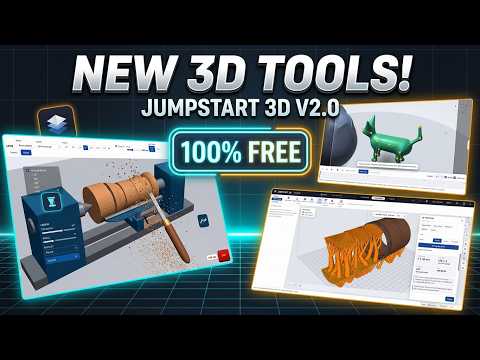
J.Siwek's own tour of version 2.0, at Make and Remake, October 2026: the three modes, Lathe, 3D Sketch, patterns, the print simulator, Chisel's animator and the projector (12½ minutes).

Mike at Making Layers, October 2026, walks through Beginner, Advanced and Chisel in "4 New 3D CAD/Modeling Programs!" (the JumpStart 3D part starts at 5:08).
Prints, questions and ideas
The r/Jumpstart3D subreddit is where people ask questions and share prints and ideas. The JumpStart 3D Show and tell category on GitHub Discussions is ready for pictures of what you designed. It has one welcome thread and no replies yet, so yours could be the first. Questions go in Discussions.
Learn it
JumpStart 3D has ninety step-by-step tutorials with animations, behind the Tutorials button in the top bar: fifty-one from J.Siwek and thirty-eight added by this community build for the toolbar buttons that had none, among them roofs, a snowman, cutter shapes, turning and snapping, a tour of the top bar, how the model looks on screen and sketch constraints.
Add yours
Made a video, a post or a print? COMMUNITY.md collects them and explains how to add yours: open an issue with the "Share your content" form, or reply with a link. We link to your work; we do not copy it.
What it can do
JumpStart 3D works on Mac, iPad and iPhone as well as Windows, Linux and Chromebooks. It has two groups of features: J.Siwek's own, and the ones this community build adds.
J.Siwek's features
- Beginner mode: drag shapes, group them and cut holes, on a 256 × 256 mm build plate.
- Advanced mode: sketches, extrude, revolve, loft, sweep, fillet, chamfer, shell, patterns and
- 3D Sketch for tubes and pipes, Lathe, Jump Brick Builder, and Chisel for
- Architect (new in 2.2, called Architechies until 2.4): floor plans, walls, doors, windows and
- CAM Studio (new in 2.3): plan and simulate CNC router, mill or laser cuts and save G-code.
- FlexiGen for print-in-place articulated figures, and Mesh to STEP to turn STL or 3MF
- Print tools: layer-by-layer preview, section analysis and multi-filament colours. Export to
- A projector window, pictures and video on objects, and Picture to 3D.
Added by this community build
- Named parameters: type
worw/2instead of a number, and everything follows when it
- Code CAD (Open/Export › Code CAD…): write replicad code that builds one solid, and keep the code with the part.
- Bolts, nuts, gears, hole patterns, name plates, knurled knobs and springs, ready to drop into a design.
- Turning shapes by typed angle or in fine steps, around a pivot you can move.
- Your printer's plate size, with steep undersides shaded red.
- glTF and OBJ export, OBJ import, and a pre-painted 3MF for multi-colour printing.
- Back up, folder copies and your own server, and a share link that puts a small design in
- An AI chat and AI agent support.
Keep your designs safe
JumpStart 3D keeps your designs in the browser you used, and clearing that browser's site data erases them. Three tools in Your designs protect them. None ever deletes or overwrites a design you already have.
Back up and restore
Back up all designs… saves every design into one file. Restore from backup… puts them back, on this or another computer. Autosave checkpoints are not in the file.
Save copies into a folder
Save copies into a folder… (Chrome and Edge on a computer) keeps a project file of every design in a folder you pick, updated a few seconds after you stop editing. Those copies survive clearing site data. After the browser restarts, open Your designs and click Allow.
Restore from a folder… (any browser on a computer) adds the designs back from such a folder. Your browser may say "upload"; nothing leaves your computer.
Your server tab
The Your server tab in Your designs keeps designs in a folder on a WebDAV server (Nextcloud, a NAS, a web server), so every computer you use can open them. Type the folder's address, your user name and password (on Nextcloud, an app password from Settings › Security), and click Connect.
If your copy and the server's both changed, the server's opens as "… (from server)" and yours stays. The server has to be set up once: see Setting up your server.
Chat inside the app
JumpStart 3D has a built-in AI chat. Click the AI button in the top bar, pick a model, and type what you want ("a 40 by 30 by 20 block with an 8 mm hole through it"). The model edits the design you have open: it adds shapes, cuts holes, moves and sizes them, looks at the view and offers an export. It acts only through the same tools as the agent server, you see every step in the chat, and you can undo it like any other edit.
Chat providers
| Provider | Address filled in for you | Key |
|---|---|---|
| Ollama | http://localhost:11434 | not needed |
| LM Studio | http://localhost:1234/v1 | not needed |
| OpenAI-style (OpenAI, OpenRouter, Groq, oMLX…) | https://api.openai.com/v1 (change it for the others) | yes |
| Anthropic | https://api.anthropic.com/v1 | yes |
Use List models to fill the model box from the server. Tick Model can see images if yours can. For a local model, pick one that supports tools; 9B or larger works best.
Let a local model connect
A local model server has to allow the JumpStart 3D page to talk to it, once.
- Ollama: run it with
OLLAMA_ORIGINS="*"and restart it. The single file needs the same
launchctl setenv OLLAMA_ORIGINS "*", then quit and reopen the Ollama app.
- Linux: systemctl edit ollama.service and add Environment="OLLAMA_ORIGINS=*" under
[Service].
- Windows: add the user environment variable OLLAMA_ORIGINS with the value *.
- LM Studio: Developer › Server Settings › turn on Enable CORS (or start it with
lms server start --cors), then start the server.
If Chrome asks whether the site may reach devices on your local network, allow it. Safari may block
the website from reaching localhost; use the single file there.
Chat keys and scripts
Your key stays in this browser and is saved only if you tick Remember key in this browser. Nothing is sent until you press Send. Allow scripts is off unless you tick it: with it on, the model can run any JavaScript in the page, the same trust as Open/Export › Run script….
Use it with an AI agent
Agents that run outside the browser, such as Claude Code, Codex or Gemini CLI, can build and edit JumpStart 3D designs, look at the result and export STL, STEP, OBJ or 3MF. This is separate from the in-app chat (see Chat inside the app).
One-line setup for any agent
Give any agent that can read a web page and run commands this one line, and it sets everything up itself (it asks before it edits files outside the repository):
Read https://raw.githubusercontent.com/MaxSikorski/jumpstart-3d/main/mcp/AGENT-SETUP.md and set it up for me.If the agent cannot fetch the address, use the same file on the web: mcp/AGENT-SETUP.md.
Claude Code plugin
With Claude Code, two commands install the JumpStart 3D plugin:
claude plugin marketplace add MaxSikorski/jumpstart-3d
claude plugin install jumpstart-3d@maxsikorski
Edit the design you have open
For an agent to edit the JumpStart 3D design open in your browser, turn on Connect to AI agent
in the Theme, performance and mesh detail menu (the half-moon button). It is off unless you turn it
on. Without that, the agent works in its own invisible browser, which needs Chromium once:
npx [email protected] install chromium.
More about agents
Setup for other agents (Codex, Gemini CLI, Cursor and more), the command line, the full tool list and the safety notes are in mcp/README.md.
Help improve it
You do not need to write code to help JumpStart 3D.
Writing or filming about it? PRESS.md has the facts, links and pictures for press and video makers.
Report a bug
Open an issue at https://github.com/MaxSikorski/jumpstart-3d/issues/new/choose and pick "Bug report". Say which browser you use and what you clicked, and attach a saved project file if you can.
Ask for a feature
Use the same page and pick "Feature request". Describe the problem you are trying to solve; that helps more than a specific design.
Ask a question or answer one
Questions and pictures of what you made go in Discussions. If you know the answer to someone else's question, reply to it. Helping other users counts.
Change the code
See CONTRIBUTING.md for the guide, and Build it yourself to get a working copy.
Support the project
JumpStart 3D is free and stays free. If it saves you time, you can chip in towards the maintainer's hosting and coffee. The About dialog also has a Support button.
- GitHub Sponsors (monthly or one-time, with a GitHub account): https://github.com/sponsors/MaxSikorski
- One-time, any amount (Stripe, no account needed): https://buy.stripe.com/28E4gydyeetR0S9aNb0gw08
- Monthly (Stripe, no account needed): https://buy.stripe.com/7sYcN479Q71p44l1cB0gw09
What this repository adds on top of the original
This is the full list of what the JumpStart 3D community build adds to J.Siwek's app. It is all ours, not his. The code for each sits in its own module or in a short, marked block, so a new upstream version stays easy to merge.
Making things
- Fasteners: hex bolts, hex nuts, threaded rods and tap cutters in metric (M2.5 to M12) and inch
- Hole patterns: rows, staggered rows or a circle of round, square, hex or slot holes on a flat
- Gears: spur gears, helical gears (12 to 30 teeth, 5 to 30 degrees, right or left hand), straight
- Name plates: a plate sized to one line of text, with the letters raised in a second colour or
- Knurled knobs: a cylinder with straight V grooves all round (a true solid that exports to STEP) and an
- Code CAD: replicad code (a function body that gets
replicadandparamsand returns one closed solid) builds in a
JS3D.codeCad.
- Springs: a compression spring of round wire from the wire, outside diameter, free length and turns (2 to 10),
- Thirty-eight more tutorials, for the toolbar buttons that had none: roofs, a snowman, cutter shapes, turning and snapping, a tour of the top bar, screen looks and sketch constraints.
Editing
- Named parameters: give a value a name or an expression (
40,w/2,1in) and use it in sketch
- A fully-constrained mark on every sketch, and a name for every dimension (
d1,d2…), as proof
- Patterns as one editable timeline entry: change the count, spacing or angle later, and editing
- Move and turn sketches, and the features built from them follow.
- Turning shapes: typed angles, 15° steps or free turning, fine steps from the status bar, and a
- A hidden rebuild-times panel for slow designs (Ctrl+Alt+P, or add
?perfto the address): the last
- An underside view: the plate turns nearly clear when you look from below.
- Boolean fixes: a torus no longer disappears from a group, two offset spheres cut to the right
Printing
- Printer plate: pick your printer's build area; Beginner's mat takes its width and depth, and
- Overhang shading: faces that lean out more than a limit you choose (10 to 80°) are painted red.
- Pre-painted 3MF: what you paint in the 3D Print Sim is written into the 3MF, so Orca and
- Mesh detail, in the Theme, performance and mesh detail menu: Normal, Fine, Extra fine, or a
Files and sharing
- OBJ and glTF (
.glb) export, and OBJ import in Beginner and Advanced. - Share link: puts a small design in a web address, which you copy and send. Nothing is uploaded,
- Report a problem: opens a bug report on GitHub with the app details filled in, never your
- Link previews: shared on Discord, Reddit, iMessage, Slack or X, the site shows a title and a
- Imported SVG drawings are cleaned of scripts, so a booby-trapped file cannot run code.
Storage and safety
- Back up all designs and Restore from backup, Save copies into a folder, Restore from a folder,
- Designs are stored in the browser's IndexedDB, which has room for big designs, instead of the
Speed and installing
- No waiting at a splash screen: the workspace opens while the engine loads, and the website works
- Installable as an app, with the fonts included.
- The website keeps the 7 MB kernel as a separate file, so the page itself is about 5 MB, against
- The About dialog has Check for updates, Visit the community build, Support and
AI and scripting
- Chat inside the app (see Chat inside the app).
- An MCP server for AI agents, and a Claude Code plugin with a skill that teaches an agent to use
jumpstart command line that makes exports and pictures without an agent. See
mcp/README.md.
- A scripting bridge,
window.JS3D, that scripts and the browser console can call; Open/Export ›
.js file with it. BRIDGE.md lists every call and the project
file format.
Building and testing
- A reproducible build from readable source, with the libraries pinned.
- A test suite (
npm test) that drives the real app on both builds. A short part gates every pull
Setting up your server
JumpStart 3D's Your server tab speaks WebDAV (not S3 or Windows shares). This section explains what your server must allow and gives recipes for common ones. We have not tried the recipes ourselves: tell us in an issue if one works, or what it needed.
The https problem
The JumpStart 3D website is on https, and a NAS at home usually speaks plain http, which browsers refuse to mix with an https page ("mixed content"). Two fixes: give the NAS a certificate and use its https:// address, or put the page on the NAS itself, next to the folder (see the TrueNAS recipe), so the page and the folder share one address and nothing needs permission.
What the server must allow
A browser lets a web page talk to another address only when that address agrees. So the server has to answer the page's "may I?" question (a request called OPTIONS) and add a few headers to every answer, errors included:
Access-Control-Allow-Origin:*, or the address the page is opened from.Access-Control-Allow-Methods:GET, PUT, DELETE, PROPFIND, MKCOL, OPTIONS.Access-Control-Allow-Headers:Authorization, Depth, Content-Type, If-Match.- The OPTIONS question has to be answered with a success (204 is usual) without asking for a
If Chrome asks whether the page may reach devices on your local network, allow it. If the folder is missing, the Your server tab offers a Create the folder button; it never creates one by itself. Test connection checks the address, user name and password without saving anything.
nginx
nginx needs the third-party nginx-dav-ext-module; the stock module cannot list a folder or
answer OPTIONS.
location /dav/ {
    root /srv;
    dav_methods PUT DELETE MKCOL;
    dav_ext_methods PROPFIND OPTIONS;
    client_max_body_size 64m;
    add_header Access-Control-Allow-Origin "*" always;
    add_header Access-Control-Allow-Methods "GET, PUT, DELETE, PROPFIND, MKCOL, OPTIONS" always;
    add_header Access-Control-Allow-Headers "Authorization, Depth, Content-Type, If-Match" always;
    if ($request_method = OPTIONS) { return 204; }
    auth_basic "JumpStart 3D";
    auth_basic_user_file /etc/nginx/dav.htpasswd;
}
Apache
Apache needs mod_dav, mod_dav_fs and mod_headers switched on.
<Location "/dav/">
    Dav On
    Header always set Access-Control-Allow-Origin "*"
    Header always set Access-Control-Allow-Methods "GET, PUT, DELETE, PROPFIND, MKCOL, OPTIONS"
    Header always set Access-Control-Allow-Headers "Authorization, Depth, Content-Type, If-Match"
    AuthType Basic
    AuthName "JumpStart 3D"
    AuthUserFile /etc/apache2/dav.passwd
    <LimitExcept OPTIONS>
        Require valid-user
    </LimitExcept>
</Location>
TrueNAS
TrueNAS CORE 13 has a built-in WebDAV service (Services › WebDAV: HTTP on port 8080, or HTTPS on
8081 with a certificate) and WebDAV shares (Sharing › WebDAV Shares). A share's address is
http(s)://, and the share name is case-sensitive. The service has
one password, for the user webdav. Set its authentication to Basic; Digest will not work.
TrueNAS SCALE removed the built-in service in 23.10 (Cobia); install the WebDAV app from its
catalog (or Nextcloud) and use the address the app shows. Neither lets you add the headers, so use
the no-headers route: copy the single file jumpstart-3d.html (or the contents of docs/) into
the share and open it at the share's address. In the Your server tab, type the share's address, or
just ./designs/ for a folder next to the page, then webdav and its password. Because the page
and the folder share one address, no headers and no https are needed.
Nextcloud
For Nextcloud the address is https://. Use
an app password (Settings › Security); it also works with two-factor login. Nextcloud sends none of
the headers for WebDAV, so put a reverse proxy in front that adds them and answers OPTIONS before
Nextcloud sees it (the nginx recipe shows the idea). The proxy also needs a body-size
limit like client_max_body_size 64m;, because nginx's 1 MB default refuses bigger designs.
Nextcloud slows down repeated failed logins, so check the password before clicking Connect again.
Synology and other NAS boxes
A Synology or other NAS that serves WebDAV for JumpStart 3D is the same story as Nextcloud: it needs a reverse proxy you control in front of it that adds the headers listed in What the server must allow and answers OPTIONS before the NAS sees it.
Fill in the address for everyone
If you put the JumpStart 3D website on your own server (copy the contents of docs/), put a file
storage.json next to index.html containing { "webdav": "https://your.server/dav/jumpstart/" },
or a short address such as "designs/" (taken from where the page is). The page reads it the first
time the Your server tab is opened and only fills in the address field. Passwords never go in it.
An address someone has already typed and connected with wins over the file. docs/ is rebuilt
every time, so the file lives on your server only.
The single file opened from your disk cannot read storage.json, so type the address. A page
opened from disk has no web address of its own, so the server has to allow every origin (*). The
saved password sits in the browser's storage for local files, which other local pages might be able
to read: use an app password you can revoke.
Why not S3 or Windows shares
An S3 bucket needs a secret key that a web page would have to hold in the open, and browsers cannot speak the Windows file-sharing protocol (SMB) at all. WebDAV works with a user name and a password and runs on most NAS boxes and cloud drives.
Build it yourself
This section is for building JumpStart 3D from source. You need Node.js 20 or newer (22.19 or newer to run the Lighthouse loading check; Node 20 still builds, with warnings from the dev tools).
Build the app
git clone https://github.com/MaxSikorski/jumpstart-3d.git
cd jumpstart-3d
npm install
node build.mjs
npm install fetches esbuild (pinned to the version the author used), the Playwright test tool
and ws. The build writes the website to docs/ and the single file to dist/jumpstart-3d.html.
Neither is committed on main. To try the website, serve docs/ with any static server, for
example npx serve docs.
Run the tests
The JumpStart 3D tests drive the real app in a headless browser, on both builds. Once, fetch the
browser with npx [email protected] install chromium. Then, after a build, run npm test. After a
change that is meant to alter the geometry, run npm run test:update to record the new export
hashes. test/README.md has the rest.
Where things are
The map of folders, the rules of thumb for changes and how to send a pull request are in CONTRIBUTING.md; the review process is in REVIEW.md.
License
From build 24 (v2.5.1-community.24) on, this project is licensed under the GNU AGPL-3.0 (AGPL-3.0-only). In one sentence: you may use, change and share it, and anyone who runs a changed version for others, including as a website, must share their source under the same license.
It is based on J.Siwek's JumpStart 3D, which is MIT licensed. His code stays MIT, and his license and copyright are kept in LICENSES/MIT-jumpstart-3d-jsiwek.txt. Builds up to 23 were released under the earlier terms and keep them. Bundled libraries keep their own licenses (THIRD-PARTY-NOTICES.md). Credit, history and details are in NOTICE.md.