




What is Mail Deduplicate?
Provides the mdedup CLI, an utility to deduplicate mails from a set of boxes.
Features
- Duplicate detection based on cherry-picked and normalized mail headers.
- Fetch mails from multiple sources.
- Reads and writes to
mbox,maildir,babyl,mh,mmdfandemlformats. - Deduplication strategies based on size, timestamp, file path or random choice, chainable as fallbacks.
- Copy, move, delete or hardlink the resulting set of duplicates.
- Dry-run mode.
- Protection against false-positives with safety checks on size and content differences.
- Optional cache reusing the hashes computed by previous runs.
- Parallel hashing and selection over several processes.
- Supports macOS, Linux and Windows.
- Standalone executables for Linux, macOS and Windows.
- Shell auto-completion for Bash, Zsh and Fish.
Installation
All installation methods are available in the documentation. Below are the most popular ones:
Try it now
uv is the fastest way to run mdedup on any platform, thanks to its uvx command:
``shell-session
$ uvx --from mail-deduplicate -- mdedup
### macOS
mdedup is part of the official Homebrew default tap, so you can install it with:shell-session
$ brew install mail-deduplicate
shell-session $ mdedup --strategy select-one --export merged.mbox archive-2024.mbox archive-2025.mbox### ExecutablesmdedupStandalone binaries of
's latest version are available as direct downloads for several platforms and architectures:arm64| Platform |
|x86_64| | ----------- | -------------------------------------------------------------------------------------------------------------------------------------- | ---------------------------------------------------------------------------------------------------------------------------------- | | Linux | Downloadmdedup-linux-arm64.bin| Downloadmdedup-linux-x64.bin| | macOS | Downloadmdedup-macos-arm64.bin| Downloadmdedup-macos-x64.bin| | Windows | Downloadmdedup-windows-arm64.exe| Downloadmdedup-windows-x64.exe|mdedupQuickstart
Duplicate mails pile up whenever boxes get copied around: backups of the same account taken at different times, per-folder exports where a mail tagged with several labels lands in several boxes, archives consolidated from multiple clients, or IMAP synchronizations gone wrong.
cleans this up. Point it at your boxes: it groups copies of the same mail by hashing a curated set of headers, applies a--strategyto pick which copy to keep in each group, then performs an--actionon the result. The default action is the safest one: sources are only read, and the deduplicated selection is written to a brand new box.So to merge two overlapping archives into a single clean box:
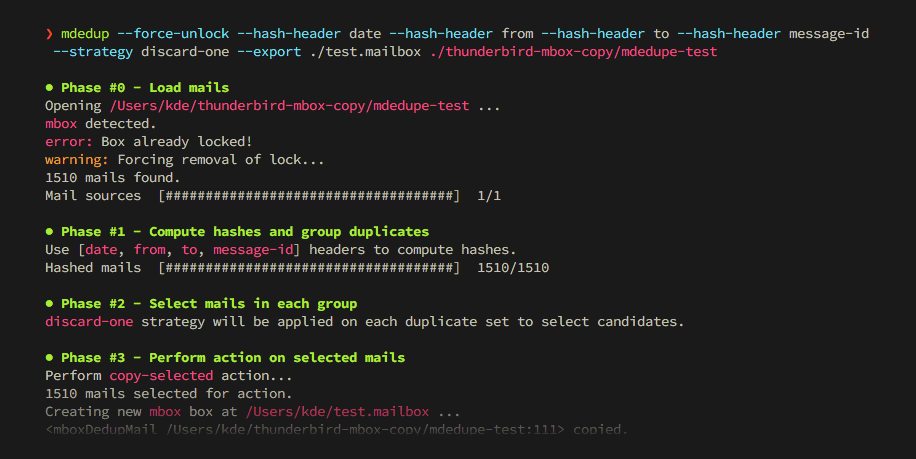
shell-session $ mdedup --strategy select-one --action delete-discarded --dry-run ~/Maildir `Mails found in both archives are copied once intomerged.mbox, along with all the mails that were unique to each source.--dry-run<p align="center"> <img src="https://raw.githubusercontent.com/kdeldycke/mail-deduplicate/main/docs/assets/cli-coloured-run.png"> </p>
To remove duplicates in place instead, switch to a destructive action, and rehearse with
:
The hands-on tutorial builds a small playground of duplicated mails, then walks through strategies, actions and safeguards on it. The design page explains how duplicates are detected.
[!NOTE]
Memory does not grow with the size of your boxes: each mail is reduced to a lightweight stub as soon as it is hashed, so a 215 MB maildir of 1,500 mails peaks at 46 MB. It does grow with their number, at roughly 1 KB of resident memory each, so a large enough collection can still exhaust your machine.
> Hashing is where a run spends most of its time, and
--cache` reuses it between runs. The performance page covers both, and how to manage that cache.
You can support this project with pull requests, business support 🤝 and sponsorship 🫶.