
Schemio --------------------
Schemio is a web based diagramming app that allows you to build interactive diagrams. Although originally Schemio was not designed for this, but it is also possible to use it as a prototyping app.
Features of Schemio:
- Creating interactive diagrams
- Documenting individual items in your diagrams
- Linking diagrams. You can add links to other diagrams or to external documents
- Component based diagrams: you can load diagrams dynamically inside of each other. This allows you to manage your digrams better and lets the user discover more and more while staying in original document
- Frame animation editor: t is possible to use frame based animations for any property.
- Draw free-form shapes
- Relative transformations: you can attach items to other items in your diagrams and tweak rotation, pivot point and scale
- Behavior editor: you can assign event handlers to any item (events like: init, click, mouse in, mouse out)
- Various animation functions: you can have smooth transitions like fade in or fade out, move items, render particle effect etc.
- Export entire diagram or only selected objects as SVG
- Generate static version of all of your diagrams so that you can host it anywhere, even on GitHub pages
Demo: What happens when you open a website in your browser ----------------------------------------------------------
There is a demo, built with Schemio that contains interactive diagrams that answer a popular interview question: "What happens when you open a website in your browser".
- Demo: https://ishubin.github.io/sre-knowledge-base/#/docs/what-happens-when.
- Source code: https://github.com/ishubin/sre-knowledge-base
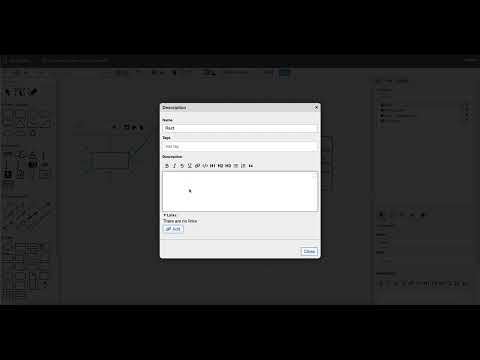
Introduction to interactive diagrams with Schemio (Youtube video) -------------------------------------------------
Configuration of server-based version of Schemio --------------------------------------------------
You can configure Schemio via the following environment variables
| Env var | Default value | Description |
| ---------------------- | -------------- | ----------- |
| SERVER_PORT | 4010 | Server listening port |
| FS_ROOT_PATH | /opt/schemio | Path to Schemio storage on file system. This is where it will store all your diagrams and uploaded files |
| FILE_UPLOAD_MAX_SIZE | 10485760 | Upload size limit for media files |
| VIEW_ONLY_MODE | false | If set to true - it does not allow editing, only viewing of folders and diagrams |
| ROUTE_PREFIX | | Custom route prefix for all server endpoints. Used in case you want to serve Schemio next to other web services on the same port (e.g. in a load balancer). This way you can specify custom route (e.g. /schemio). Make sure that it starts with /. |
Running with Docker --------------------
Dockerized version of Schemio is available here: https://hub.docker.com/repository/docker/binshu/schemio
You can run it like this:
docker pull binshu/schemio:latest
docker run -v "$(pwd):/opt/schemio" \
    -p 4010:4010 \
    -e FS_ROOT_PATH=/opt/schemio \
    -e SERVER_PORT=4010 \
    binshu/schemio:latest
Don't forget to pull latest changes as Schemio is frequently updated.
License ---------
This Source Code Form is subject to the terms of the Mozilla Public License, v. 2.0. If a copy of the MPL was not distributed with this file, You can obtain one at https://mozilla.org/MPL/2.0/.