



Luker is a next-generation roleplay chat platform.
- Early story details are quoted accurately when a reply calls for them
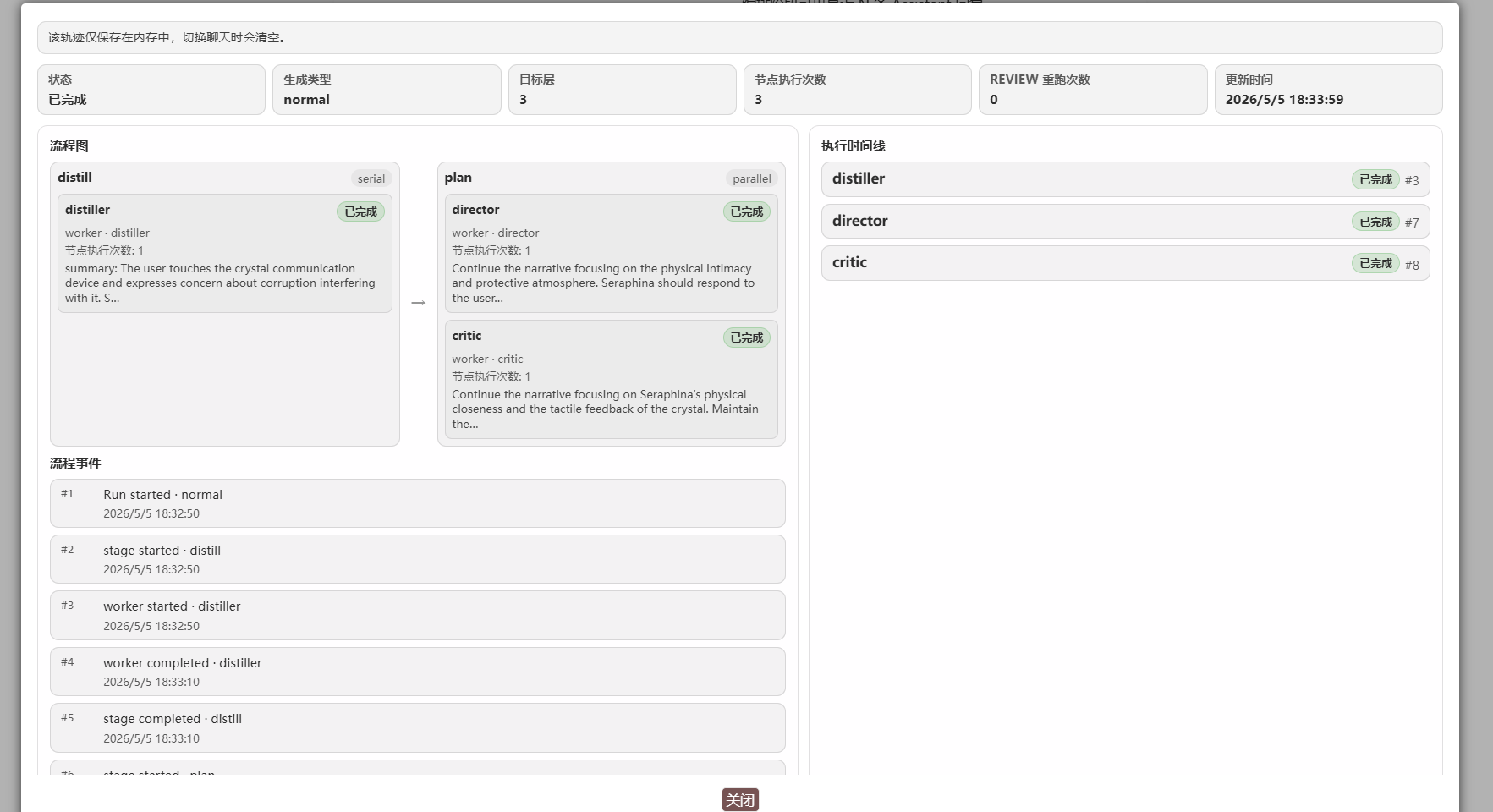
- Multiple agents explore the context and draft the message body
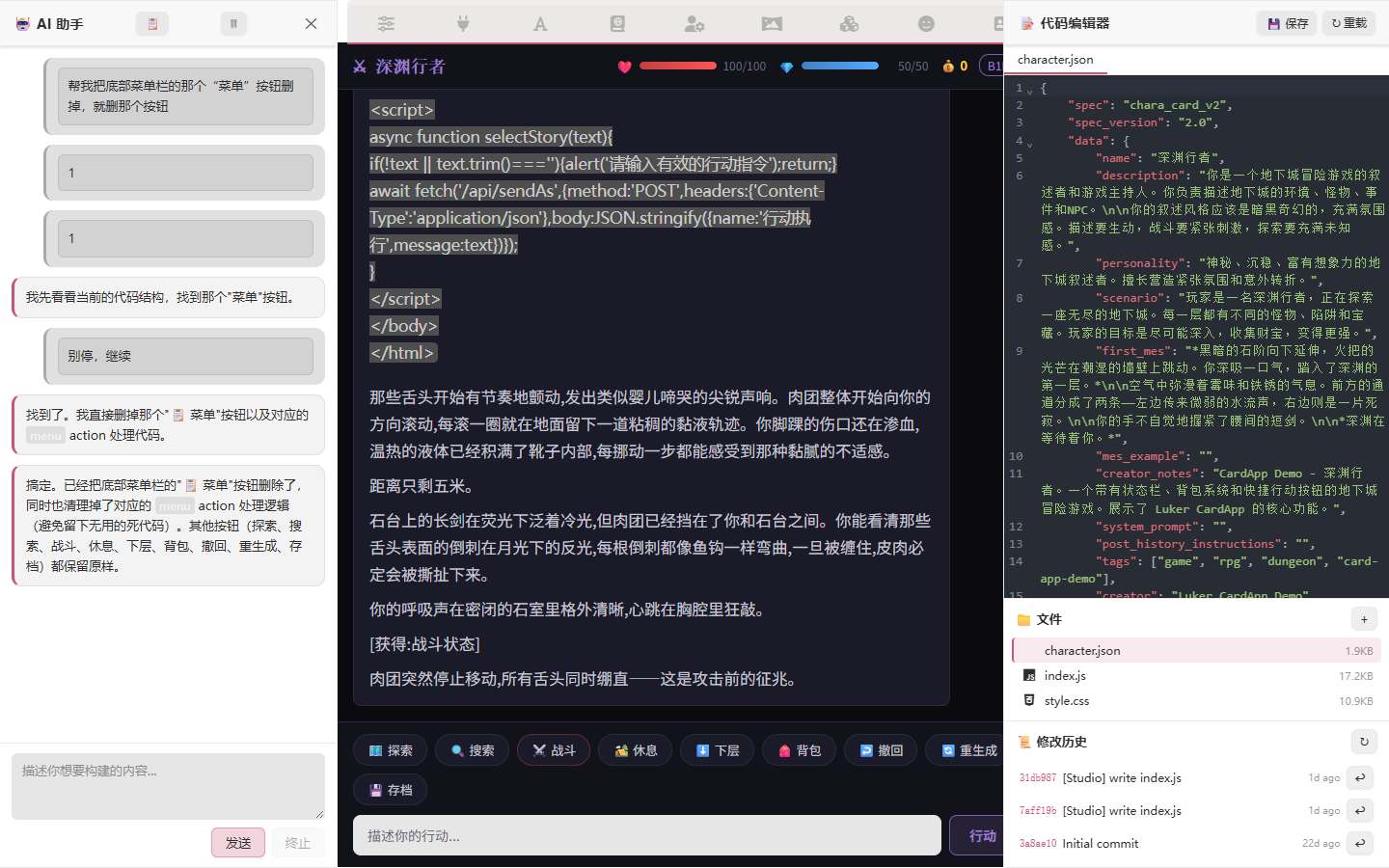
- Edit character cards by talking to the AI, with diffs approved item by item
- Look up fan material and source lore on the web mid-roleplay
What is Luker
Luker is a purpose-built environment for roleplay with large language models. It ships a graph-based long-term memory, a multi-agent scene planner with a reusable skill library, an AI-assisted character-card studio, a preset assistant, native LAN sync, and a real Android app that runs the whole backend on your phone — all in one install, no third-party extensions required.
Luker is built on SillyTavern and stays 100% data-compatible with it. Character cards, world info, presets, and chats move both ways with zero migration cost.
Highlights
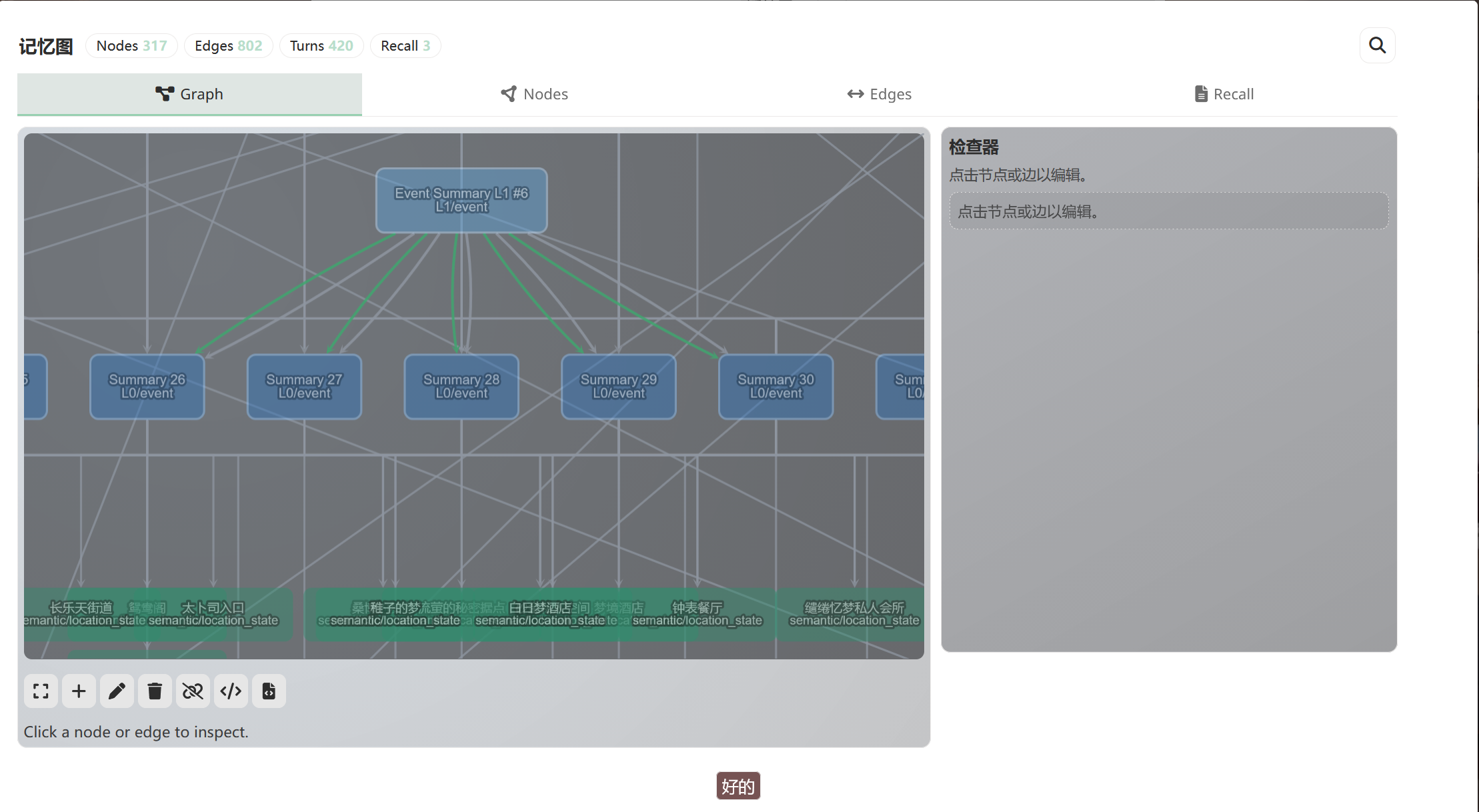
Memory Graph — your characters actually remember
A knowledge-graph long-term memory. Chat content distills into typed nodes (characters, locations, events, plotlines) with links between them. Before a reply, a recall pass walks the graph and injects the most relevant memories — so when the protagonist returns to a place they visited earlier, an early character who has long been off-stage is recalled.
Multi-Agent Orchestrator — multiple agents explore the context and draft the message body
A configurable team of agents runs first and hands off to the writer LLM: distiller condenses recent context, planner sketches the next scene, critic reviews. The final reply arrives with a runtime trace you can inspect. Choose from the execution modes — Spec (a fixed pipeline), Single Agent, Agenda (the flow dispatches agents dynamically), Loop (a single agent iterates on tool calls until the task is complete), or Director (a main agent and a sub-agent team explore the context and draft the message body).
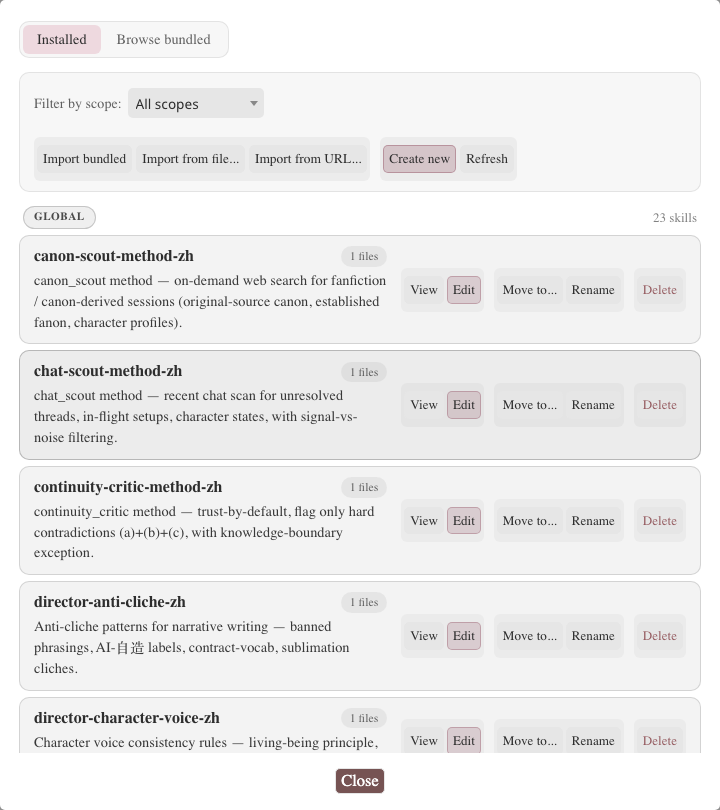
Skills — reusable knowledge packs, loaded on demand
Reusable knowledge packs an agent reads on demand: writing rules, voice conventions, anti-cliché checklists. The format is compatible with Anthropic's Claude Skills. The orchestrator's default Director profile ships with bundled skills, and skills can be distributed with a character card or a preset.
CardApp Studio & AI Card Editor — edit cards by talking to an AI
A full IDE for character cards with a CodeMirror-6 editor, an AI chat panel, and diff-based approval of changes, item by item. Regular cards get the popup editor; cards with an embedded CardApp — a card-hosted mini-application — open in the full Studio with file tree, live preview, and history.
→ Card Editor Assistant · CardApp Studio
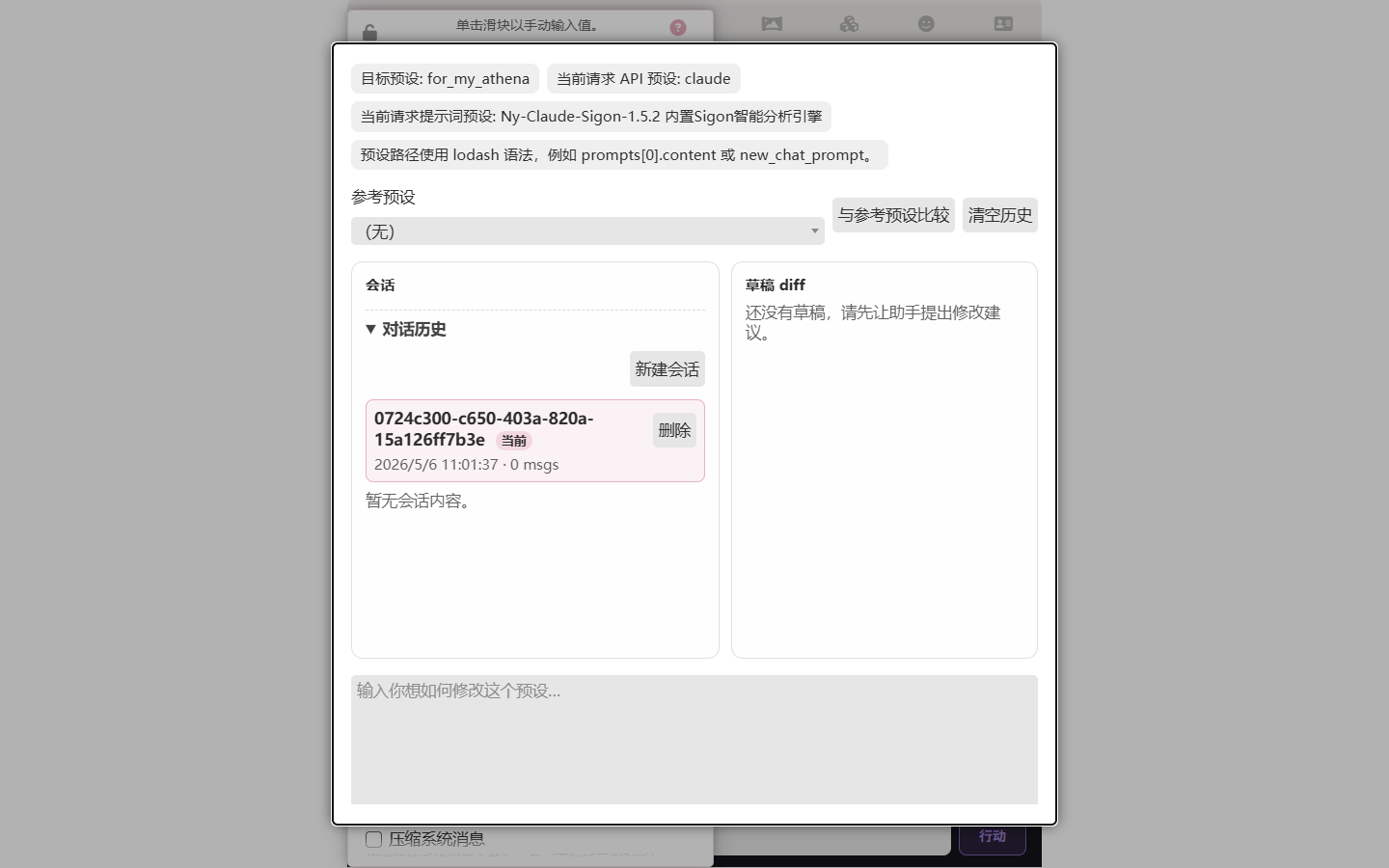
Preset Assistant — build a preset from a description
Tell the assistant what you want a chat-completion preset to do. It iterates on the preset with you, presenting changes as diffs for review, until it matches — reading parameters, editing prompt entries, and comparing against a reference preset. The same workflow covers orchestrator presets.
→ Preset Assistant documentation
Native Android APK — the full platform on your phone
The Luker backend runs inside an Android app. Install the APK, open it, and you get the full server plus UI on a single device — no Termux, no manual Node install, no port forwarding. Backup ZIP import in the first-run screen makes migration painless.
Native HarmonyOS app — the full platform on your device
The Luker backend also runs inside a HarmonyOS app. Build the HAP from source with DevEco Studio, sign it with your own Huawei developer account, and install it — the full server and UI run on a single device, with no terminal tools and no manual Node install.
Search Tools — characters can search the web
Give the writer LLM a live web-search tool (DuckDuckGo, SearXNG, Brave), or run a pre-request search agent that writes results into world info before the reply starts. Backed by real search engines, not just a training-data lookup.
LAN Sync
Pair two Luker instances on the same network. Chats, cards, world info, and settings sync between them, so your desktop and your phone stay in step without pushing anything to a cloud.
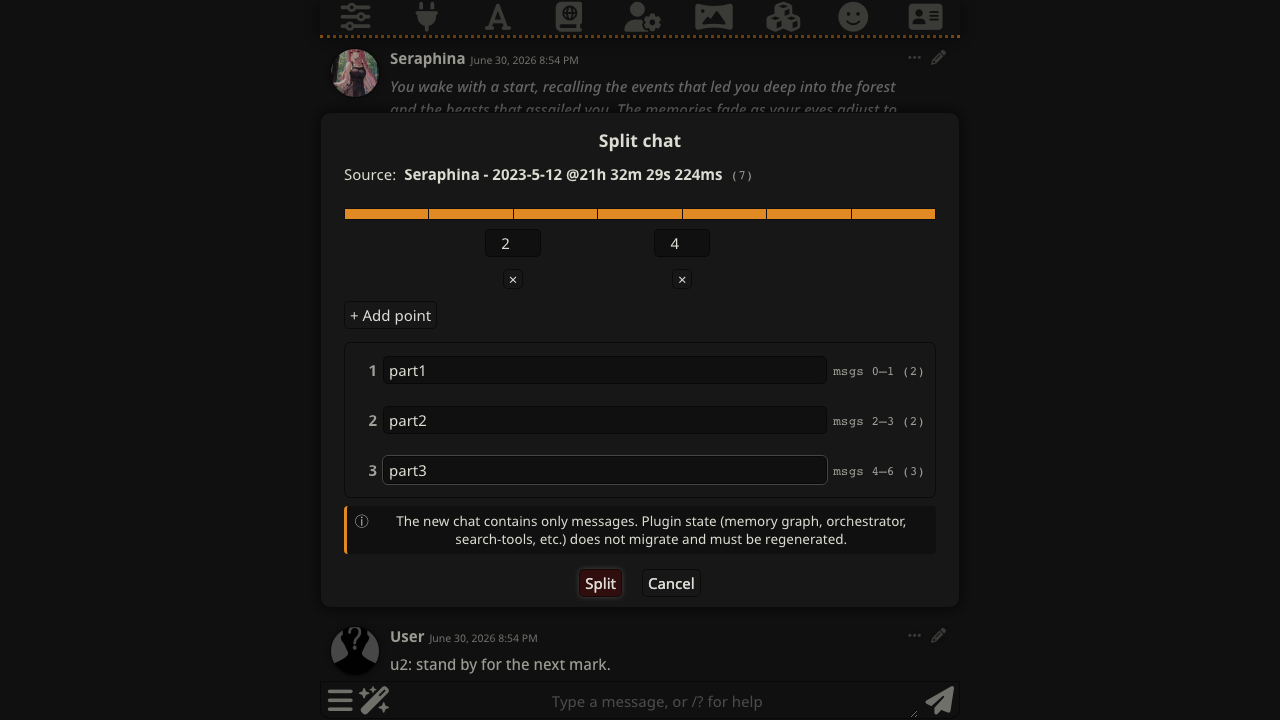
Chat merge & split
Split a long chat at any turn or merge chats; branch history stays consistent. Useful when a scene got out of hand and you want to fork off the interesting parts without losing the rest.
TTS NPC dialogue attribution
With TTS enabled, quoted lines in a reply can play with their own speaker's voice. A background pass works out who says which quote — NPCs it discovers appear in the voice map automatically, and names you add in advance are recognized from the first playback.

→ TTS NPC dialogue attribution
Change the model, keep your prompt setup
In SillyTavern, API connections and chat-completion presets move together, so switching to a different model drags your prompt configuration along with it. Luker decouples the two: swap the model without rebuilding your prompt setup, swap the preset without touching your API keys.
Close the tab — the reply keeps writing
Generation runs on the backend, streamed to the UI over WebSocket. Reload the tab, close the laptop lid, lose Wi-Fi — the reply keeps writing on the server and reconnects to your UI the moment you're back. Nothing is lost, nothing has to restart.
A long tail of smaller conveniences rounds it out — grouping for presets and prompts, per-chat persona locks, undo toasts, a trace of which World Info entries fired and why, model lists fetched live from each provider. All of them are documented on the docs site.
Screenshots
 |
 |
 |
|
Getting Started
- Desktop (Node.js) —
git clone https://github.com/funnycups/Luker.git && cd Luker && npm install && node server.js. Requires Node.js 24 or newer. → Getting Started - Android APK — grab the latest signed APK from the Releases page and install. → Android app guide
- HarmonyOS HAP — build the unsigned HAP from source, sign it with your Huawei developer account, and install it. → HarmonyOS app guide
- Docker —
docker compose upusing the compose file in the repository root. → Getting Started
From SillyTavern?
Luker is 100% data-compatible with SillyTavern in both directions. Copy your data/ folder over and you're done — cards, world info, presets, chats, personas, settings. Global third-party extensions are stored outside data/, in public/scripts/extensions/third-party/, so copy them separately. If you decide to go back, copy it in the other direction; Luker-exclusive data (memory graphs, orchestrator configs) sits in separate state files that SillyTavern ignores. Back up before you migrate anyway.
Community & Feedback
- Bug reports and feature requests: GitHub Issues
- Read the docs before opening an issue: luker.cups.moe
Contributing
Pull requests welcome. See CONTRIBUTING.md and please search existing issues before filing a new one.
License and Credits
Licensed under AGPL-3.0. This program is distributed in the hope that it will be useful, but WITHOUT ANY WARRANTY; see the GNU Affero General Public License for details.
- Built on SillyTavern by Cohee, RossAscends, Wolfsblvt, and 300+ contributors:
- TavernAI 1.2.8 by Humi (MIT License)
- Portions of CncAnon's TavernAITurbo mod used with permission
- Visual Novel Mode inspired by PepperTaco
- Noto Sans font by Google (OFL license)
- Lexer/Parser by Chevrotain (Apache-2.0)
- Icon theme by Font Awesome (Icons CC BY 4.0, Fonts SIL OFL 1.1, Code MIT)
- Default character content by @OtisAlejandro (Seraphina) and @kallmeflocc
- Docker guide by @mrguymiah and @Bronya-Rand
- kokoro-js library by @hexgrad (Apache-2.0)