

A classic forum software in Python using Flask.






Website - Documentation - Changelog - Issues
FlaskBB is a forum software written in Python on top of the Flask web framework. It aims to be a classic message board with a modern look, and to stay small enough that it is easy to host, theme and extend.
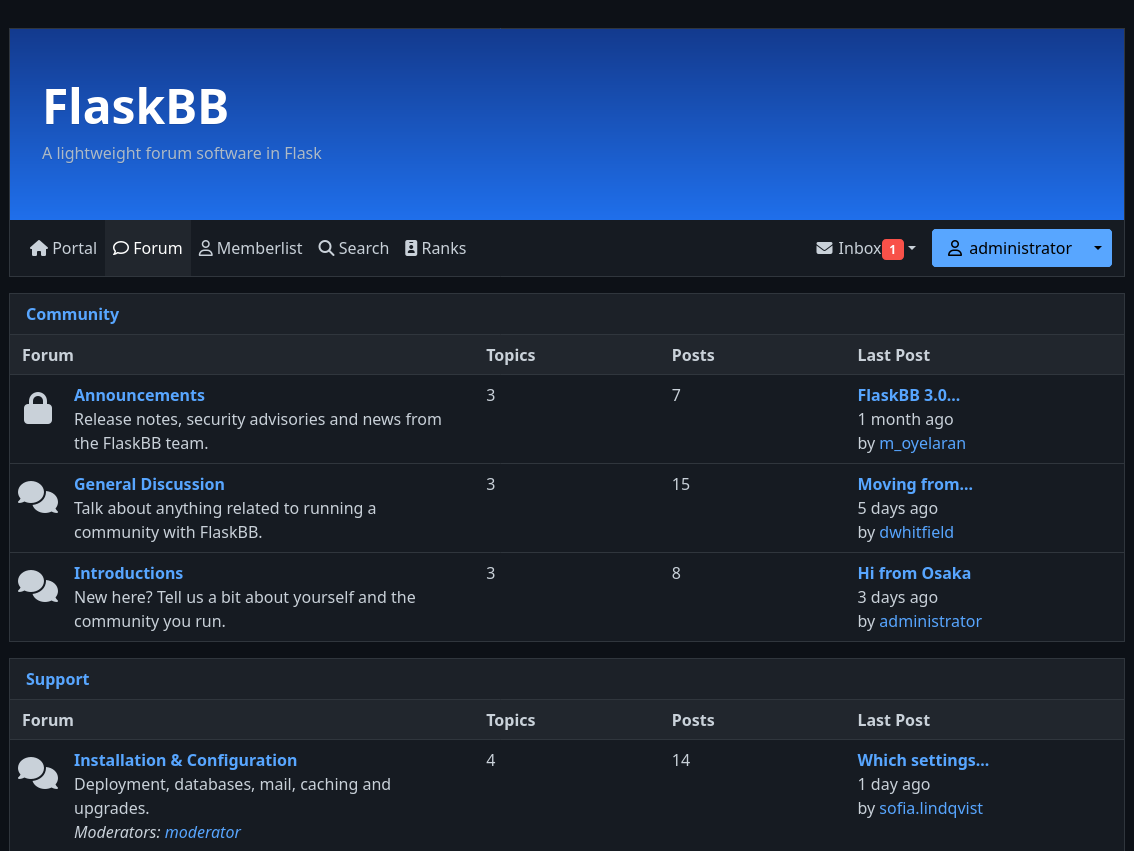
Features
- Forums, topics and posts with categories, unread tracking and a topic tracker
- Markdown posts with syntax highlighting, emoji and an editor toolbar
- Attachments and avatars that users can upload and admins can manage
- Full-text search for PostgreSQL and SQLite, extendable through plugins
- Group based permissions and per-forum moderators
- Admin panel for users, groups, forums, reports, plugins and settings
- Plugin system built on pluggy, the library behind pytest's plugins
- Themeable, ships with the Aurora theme in a light and a dark variant
- Command line interface for installing, serving and managing users, groups and plugins
- i18n with translations for more than a dozen languages
Quick start
Running with Docker
Release images are published to the GitHub Container Registry for linux/amd64 and linux/arm64:
docker pull ghcr.io/flaskbb/flaskbb:latestThe repository contains a complete release stack with PostgreSQL, Valkey, a Celery worker and gunicorn:
git clone https://github.com/flaskbb/flaskbb.git
cd flaskbb
cp docker/.env.example docker/.env
Set SECRET_KEY, POSTGRES_PASSWORD and the ADMIN_* variables in
docker/.env, then start it:
docker compose -f docker/compose.release.yaml up -d --buildThe forum is served on localhost:8000. See docker/README.md for the development stack, configuration and reverse proxy setup.
Running from source
FlaskBB requires Python 3.12 or newer and uses uv to manage its environment.
git clone https://github.com/flaskbb/flaskbb.git
cd flaskbb
make devconfig
make install
make run
make install asks for the administrator's username, email and password.
Afterwards visit localhost:5000.
For a production setup with gunicorn, a reverse proxy, Redis and Celery, follow the deployment guide.
Plugins
Plugins are regular Python packages that are discovered through entry points. Newly installed plugins are disabled until they are enabled in the admin panel or with the CLI:
uv pip install flaskbb-plugin-like
uv run flaskbb plugins install like
uv run flaskbb plugins enable like
Browse available plugins and themes in the extension registry.
To write your own, start with the plugin development guide or generate a skeleton with cookiecutter-flaskbb-plugin. Themes can be scaffolded the same way with cookiecutter-flaskbb-theme.
Community
- Ask questions and discuss development in the #flaskbb:matrix.org chat
- Report bugs and request features in the issue tracker
Contributing
Contributions of any size are welcome. Read CONTRIBUTING.md before opening a pull request. The short version:
uv sync
make test
make format
Translations are managed on Transifex. See the localization guide for adding a new language.
License
FlaskBB is licensed under the BSD 3-Clause License. Code adapted from other projects is listed in NOTICE, and the people behind FlaskBB are listed in AUTHORS.