
MCP 3D Printer Server
Thank you, FULU Foundation, Louis Rossmann, and the OrcaSlicer-bambulab contributors. Thank you for standing up for consumer ownership, open-source developers, repair rights, and owners whose working hardware should not be made worse by locked-down software.
> This server treats the FULU OrcaSlicer-bambulab fork as a first-class slicer for Bambu Lab projects. See the FULU guide for setup and current status.




An MCP server that connects Claude, Codex, and other MCP clients to 3D printers running OctoPrint, Klipper (Moonraker), Duet, Repetier-Server, Bambu Lab, PrusaLink or Prusa Connect, and Creality. Your agent can check status, upload and start jobs, cancel prints, edit STL meshes, run your slicer, and hand models to Blender through an optional Blender MCP bridge.
Browse the documentation site for searchable setup guides, per-printer credentials, slicing, and the full tool reference. It is generated from this README and the docs folder.
Only print on Bambu Lab printers? bambu-printer-mcp is a Bambu-focused fork of this project with more Bambu features, including AMS auto-matching, Bambu camera snapshots and streams, X2D native printing, Bambu Connect, and a Claude Desktop extension. Both servers read the AMS, choose trays, pause, resume, stop, and print through FULU's authenticated BambuNetwork route.
Camera tools also include camera_stream_start, camera_frame, and camera_stream_stop from version 1.2.26. They reuse configured MJPEG or snapshot sources, send only changed frames, and close when idle. See camera stream configuration and limits.
Built with help from our contributors. Thank you to everyone sharing fixes, careful bug reports, and real printer testing!
Set up with your agent
Tell your agent which printer system you use (OctoPrint, Klipper, Bambu Lab, Prusa, and so on) and its address, if you know them, then copy and paste this:
Install mcp-3d-printer-server in the agent/harness I'm using now.
Read https://github.com/DMontgomery40/mcp-3D-printer-server/blob/main/docs/SETUP.md
for the current setup instructions and supported printer backends.
Detect my OS and harness, then use its native MCP configuration or installer.
Preserve my existing servers and settings. Prefer the published npm package
(npx -y mcp-3d-printer-server, stdio); use Node.js 24 if a runtime is needed.
Ask which printer system I use and set PRINTER_TYPE to match. Never guess it.
Then ask only for the values that backend needs:
- octoprint: PRINTER_HOST, PRINTER_PORT if not 80, API_KEY
- klipper (Moonraker): PRINTER_HOST, PRINTER_PORT (usually 7125),
API_KEY if Moonraker requires authentication
- duet: PRINTER_HOST, PRINTER_PORT if not 80
- repetier: PRINTER_HOST, PRINTER_PORT (usually 3344), API_KEY
- bambu: PRINTER_HOST, BAMBU_SERIAL, BAMBU_TOKEN (the LAN access code),
and BAMBU_MODEL
- prusa: PRINTER_HOST (PrusaLink address or connect.prusa3d.com), API_KEY
- creality: PRINTER_HOST, PRINTER_PORT if not 80, API_KEY (bearer token)
For Bambu Lab, confirm the exact printer model with me; never guess it, and
explain any LAN Only Mode or Developer Mode setting I need to enable.
Keep keys, tokens, and access codes in local/private configuration; do not
repeat them in chat.
Bambu Lab has the most hardware testing. The other backends use each
system's HTTP API and rely on community reports, so tell me plainly if a
backend does not respond as the guide describes.
Offer these optional extras, and set them up only if I choose them:
- Blender MCP for model edits: uvx mcp-for-blender (formerly blender-mcp,
which now installs it as a compatibility wrapper). Its Blender addon must be
installed, enabled, and connected inside Blender.
- A slicer for slice_stl: look for an installed PrusaSlicer, OrcaSlicer,
FULU OrcaSlicer-bambulab, Bambu Studio, or CuraEngine before suggesting
an install.
Configure executables in the server environment. Do not enable
MCP_ALLOW_EXECUTABLE_ARG.
Verify that the MCP initializes, lists its tools, and reads printer status.
Do not start a print or change printer settings, including temperatures, as
a setup test. Tell me what worked and whether I need to restart or reload
the harness.
Setup reference · Printer backends · Slicing guide · Blender MCP
What to ask your agent
Ask for the result you want, not the steps. Current models plan across tools: they search the web, read photos, look up exact dimensions, edit models, slice, and print. Expect a question or two when a choice matters, such as which printer or filament to use, or whether to start the print.
This server provides the printer, slicing, and mesh tools. Web search, photos, and Blender edits come from your agent and its other connections, such as a Blender MCP server. What your agent can read back depends on the printer system; see printer backends.
Start from anything
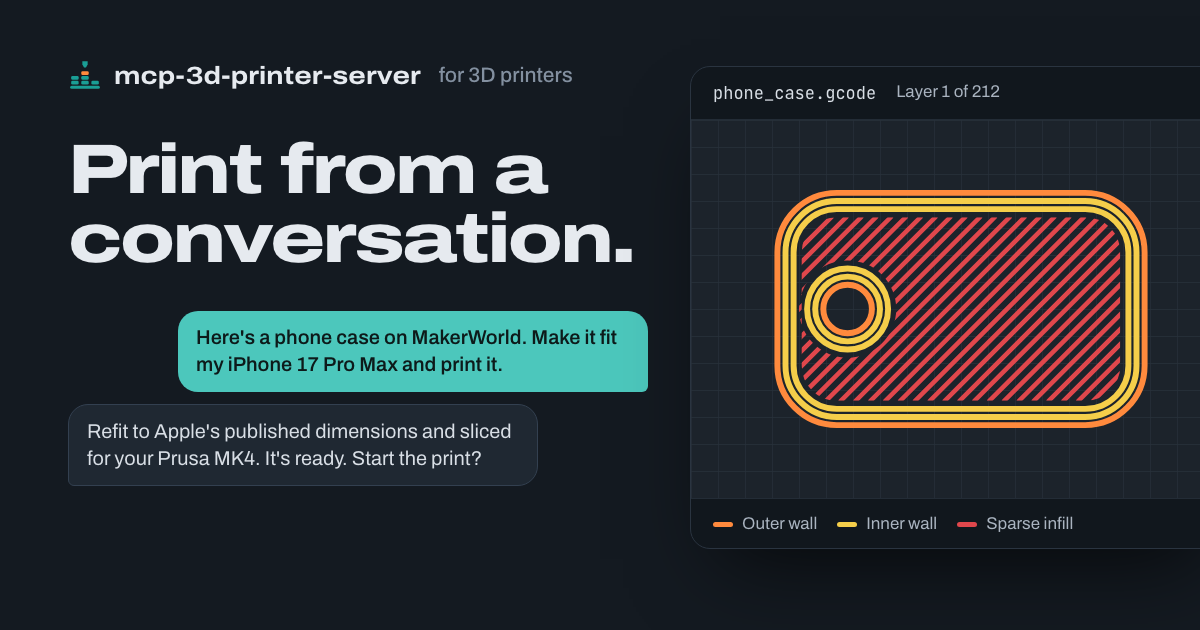
- "Here's a phone case on MakerWorld. Make it fit my iPhone 17 Pro Max and print it."\
- "Can you print a replacement?" (with a photo of a snapped cabinet clip)\
- "Make this bracket 20% bigger and give it a thicker base."\
Check on any printer
- "How far along is the Bambu print?"\
- "Is the Prusa done yet?"\
- "What are the bed and nozzle temperatures on the OctoPrint printer?"\
- "The first layer isn't sticking. Cancel it."\
Slice and print
- "Print this in PETG." (with an STL)\
- "Print the bracket I sliced last night on the Bambu."\
- "Send benchy.gcode to the Klipper printer, but don't start it yet."\
Start here
Start here
| I want to… | Read next | |---|---| | Connect this MCP to my agent | Copy the setup request | | See what my agent can do with it | What to ask your agent | | Find the credentials for my printer | Printer backend setup | | Configure it by hand, with Docker, or over HTTP | Installation and configuration reference | | Slice from my agent or troubleshoot slicing | Slicing guide | | Use open-source slicing for a Bambu Lab printer | FULU guide | | Model or refit a part in Blender | Blender guide and Blender tools | | See release changes or contributor credit | Changelog, releases, and contributors |
What's new
What's new
See the changelog for versioned changes. The next release brings the print safety gate to every printer backend: the server checks the exact G-code against hardware and material ceilings. It also adds Bambu-compatible CLI slicing with resolved machine presets and a template registry, blender_mcp_export_stl for verified STL export from Blender, and this documentation site. Release 1.2.9 fixes Bambu FTPS uploads that failed with "Premature close" (#22), adds standard Blender MCP discovery, forwarding, and verified STL edits, requires the Bambu printer model for raw print starts, and isolates each server's scratch files. Separately, #20 and #21 made per-call executable selectors, such as a slicer path or bridge command, require an explicit opt-in.
Table of Contents
Table of Contents
- Set up with your agent
- What to ask your agent
- Start here
- What's new
- Description
- FULU and open-source printing
- Features
- Available Tools
- Available Resources
- Printer Limitations
- General Limitations and Considerations
- MCP Safety Notes
- License
- Acknowledgements
Description
Description
mcp-3d-printer-server is a Model Context Protocol server for 3D printers. It gives an agent printer control (status, files, upload, start, cancel, and temperatures), STL mesh tools, slicer automation, Bambu Lab project printing, and an optional bridge to a Blender MCP server. One PRINTER_TYPE selects the default backend, and every printer tool accepts a per-call type and host, so one server can reach more than one printer.
| Backend | PRINTER_TYPE | Testing evidence |
|---|---|---|
| Bambu Lab | bambu | Most tested, including maintainer hardware testing shared with the Bambu-only fork |
| OctoPrint | octoprint | Community-reported |
| Klipper (Moonraker) | klipper | Community-reported, including a Creality K1 Max through Moonraker |
| PrusaLink and Prusa Connect | prusa | Community-reported |
| Duet | duet | Implemented; no hardware reports yet |
| Repetier-Server | repetier | Implemented; no hardware reports yet |
| Creality | creality | Implemented; no hardware reports yet |
What each backend reads and sends differs. See printer backend setup for the exact API calls, credentials, and linked reports.
Note on resource usage. The STL tools load the entire mesh into memory. Large or complex files (over about 10 MB) can use a lot of memory. See General Limitations and Considerations.
FULU and open-source printing
FULU and open-source printing
FULU OrcaSlicer-bambulab is a first-class slicer target for Bambu Lab projects (SLICER_TYPE=orcaslicer-bambulab; aliases include fulu-orca and orca-studio). Choose it with SLICER_TYPE=orcaslicer-bambulab: Bambu printers default to Bambu Studio, because FULU v1.0.0's command line segfaults on every slice until FULU #56 and #57 are released. slice_stl and print_3mf auto-slicing use its project command line, and check_fulu_orca_setup inspects the install and runtime payload.
The optional FULU BambuNetwork bridge is a separate runtime. With BAMBU_DEFAULT_CONNECTION_MODE=bambu_network (or connection_mode: "bambu_network"), print_3mf, cancel_print, pause_print and resume_print go through it: the plug-in's authenticated local-network session (connection_type: "lan"), which a P1S on authorization firmware accepts without Developer Mode, or Bambu Cloud ("cloud"). Every print still passes the same inspection and fresh-state checks first. counterpart_print_route reads and changes the route. The server never switches routes on its own; fulu_bambu_network_rpc probes the bridge and refuses raw print methods.
Follow the FULU guide for platform runtime setup, bridge probes, and the current macOS and Windows testing status.
Features
Features
- Seven printer backends, selected with
PRINTER_TYPE: OctoPrint, Klipper (Moonraker), Duet, Repetier-Server, Bambu Lab, PrusaLink or Prusa Connect, and Creality - Per-call
type,host,port, andapi_keyarguments for working with more than one printer - Printer status, file listing, G-code upload from inline content or a local path, starting a stored file, pausing, resuming, cancelling a job, and setting bed or nozzle temperatures
- The
counterpart/1tools shared with bambu-printer-mcp: one progress shape for every firmware (state, job, progress, time left, layers, temperatures, problems), detected printer capabilities, camera snapshots, and the loaded filament (Spoolman on Moonraker) counterpart_printer_inforeportscapabilities.slicing(supports,copies,orient) for the slicer route this server uses for that printer (for a Bambu printer on OrcaSlicer, when the call passes itsbambu_model), so a client can offer those choices without knowing the slicer.- Errors carry their details in
structuredContent(status,retryable,suggestion,message); a printer refusal onprint_3mfalso carries a stablecode,printer-command-rejectedorprinter-not-ready, so a client can act on the code instead of the wording. - STL tools: inspect dimensions, scale, rotate, translate, extend the base, merge vertices, center, lay flat, transform one section of a model, and render multi-angle SVG previews
- A print and heating safety gate on every backend: the exact G-code is inspected, every heater target is checked against hardware and material ceilings, and the printer's state is checked. There is no confirmation prompt and no bed check: your client's own print action is the approval. Heater-off, pause, and cancel are never gated; resume only continues a paused job this server inspected and started, and asks a person only when the printer cannot hand the file back for re-reading
- Slicing through PrusaSlicer, Slic3r, OrcaSlicer, CuraEngine, FULU OrcaSlicer-bambulab, or Bambu Studio command lines, with G-code peak-temperature checks and a one-call process-and-print pipeline
- Bambu-compatible CLI slicing with the exact model and nozzle machine preset resolved from your slicer installation, filament slots and colours, placement options, and a local template registry
- Bambu Lab project printing: upload a sliced
.3mfover FTPS and start it over MQTT with the plate's G-code path, MD5, AMS mapping (ams_slots, one tray per used filament), and calibration flags, after checking the plate against a fresh printer report; or print through FULU's authenticated BambuNetwork route. Auto-slice unsliced projects with FULU OrcaSlicer-bambulab or Bambu Studio - Bambu AMS inventory (
get_printer_filaments), pause, resume and stop over the connection that printed - Required Bambu printer model for print operations, asked for through MCP elicitation when missing
- FULU OrcaSlicer-bambulab setup inspection and diagnostic BambuNetwork bridge RPC, with raw print methods refused
- Optional Blender MCP bridge: discover a standard Blender MCP server's tools, forward calls, export named scene objects to a verified STL, and run verified STL edits
- Optional Autodesk Fusion bridge through the pinned faust-machines Fusion MCP server: check Fusion and its add-in, forward any of its CAD tools, start a parametric design, and export STL, F3D and parameters with verified output
- Slicer, bridge, and Blender executables come from server configuration unless you explicitly opt in to per-call selectors
- MCP resources for printer status, files, and file details
- Transports: stdio (default) and streamable HTTP, plus a Docker image
Available Tools
Available Tools
STL Manipulation Tools
STL Manipulation Tools
All STL tools load the full mesh into memory. Tools that change a model write a new file to the server's temporary directory, named after the input with a suffix such as _scaled, and return its path; the input file is not modified.
get_stl_info
Inspect an STL file without modifying it. Returns the bounding box, dimensions, center, vertex count, and face count.
{
  "stl_path": "/path/to/model.stl"
}
scale_stl
Scale a model uniformly with scale_factor, or per axis with scale_x, scale_y, and scale_z. When any axis value is given, unspecified axes stay at 1.0.
{
  "stl_path": "/path/to/model.stl",
  "scale_factor": 1.2
}
{
"stl_path": "/path/to/model.stl",
"scale_x": 1.2,
"scale_y": 1.0,
"scale_z": 1.5
}rotate_stl
Rotate a model around the X, Y, and Z axes, in degrees. Omitted axes default to 0.
{
  "stl_path": "/path/to/model.stl",
  "rotate_x": 0,
  "rotate_y": 0,
  "rotate_z": 90
}
translate_stl
Move a model along the X, Y, and Z axes, in millimeters. Omitted axes default to 0.
{
  "stl_path": "/path/to/model.stl",
  "translate_x": 10,
  "translate_y": 5,
  "translate_z": 0
}
extend_stl_base
Add solid geometry underneath the model to raise and widen its base. extension_inches is in inches and is converted to millimeters (25.4 mm per inch).
{
  "stl_path": "/path/to/model.stl",
  "extension_inches": 0.25
}
merge_vertices
Merge vertices closer together than tolerance (millimeters, default 0.01). This can close small gaps and slightly simplify the mesh.
{
  "stl_path": "/path/to/model.stl",
  "tolerance": 0.01
}
center_model
Move the model so the center of its bounding box is at the origin (0, 0, 0).
{
  "stl_path": "/path/to/model.stl"
}
lay_flat
Find the model's largest flat face and rotate the model so that face rests on the XY plane (Z = 0). Works best on models with a clearly dominant flat face.
{
  "stl_path": "/path/to/model.stl"
}
modify_stl_section
Apply a scale, rotation, or translation to one section of a model: the top, bottom, or center third of its bounding box, or a custom box. value_x, value_y, and value_z are scale factors, degrees, or millimeters depending on transformation_type.
{
  "stl_path": "/path/to/model.stl",
  "section": "top",
  "transformation_type": "scale",
  "value_x": 1.5,
  "value_y": 1.5,
  "value_z": 1.5
}
A custom section requires all six bounds:
{
  "stl_path": "/path/to/model.stl",
  "section": "custom",
  "transformation_type": "rotate",
  "value_x": 0,
  "value_y": 0,
  "value_z": 45,
  "custom_min_x": -10,
  "custom_min_y": 0,
  "custom_min_z": -10,
  "custom_max_x": 10,
  "custom_max_y": 20,
  "custom_max_z": 10
}
generate_stl_visualization
Render an SVG with front, side, top, and isometric views of a model. width and height set each view's size in pixels (default 300).
{
  "stl_path": "/path/to/model.stl",
  "width": 400,
  "height": 400
}
The SVG is a simplified schematic, not a photorealistic render.
Printer Control Tools
Printer Control Tools
Every printer tool accepts host, port, type, and api_key, and Bambu printers also use bambu_serial and bambu_token. Omitted values fall back to PRINTER_HOST, PRINTER_PORT, PRINTER_TYPE, API_KEY, BAMBU_SERIAL, and BAMBU_TOKEN. Keep keys in the server configuration rather than passing them in calls.
What each call does depends on the backend; see printer backend setup for the exact API routes.
Every print start and positive heating command, on every backend, goes through a safety gate: the server inspects the exact G-code it will start, checks each heater target against hardware and material ceilings, and checks that the printer is ready. It does not ask for confirmation or for a bed check: the client's own print action is the approval. Turning a heater off (temperature: 0), pause_print, and cancel_print are never gated. resume_print reheats and moves the printer, so it only resumes a job this server inspected and started. It asks a person first only when the printer cannot hand the file back for re-reading.
get_printer_status
Read the printer's current status. The response is the backend's own status data: Bambu returns temperatures, job state, progress, layers, time remaining, and AMS data; OctoPrint returns printer state and temperatures; Klipper returns the Moonraker host state only.
{
  "type": "klipper",
  "host": "192.168.1.50",
  "port": "7125"
}
list_printer_files
List the files stored on the printer or its host software. On Bambu printers it lists the cache/, timelapse/, and logs/ directories.
{
  "type": "octoprint",
  "host": "192.168.1.100"
}
upload_gcode
Upload G-code to the printer, and optionally start it. Pass gcode_path for a local file, or gcode with the content (or a local path). filename defaults to the basename of gcode_path; when printing, use a plain filename so the started file is exactly the uploaded one.
{
  "type": "klipper",
  "host": "192.168.1.50",
  "port": "7125",
  "gcode_path": "/path/to/benchy.gcode",
  "print": true,
  "material": "PETG"
}- Without
print, the file is only uploaded and nothing is inspected or started. - With
print: true, the exact uploaded bytes are inspected first (everySandRheater target, tool changes, and hardware and material ceilings), and the printer's state is checked before the job starts. - Printing needs a declared material: slicer metadata in the file (
; filament_type = PLA) or thematerialargument, which must not contradict the file. - On Bambu printers, files go to
cache/over FTPS, and printing also needs the model (bambu_modelorBAMBU_MODEL). Automatic printing after upload supports.gcodeonly; print.3mfprojects withprint_3mf. - The result's
jobNameis the remote file name.counterpart_print_progressreports the same name asjob.namewhile that job runs.
start_print
Start a G-code file that is already stored on the printer. The server downloads that exact file, inspects it, checks the printer's state, and then starts a uniquely named checked copy. This works on Bambu Lab, OctoPrint, Klipper (Moonraker), and Duet. Repetier, Prusa, and Creality refuse, because their adapters have no verified download route; use upload_gcode with print: true instead.
{
  "type": "octoprint",
  "host": "192.168.1.100",
  "filename": "benchy.gcode",
  "material": "PLA"
}
Pass material when the file has no filament_type metadata. On Bambu printers it also needs the model and supports .gcode files only; bare filenames are looked up in cache/. The result's jobName is the checked copy's name (checked-), which is the name the printer reports for the job.
cancel_print
Cancel the current print job. Cancelling is never gated and also cancels checked prints still waiting to start, including a pending resume_print. A cancelled job cannot be resumed; use pause_print to stop temporarily. Bambu stops go over the connection that printed (connection_mode, connection_type, default BAMBU_DEFAULT_CONNECTION_MODE/_TYPE): LAN MQTT, or FULU's BambuNetwork session, which reports the printer's err_code when it refuses.
{
  "type": "prusa",
  "host": "192.168.1.120"
}
pause_print
Pause the current print. Pausing is never gated. Routes: OctoPrint POST /api/job ({"command":"pause","action":"pause"}), Moonraker POST /printer/print/pause, PrusaLink PUT /api/v1/job/, Duet M25, Repetier @pause, Creality printers that run Moonraker, and Bambu {"print":{"command":"pause"}} over LAN MQTT or FULU's BambuNetwork session (the connection that printed, as for cancel_print).
{
  "type": "klipper",
  "host": "192.168.1.50",
  "port": "7125"
}
resume_print
Resume a paused print. Resume reheats and moves the printer, so it is gated like a print start. It resumes only the job this server instance inspected and started, and after a fresh report that the same job is paused. OctoPrint, Klipper and Duet re-download the file and compare its SHA-256 with the inspected bytes, and resume without a prompt. PrusaLink, Repetier and Creality have no download route here, so the job is matched by name only and a person confirms through MCP elicitation first. The printer is read again just before the resume is sent. Cancelling the job, or a report that it ended, retires it, so a later job that reuses the name is never resumed. A job started at the printer, from another app, or before the server restarted is refused; resume it at the printer. Duet's download route needs the Duet Software Framework, so a standalone board's resume is refused. The result's bytesVerified says whether the bytes were re-read. OctoPrint drops a resume sent while it is still pausing, so the server waits for a settled pause (job.stage "Pausing" means not yet). Routes: OctoPrint {"command":"pause","action":"resume"}, Moonraker POST /printer/print/resume, PrusaLink PUT /api/v1/job/, Duet M24, and Repetier continueJob.
Bambu resumes as bambu-printer-mcp does: the paused job must report the unique name this server started it under (subtask_name), the fresh-state check is repeated, and its bytes are re-read over FTPS (the uploaded 3MF, else the cache/ a P1S extracts) and compared. A file this server uploaded that cannot be re-read refuses the resume; only a file FULU's plug-in placed that cannot be re-read asks a person. The resume goes over the connection that printed.
counterpart_printer_info
Describe the printer in the shared counterpart/1 shape: the server's name and version, the printer's kind, host and any model, serial or name it reports, and which features work. Capabilities are detected from the firmware, never assumed. For example, camera is http-snapshot only when the firmware names a snapshot URL or the conventional one answers with a JPEG.
{
  "contract": "counterpart/1",
  "server": { "name": "mcp-3d-printer-server", "version": "1.2.21" },
  "printer": { "kind": "klipper", "host": "192.168.1.50", "name": "voron" },
  "capabilities": { "progress": true, "layers": true, "camera": "http-snapshot", "filaments": "single",
                    "pause": true, "resume": true, "cancel": true, "print3mf": false, "gcode": true }
}
counterpart_print_progress
Read the printer's state and current job in one shape for every firmware. state is one of idle, preparing, printing, paused, finished, failed, cancelled, offline, or busy. job carries the file name (the same as the upload's jobName), progress (0 to 100), elapsedSec, remainingSec, layer and totalLayers where the firmware reports them, and stage for transitional states. problems lists firmware errors and messages. Optional fields are omitted, never null. A printer that does not answer at all is offline. See progress, camera, pause and resume for each firmware's requests and mapping.
{
  "contract": "counterpart/1",
  "observedAt": "2026-11-01T12:00:00.000Z",
  "state": "printing",
  "job": { "name": "checked-4f2a-bracket.gcode", "progress": 25, "elapsedSec": 1200, "remainingSec": 3600, "layer": 12, "totalLayers": 80 },
  "temps": { "nozzle": { "actual": 215, "target": 215 }, "bed": { "actual": 60, "target": 60 } },
  "problems": []
}
camera_snapshot
Capture one JPEG frame and return it as base64, with the same arguments and result as bambu-printer-mcp's camera_snapshot plus capturedAt. Pass save_path to also write the file, and timeout_ms (default 8000).
- OctoPrint: the Classic Webcam snapshot URL on 1.9 and later (
plugins.classicwebcam.snapshot),webcam.snapshotUrlon 1.8, thenhttp://./webcam/?action=snapshot - Moonraker: the first enabled webcam's
snapshot_urlfrom/server/webcams/list. - Repetier: the printer's webcam
staticUrl. - PrusaLink and Duet have no local snapshot API.
PRINTER_CAMERA_SNAPSHOT_URLoverrides the source for any printer.
{ "status": "success", "format": "image/jpeg", "sizeBytes": 78719, "base64": "/9j/4AAQ…", "capturedAt": "2026-11-01T12:00:00.000Z", "source": "moonraker-webcam" }get_printer_filaments
Report the loaded filament as one external slot, {"slots": [{"id": "ext", "material", "color", "name", "source", "profile"}]}. Moonraker printers with Spoolman report the active spool's material, #RRGGBB colour and name (source: "spoolman"); other non-Bambu printers report source: "unknown".
Bambu printers report the live AMS from the printer's MQTT report, with bambu-printer-mcp's fields unchanged: trays (one per AMS tray, empty ones included: absolute slot = AMS id × 4 + tray, loaded, tray_type, tray_color, tray_info_idx, remain_percent, the resolved Bambu Studio/Orca filament profile resolved_profile_path with profile_resolution and match_confidence, and display_name), summary, recommended and load_filaments_all. Profiles resolve by tray_info_idx in the slicer's BBL/filament folder (BAMBU_PROFILES_ROOT, else the SLICER_PATH installation), preferring the bambu_model and nozzle_diameter preset. slots lists every loaded tray and the external spool ("254", and "254"/"255" on dual-nozzle printers) with source: "printer". Pass a tray's slot to print_3mf as ams_slots.
Each slot also carries profile: the absolute path of the installed slicer filament profile for its material, which slice_stl takes as load_filaments. It is resolved in the slicer slice_stl uses by default (SLICER_TYPE, SLICER_PATH), for the printer in SLICER_PROFILE. OrcaSlicer searches its bundled profiles/, the OrcaSlicer/system copies and the user's OrcaSlicer/user/ presets, reading filament_type and compatible_printers through inherits. PrusaSlicer and Slic3r search the data folder's filament/*.ini presets. The material must equal the profile's filament_type exactly (case aside): a PLA spool never gets a PLA-CF profile. Profiles that list other printers are skipped; one that lists this printer comes first, then profiles for every printer, user presets before bundled ones. With no reported material, profile is the filament slice_stl loads by default (FILAMENT_PROFILE), when that file exists. When nothing resolves, profile is omitted.
set_printer_temperature
Set a target temperature for a printer component. Use bed or extruder; Bambu also accepts nozzle, tool, and tool0. OctoPrint nozzle targets are sent to tool0.
{
  "type": "klipper",
  "host": "192.168.1.50",
  "port": "7125",
  "component": "extruder",
  "temperature": 215,
  "material": "PLA"
}temperaturemust be a finite number of 0 or more.0switches the heater off and is never gated.- Positive targets are checked before connecting against independent hardware ceilings and the material's ceiling, and need a ready printer.
- Positive nozzle heating needs
material(for example PLA, PETG, or ABS), including for spools without RFID. - On Bambu printers, positive heating also needs
bambu_model(orBAMBU_MODEL), and nozzle heating usesnozzle_diameter(0.2, 0.4, 0.6, or 0.8; defaultNOZZLE_DIAMETERor 0.4). Both are checked against the live printer.
Bambu-Specific Tools
Bambu-Specific Tools
These tools work with PRINTER_TYPE=bambu (or type: "bambu"). Set up LAN Only Mode, the serial number, the access code, and the model as described in Bambu Lab setup.
inspect_print_file
Inspect a local prepared .3mf or textual .gcode file without connecting to a printer or slicing. Pass file_path and an explicit bambu_model; optional plate_index is zero-based (default 0), nozzle_diameters contains one or two supported sizes, and bed_type checks the file's declared plate type.
The version-1 receipt identifies the exact private snapshot by SHA-256, byte length and format, records the selected plate/model, and includes the existing file inspector's material, nozzle and peak-temperature evidence. evidence: "file-only" and dispatch_authorized: false are deliberate: this does not establish current hardware readiness or authorize a print. Unsliced projects, missing plates, unsafe temperatures and mismatched metadata reject. Actual printing still performs its existing checks and human confirmation.
print_3mf
plate_index selects the same zero-based plate for file checks and dispatch (default 0). If that plate needs slicing, the slicer receives its one-based plate number.
Upload a sliced .3mf project to a Bambu printer over FTPS and start it with an MQTT project_file command that carries the plate's G-code path, its MD5, the AMS mapping, and the calibration flags, or print it through FULU's BambuNetwork bridge (connection_mode: "bambu_network"). bambu_model is required (or BAMBU_MODEL); without it the server asks through MCP elicitation when the client supports it, or returns an error. The wrong model can crash the bed into the nozzle.
Before anything is uploaded, the server inspects a private copy of the selected plate (model, nozzle, bed type, materials, and every heater target). It checks them against per-model hardware limits, material ceilings, and a fresh MQTT report of the printer's model, serial, nozzle, state, errors, and loaded filament. The report is read again before upload and again before dispatch.
{
  "three_mf_path": "/path/to/bracket.gcode.3mf",
  "bambu_model": "p1s",
  "bed_type": "textured_plate",
  "use_ams": true,
  "ams_slots": [2],
  "bed_leveling": true,
  "flow_calibration": true,
  "vibration_calibration": true,
  "layer_inspect": true,
  "timelapse": false
}- If the project has no plate G-code, the server tries to auto-slice it with FULU OrcaSlicer-bambulab or Bambu Studio. If slicing fails, or the selected plate still has no G-code, it stops with an error and never uploads the original project.
ams_slotsnames one absolute tray per used filament, in plate order:[2]prints a one-filament plate from AMS 0 slot 2,254is the external spool (on dual-nozzle printers254left,255right). It is expanded to the project-levelams_mappingfrom the plate'sfilament_idsand the G-code header, and must name exactly one tray per used filament.ams_mappingis the raw project-level array (position = project filament, value = tray,-1unused), or an object of trays keyed by project filament index. When neither is given, the mapping embedded in the 3MF is used; with no mapping at all, the print runs from the external spool.use_ams: falsemaps every used filament to the external spool. Each mapped tray's material is checked against the file in the fresh printer report.connection_modeandconnection_typechoose the route (defaultBAMBU_DEFAULT_CONNECTION_MODEandBAMBU_DEFAULT_CONNECTION_TYPE; see FULU's BambuNetwork route). The bridge route sends Bambu Studio'sams_mapping,ams_mapping2andams_mapping_infoand the Send dialog's calibration options as Bambu Studio resolves them.- After sending the command, the server watches fresh reports for up to 15 seconds (
BAMBU_DISPATCH_CHECK_MS) and returnsdispatch: "started"or"unconfirmed". If the firmware refuses the command (HMS 0500-0500-0001-0007 on firmware 01.08.05 and later without Developer Mode), the call fails and says so; the checked file stays on the printer's storage. nozzle_type(stainless_steel,hardened_steel,tungsten_carbide,brass) sets the installed nozzle when the project must be auto-sliced. The job's nozzle type must match the printer's report.bed_typeis one oftextured_plate,cool_plate,engineering_plate, orhot_plate(defaultBED_TYPE, elsetextured_plate). It must match the plate's bed metadata, so a file sliced for another plate, or without bed metadata, is refused untilbed_typematches.nozzle_diameteraccepts 0.2, 0.4, 0.6, or 0.8 (defaultNOZZLE_DIAMETERor 0.4).- Calibration flags default to on (timelapse to off) when omitted.
layer_height,nozzle_temperature,bed_temperature, andsupport_enabledare accepted but not applied: those settings are baked into the sliced file. Change them in the slicer.- A success response means the command was sent, not that the print started cleanly. Check the printer's status afterward.
check_fulu_orca_setup
Inspect a FULU OrcaSlicer-bambulab install: the executable, the platform runtime payload, the install and verify commands, and optionally a BambuNetwork bridge handshake. Paths default to the server environment; see checking the setup.
{
  "platform": "darwin",
  "run_bridge_probe": true
}bridge_command, and slicer_path, plugin_dir, or runtime_dir with run_bridge_probe: true, require MCP_ALLOW_EXECUTABLE_ARG=1.
fulu_bambu_network_rpc
Call one FULU BambuNetwork bridge method for diagnostics. Read-only methods such as bridge.handshake, bridge.runtime_info, and net.get_user_print_info are allowed by default. Agent and session setup methods require allow_mutating_method: true. Raw print methods (such as net.start_print), printer messages (net.send_message), file transfers, and unknown methods are refused, because they would bypass the print safety gate; print with print_3mf. bambu_model is informational only. See bridge RPC.
{
  "method": "bridge.handshake"
}
The bridge command comes from FULU_BAMBU_BRIDGE_COMMAND; a per-call bridge_command requires MCP_ALLOW_EXECUTABLE_ARG=1.
counterpart_print_route
Read or change how this server reaches a Bambu printer for prints and for Stop, Pause and Resume, with the same contract as bambu-printer-mcp's. route is lan (the local network: direct LAN MQTT/FTPS, or FULU's authenticated LAN session when the mode is bambu_network) or cloud (Bambu Cloud through FULU's bridge). Pass route to change it: the next print and control use it at once, and it is saved to the .env file in the server's working directory when that file exists. Sends nothing to the printer.
{ "route": "lan", "mode": "bambu_network", "type": "lan", "choices": ["lan", "cloud"], "savedTo": "/path/to/.env" }Slicing Tools
Slicing Tools
See the slicing guide for slicer types, profiles, and troubleshooting. Slicing a file yourself in the slicer's GUI and uploading the result is the most predictable path.
slice_stl
Slice an STL or 3MF with the configured slicer and return the output path: G-code for PrusaSlicer, Slic3r, generic OrcaSlicer, and CuraEngine, or a sliced .3mf for the Bambu-compatible path.
The Bambu-compatible path is used for Bambu Studio, FULU OrcaSlicer-bambulab, and OrcaSlicer when the call passes bambu_model:
- The machine preset always comes from
bambu_model(orBAMBU_MODEL, asked for when missing) andnozzle_diameter(defaultNOZZLE_DIAMETERor 0.4). The exactnozzle inheritsandincludechains are resolved before the slicer runs. slicer_profile(orSLICER_PROFILE) is a process profile only. Amachine;processlist is rejected with instructions.- Slicing accepts
p1s,p1p,p2s,x1c,x1e,a1,a1mini,h2d,h2s, andh2cwhen the installed slicer has that preset. Printing still accepts only the seven models inBAMBU_MODEL. - The output must contain a nonempty
Metadata/plate_. Failures stop with the slicer's exit code or signal, the tails of its output, and slicing-specific advice..gcode
{
  "stl_path": "/path/to/phone-case.stl",
  "slicer_type": "bambustudio",
  "bambu_model": "p1s",
  "nozzle_diameter": "0.4",
  "bed_type": "textured_plate",
  "load_filaments": "/path/to/filaments/tpu-95a-hf.json",
  "arrange": true,
  "orient": false
}
Options for the Bambu-compatible path:
| Argument | What it does |
|---|---|
| bed_type | Build plate: textured_plate, cool_plate, engineering_plate, or hot_plate (default BED_TYPE or textured_plate) |
| nozzle_type | Installed nozzle: stainless_steel, hardened_steel, tungsten_carbide, or brass (default BAMBU_NOZZLE_TYPE, else the preset's stock nozzle). Printing requires it to match the printer's reported nozzle |
| load_filaments | Filament profile JSON paths in slot order, ;-separated. One profile applies to every slot; otherwise give one per slot. PrusaSlicer and Slic3r take one .ini filament preset. filament_profile is an alias; get_printer_filaments reports a matching path as slots[].profile |
| load_filament_ids | Comma-separated filament IDs mapping filaments to objects, such as 1,2,3,1 |
| filament_colours | One #RRGGBB per filament slot, ;-separated. Defaults to the input 3MF's colours, then each profile's colour |
| template_3mf_path, template_name, template_dir | Reuse a 3MF's or profile's slicer settings as the process profile (defaults: BAMBU_TEMPLATE_3MF_PATH, BAMBU_TEMPLATE_DIR). An explicit slicer_profile takes precedence |
| uptodate, min_save, skip_modified_gcodes | Refresh 3MF presets to the installed slicer, write a smaller 3MF, or ignore custom G-code embedded in an input 3MF |
| orient, arrange, ensure_on_bed, repetitions, clone_objects, skip_objects, slice_plate | Placement: auto-orient, auto-arrange (STL input is arranged by default; set false to keep a 3MF layout), drop floating models onto the bed, copies (OrcaSlicer copies an STL with --clone-objects), a total clone count for the loaded model, objects to skip, and which plate to slice (0 = all) |
| scale, rotate, rotate_x, rotate_y | Transform before slicing (uniform scale; rotations in degrees). For OrcaSlicer STL input the server applies them to a mesh copy in Orca's order to avoid a CLI crash; see OrcaSlicer CLI limits |
| enable_timelapse, allow_mix_temp | Insert timelapse parking moves; allow filaments with different temperature needs on one plate |
slice_stl and slice_with_template take quality (draft, standard, fine) and strength (standard, strong, max), so a client can send the person's choice without slicer numbers. The server picks the layer height for the nozzle (0.28 and 0.12 mm on a 0.4 mm nozzle; it scales with nozzle_diameter, or NOZZLE_DIAMETER when that's not given, which for PrusaSlicer, Slic3r and generic OrcaSlicer must match the nozzle in slicer_profile) and the walls and infill (4 walls at 25%, 6 at 40%). Standard keeps the preset; explicit values win. Cura takes only Standard.
layer_height (mm), wall_loops (a whole number), and sparse_infill_density (such as "15%") are written over the selected profile on every slicer: as the process keys layer_height, wall_loops, and sparse_infill_density for Bambu Studio and OrcaSlicer, and as --layer-height, --perimeters, and --fill-density for PrusaSlicer and Slic3r. They win over a template. Cura refuses them; set them in its definition file. Your profile files are never modified.
enable_support (true or false), support_type (normal(auto), tree(auto), normal(manual) or tree(manual)) and support_threshold_angle (0 to 90 degrees; 0 lets the slicer decide) are written over the selected process profile as the same-named Bambu Studio and OrcaSlicer keys. PrusaSlicer, Slic3r and Cura refuse them; set supports in their own profile.
Generic slicers keep their own profile formats: PrusaSlicer and Slic3r load one exported config, plus an optional filament preset .ini from load_filaments, and generic OrcaSlicer takes machine.json;process.json, optionally followed by |filament.json. slicer_type, slicer_profile, and filament_profile fall back to SLICER_TYPE, SLICER_PROFILE, and FILAMENT_PROFILE. The slicer executable comes from SLICER_PATH; a per-call slicer_path requires MCP_ALLOW_EXECUTABLE_ARG=1. See the slicing guide.
slice_with_template
Slice an STL or 3MF with a named template from the local template registry. The template supplies the process settings; the machine preset still comes from bambu_model and nozzle_diameter. It takes the same arguments as slice_stl, and an explicit slicer_profile in the call overrides the template.
{
  "stl_path": "/path/to/bracket.stl",
  "template_name": "p1s-petg-strong",
  "bambu_model": "p1s"
}
list_templates
List the saved slicing templates (.3mf, .json, .config) in the registry directory, BAMBU_TEMPLATE_DIR (default ~/Sync/bambu/templates), or in template_dir.
{}save_template
Copy a local .3mf, .json, or .config file into the template registry. template_name defaults to the source filename without its extension.
{
  "source_path": "/path/to/p1s-petg-strong.3mf",
  "template_name": "p1s-petg-strong"
}
get_slice_settings
Read the slice
... (README truncated for length)