

Bragibooks




A self-hosted web board for batch audiobook processing with m4b-merge, AudiobookDB metadata, and a live queue.
Long Description
Bragibooks is a self-hosted, single-operator web application for cleaning up and organizing audiobook files. It runs as one Go binary with an embedded SvelteKit frontend, merging split mp3, m4a, and m4b chapters, converting formats, cleaning existing metadata, and writing correctly tagged output through m4b-merge. Books are matched against the community-maintained AudiobookDB database for title, author, narrator, and release information, then processed in a queue you watch live.
It is an operations board for a personal audiobook pipeline, not a cloud library, SaaS dashboard, or media player. Run it on a home server with Docker, select a batch, match it, queue it, and watch the work finish. It is single-user and local-first, with no account and no telemetry.
Table of Contents
- Docker - Existing binary - Make - Explicit build steps - Build a Docker image - DevelopmentSecurity
Bragibooks is designed for one operator on a private network, and the API routes are protected by address and credential checks:
- Off (default): requests are accepted only from loopback and private LAN addresses (
127.0/8,10/8,172.16/12,192.168/16). Everything else is refused. - On (enabled in Settings → External API): the API is additionally reachable from any address by clients that present the server-generated API key as
Authorization: Bearer(or thebragibooks_tokencookie). The key is minted server-side, shown once in a modal for copying into external tools, and then only its SHA-256 digest is stored. LAN/browser access is unchanged in either state.
BRAGIBOOKS_ADMIN_TOKEN env var: on the first startup after an upgrade, if BRAGIBOOKS_ADMIN_TOKEN is set, the SERVER_API_ENDPOINT_ENABLED pin is absent, the external API has no state in the database yet (disabled, no key), and the migration has not run before, the token is migrated once into the external API key — the API is enabled with the token's SHA-256 digest stored (the raw key is never stored). The run is marked in the settings row and never repeats: disabling the API later does not re-migrate it, and BRAGIBOOKS_ADMIN_TOKEN is ignored from then on (change the key via Settings → External API). If the pin is present, the token is not migrated: its first observation writes a single mark and logs one line, later startups with the pin are silent, and removing the pin later does not re-run the migration. In the other situations — the migration already ran, or the external API already has state — startup logs a warning naming the ignored variable.
The web interface itself has no login screen; it relies on the boundary above and the server-set CSRF double-submit cookie. Do not expose the port directly to the public internet — keep it on a trusted network, and for wider first access put an authenticated reverse proxy in front of the app; configure the proxy's egress address in BRAGIBOOKS_TRUSTED_PROXIES, because a request carrying a forwarding header (X-Forwarded-For, X-Real-IP, Forwarded) that arrives from a peer not configured there fails closed — it is not treated as LAN (403 while the API is off, 401 demanding a key while it is on). When you need machine access from elsewhere, enable the External API in Settings and use the printed bk_… key — remote (non-LAN) access always requires that key as Authorization: Bearer .
Background
Bragi — god of poetry in Norse mythology. The name fits an application concerned with spoken books and music.
The interface follows the same idea the app itself serves: a calm, dense work surface that tells you what is happening without decoration or guesswork. The person who runs the server and owns the books can see state at a glance. The normal work is linear — select, match, queue, finish.
Install/Running
Docker is the fastest way to run Bragibooks. The image includes the Go server, embedded SvelteKit frontend, ffmpeg, and m4b-merge; no host toolchain is required.
Image tag:developis the rolling development channel, built by CI from thedevelopbranch. For a stable deployment, pin a versioned release tag instead; the final Python image remains available aspython-final(see Migrating).
Docker
Create or choose host directories for the database/configuration, input books, output books, and completed source files. Then start Bragibooks:
docker run --rm -d --name bragibooks \
  --publish 8888:8080 \
  --volume "$PWD/config:/config" \
  --volume /path/to/input:/input \
  --volume /path/to/output:/output \
  --volume /path/to/completed:/input/done \
  --env SERVER_PORT=8080 \
  --env DIRECTORIES_INPUT_DIR=/input \
  --env DIRECTORIES_OUTPUT_DIR=/output \
  --env DIRECTORIES_COMPLETED_DIR=/input/done \
  ghcr.io/djdembeck/bragibooks:develop
The equivalent Docker Hub image is djdembeck/bragibooks:develop. The container listens on port 8080; the command above publishes it as http://localhost:8888. The mounted /config directory holds the SQLite database (by default bragibooks.db) and any runtime configuration; it is declared a volume in the image so the database persists across container recreation. API_KEY_API_KEY is optional, but setting it enables AudiobookDB requests that require an API key.
The repository's production compose file shows the same container ports and config/input/output mount points; it hardcodes a host input path and has no separate completed-directory mount, so edit its host paths and add the completed mount before replacing the image name with the one above.
Existing binary
If you already have a bragibooks binary, put ffmpeg and m4b-merge on PATH, provide the input/output directories, and run it from the directory containing config/config.yaml:
DIRECTORIES_INPUT_DIR=/path/to/input \
DIRECTORIES_OUTPUT_DIR=/path/to/output \
DIRECTORIES_COMPLETED_DIR=/path/to/completed \
./bragibooks
The binary serves the web UI on SERVER_HOST:SERVER_PORT (port 8080 by default). SERVER_HOST is unset by default, which makes Go bind all interfaces (:8080); set SERVER_HOST=127.0.0.1 to restrict it to loopback. See Building for the source-build commands.
Usage
The normal work is deliberately linear: select, match, queue, finish.
- Start the container with the Docker command above, then open
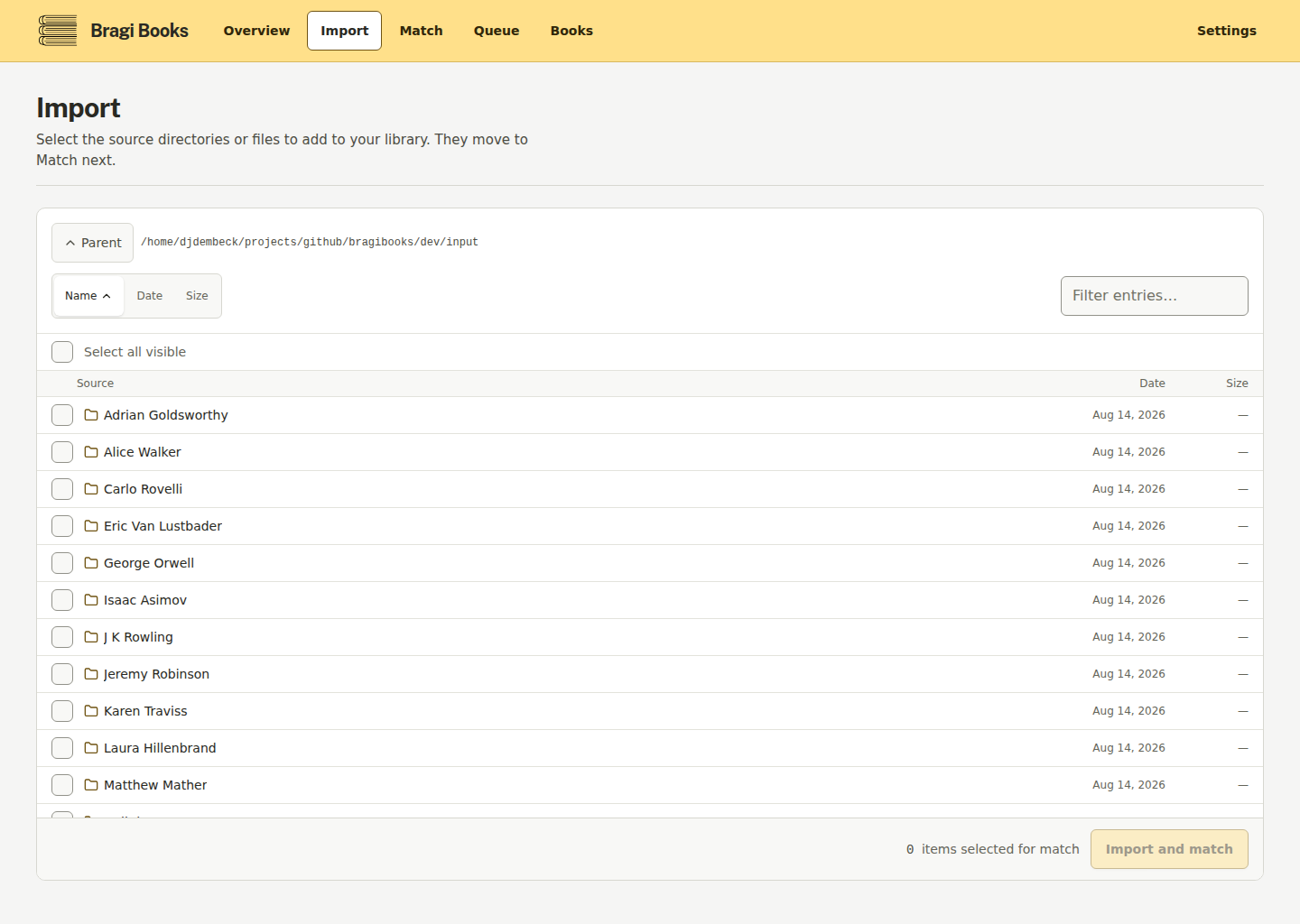
curl http://localhost:8888/api/health- Intake: browse the mounted input directory and select one or more audiobook folders or files.
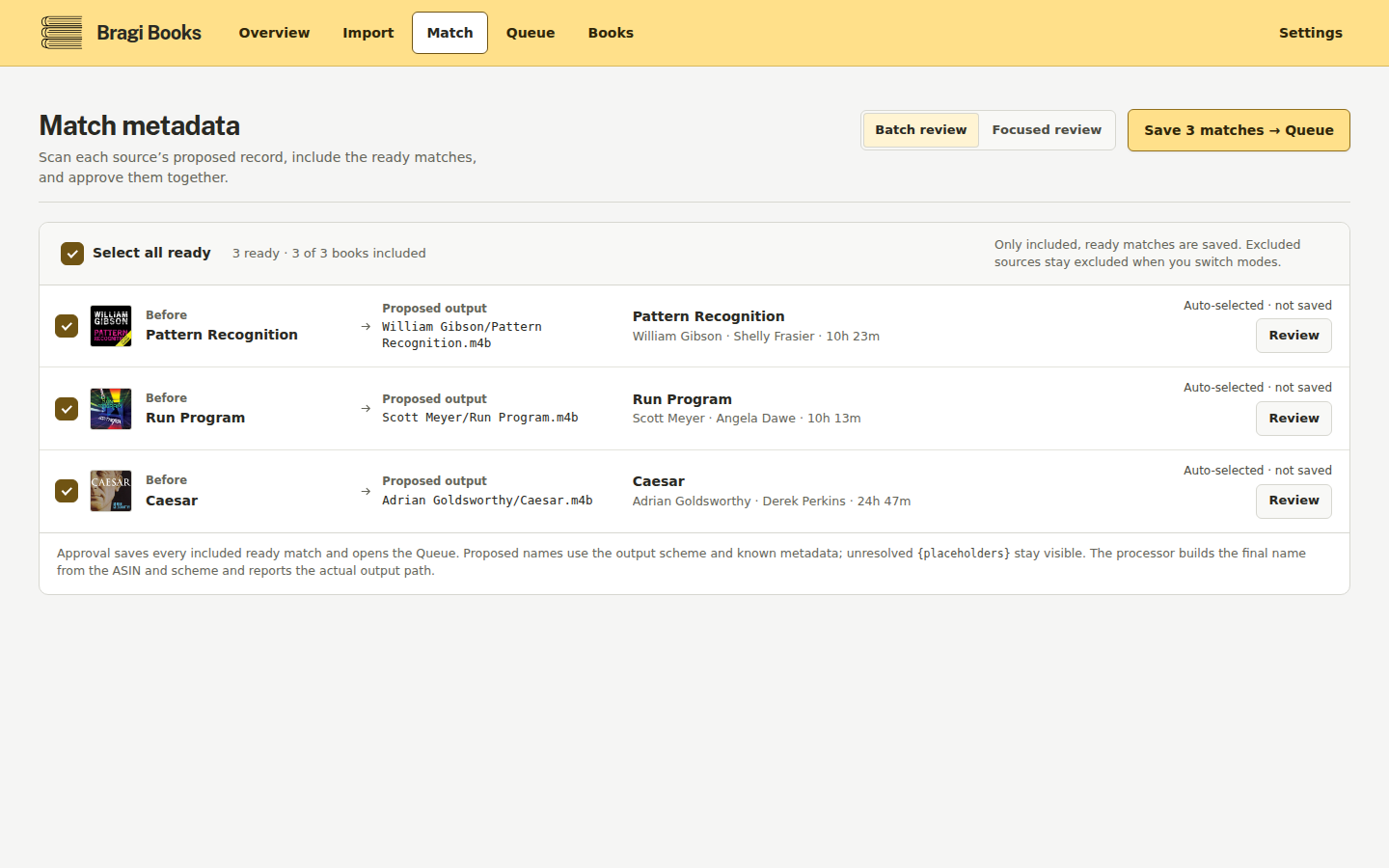
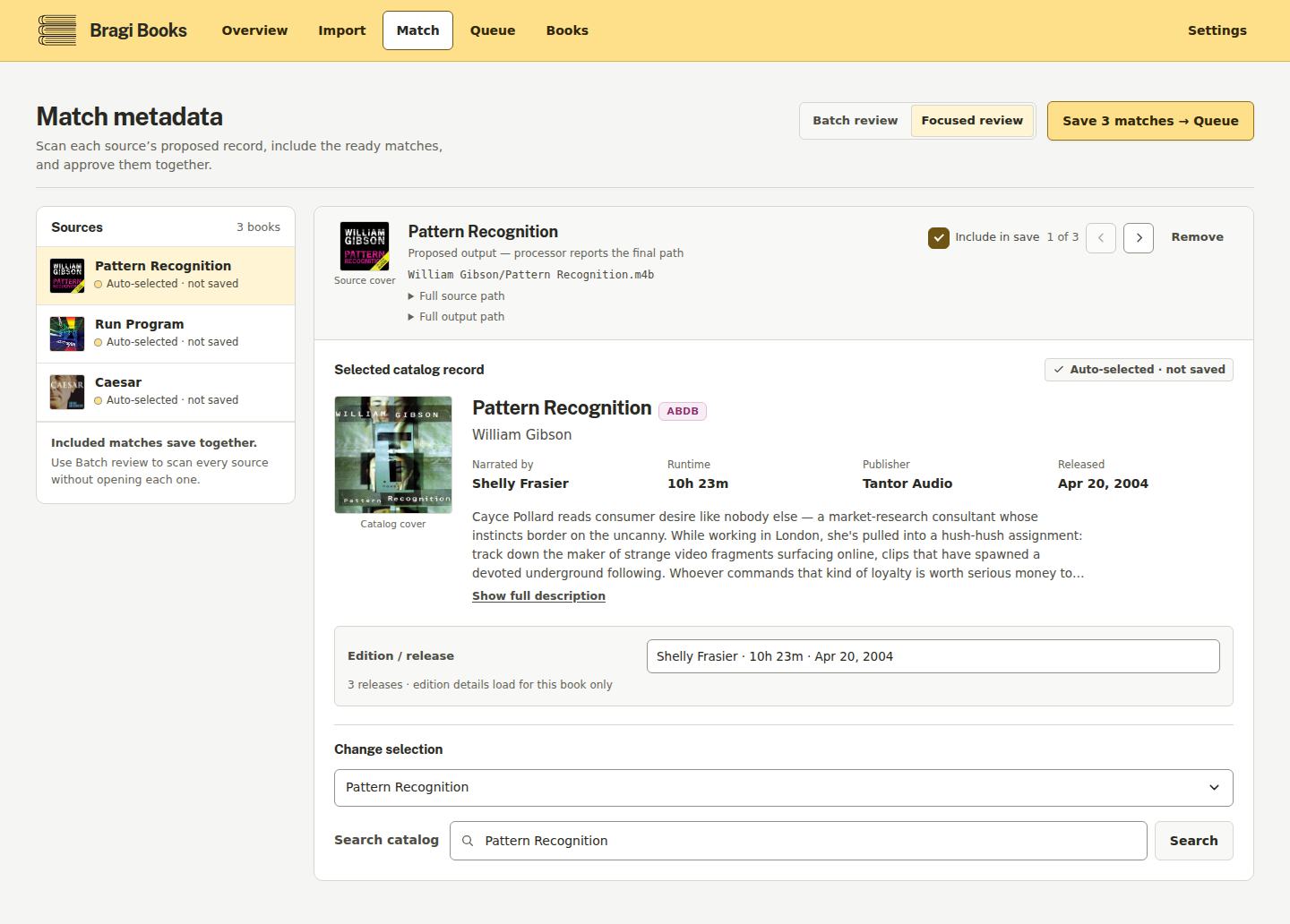
- Match: let Bragibooks search AudiobookDB, then confirm or correct the book, release, author, and narrator metadata. Custom search is available when the first match is wrong.
- Queue: select the matched books and, optionally, a saved output profile — a named preset (output directory and/or path format) created under Settings — then submit the batch. The profile applies only to the jobs created by that queue request and is snapshotted into each job, so later profile or Settings changes do not move already-queued work. Without a profile the global output directory and path format apply. Bragibooks invokes
m4b-mergeto merge, convert, clean, tag, and repackage the source files. - Finish: follow live processing output in the browser, then review completed books and any errors. Jobs can take from seconds to hours depending on the number and type of files.
Screens
Screens of the current interface:
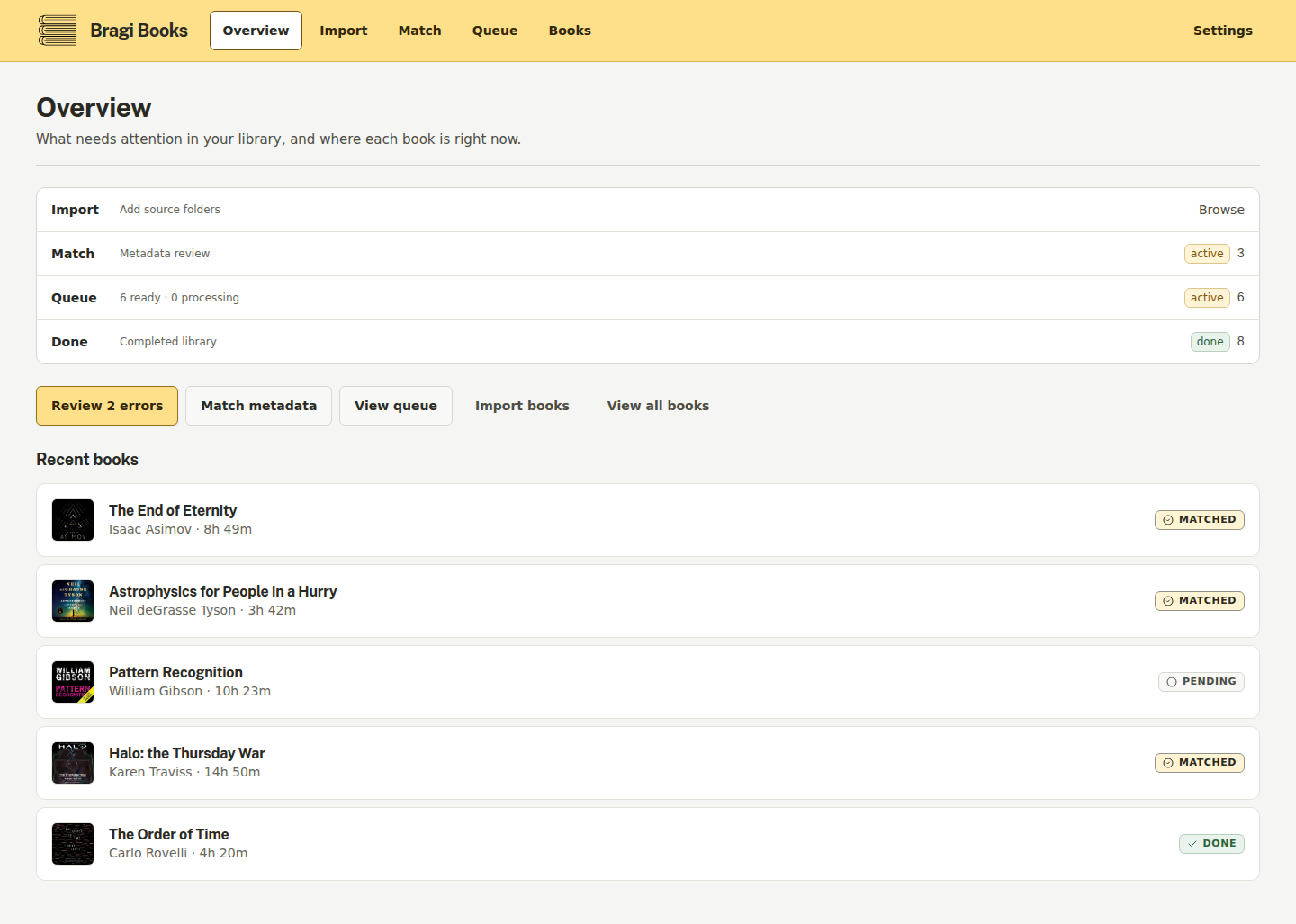
All screens (desktop and mobile)
| Match — batch mode | Match — focused mode | | --- | --- | |
| Import | Queue | | --- | --- | |
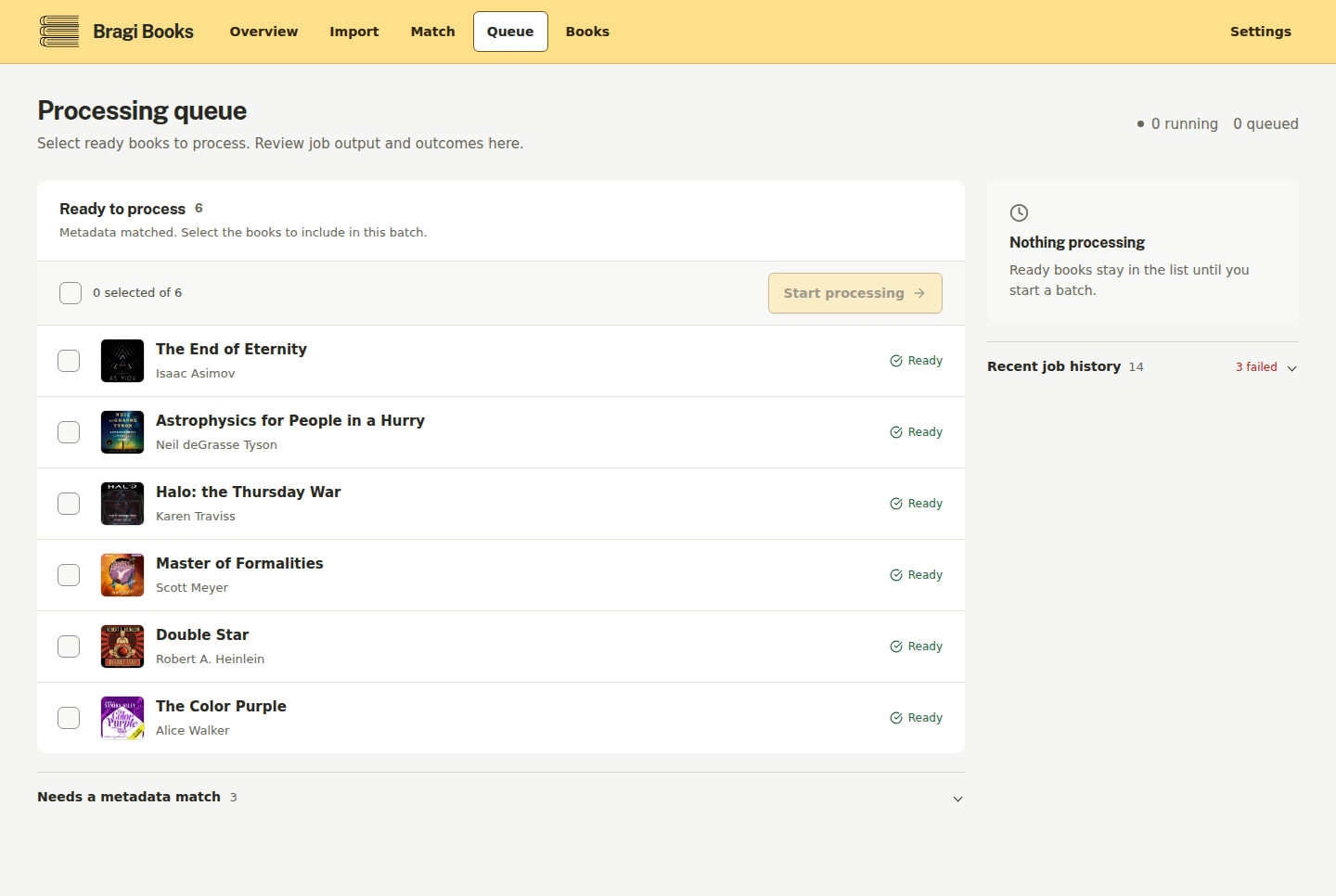
| Books | Book detail | Settings | | --- | --- | --- | |
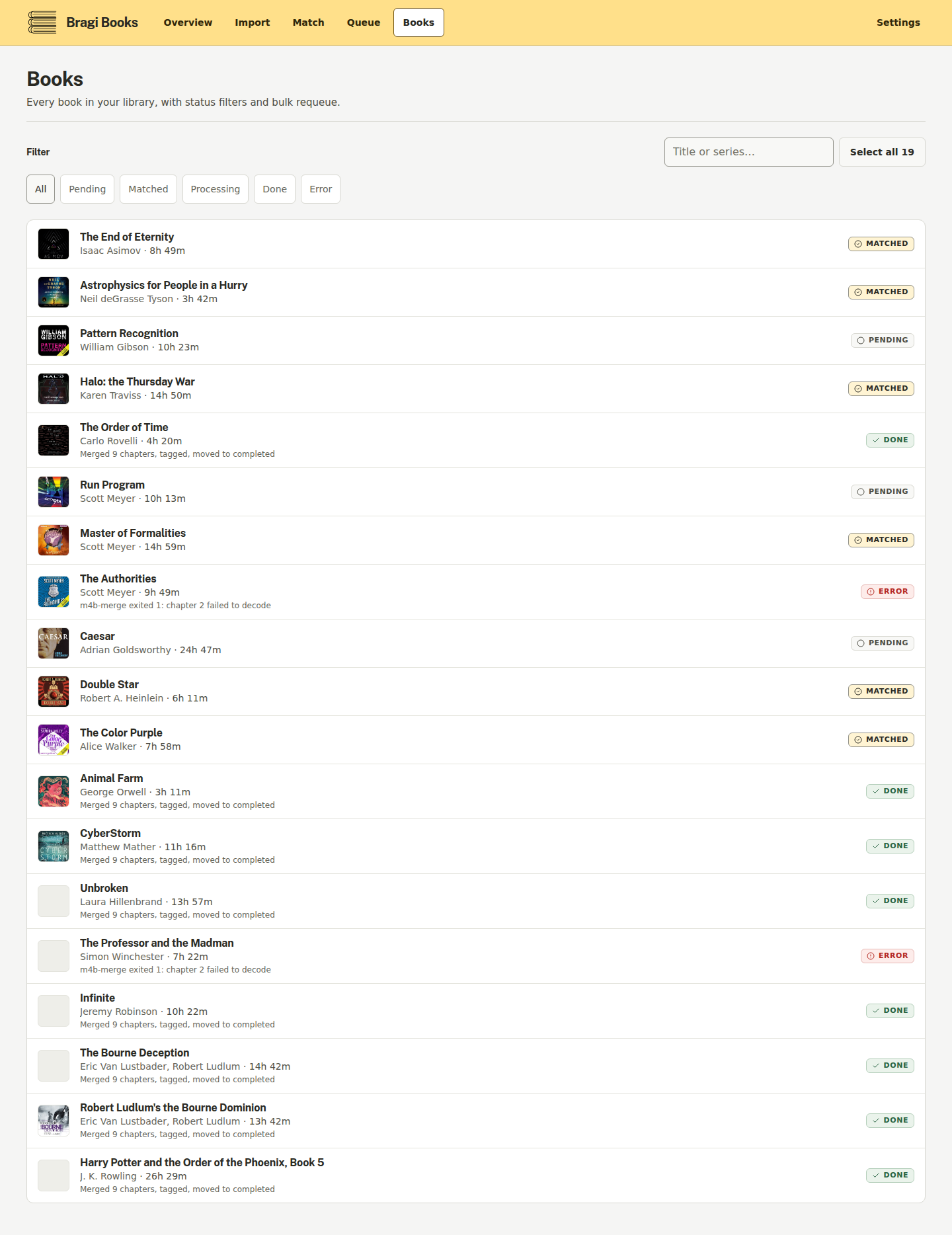
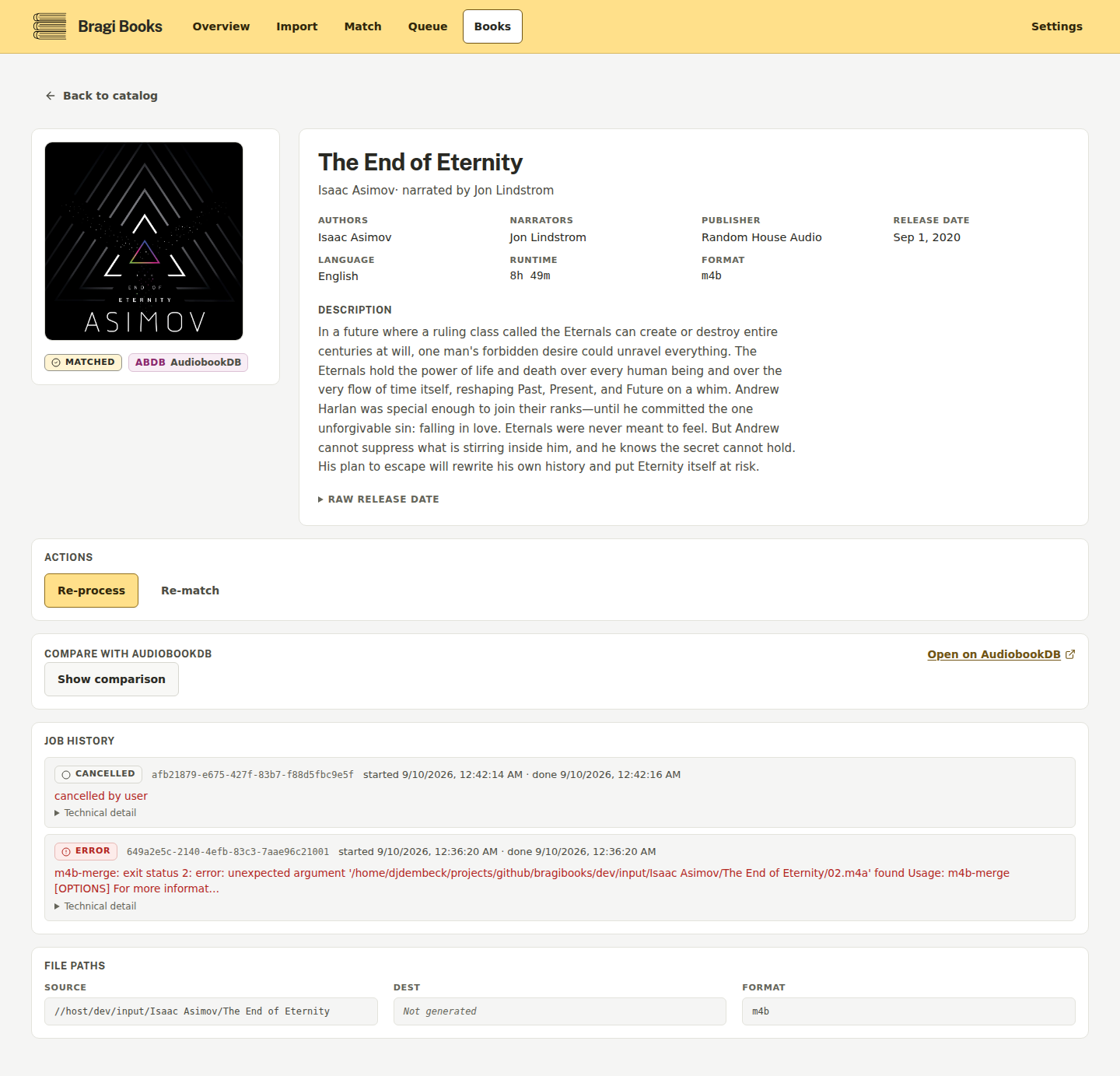
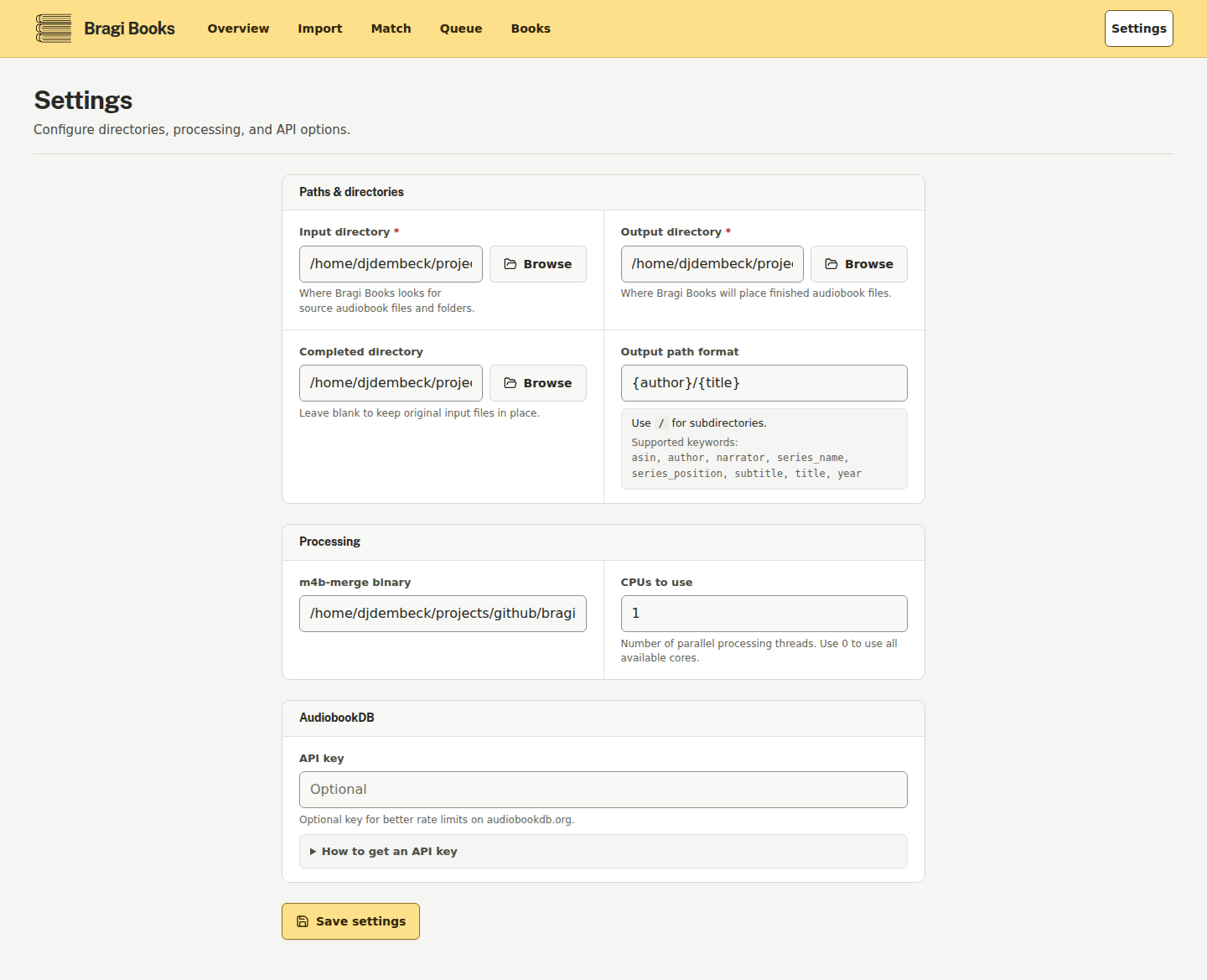
Mobile (390px):
| Overview (mobile) | Batch match (mobile) | | --- | --- | |
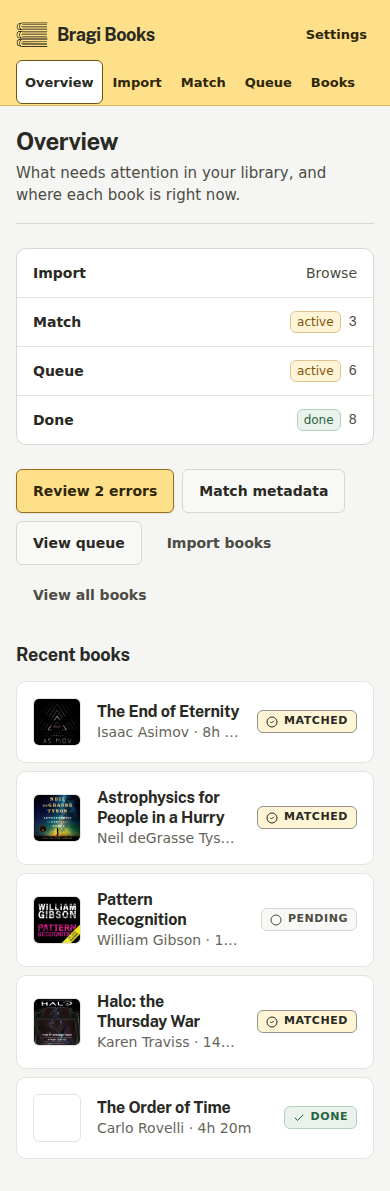
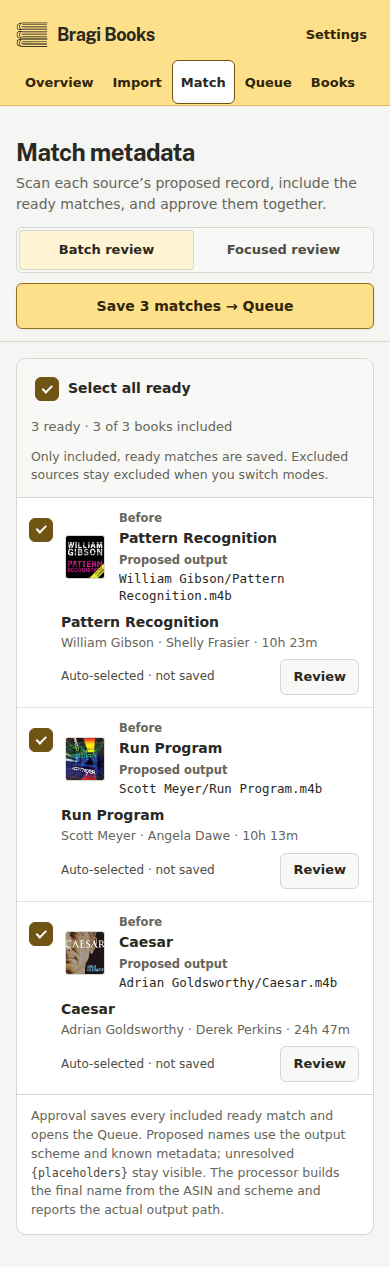
| Books (mobile) | | --- | |

Configuration
Bragibooks reads config/config.yaml and falls back to environment variables. When the same setting is present in both, the environment variable wins, so the YAML file is never surprised by a default. Settings can also be changed at runtime through PUT /api/settings; runtime changes are persisted by the application.
The key environment variables are:
| Variable | Purpose | Default |
| --- | --- | --- |
| SERVER_HOST | Address for the HTTP server | empty (all interfaces; set 127.0.0.1 for loopback only) |
| SERVER_PORT | HTTP port | 8080 |
| DATABASE_PATH | SQLite database path | config/bragibooks.db |
| M4B_MERGE_BINARY | m4b-merge executable name or path | m4b-merge |
| API_KEY_API_KEY | Optional AudiobookDB API key | empty |
| API_KEY_BASE_URL | AudiobookDB API base URL | https://audiobookdb.org/api |
| DIRECTORIES_INPUT_DIR | Source audiobook directory | unset |
| DIRECTORIES_OUTPUT_DIR | Destination directory for processed books | unset |
| DIRECTORIES_COMPLETED_DIR | Directory for completed source files | unset |
| PROCESSING_NUM_CPUS | Number of processing workers | 1 |
| PROCESSING_PATH_FORMAT | Output path format | {author}/{title} |
| PROCESSING_REGION | Accepted for compatibility with older setups; no effect | us |
| PROCESSING_LOG_LEVEL | Processing log level | info |
For a YAML-based setup, create config/config.yaml in the mounted config directory:
server:
  port: 8080
directories:
  input_dir: /input
  output_dir: /output
  completed_dir: /input/done
processing:
  num_cpus: 1
  path_format: "{author}/{title}"
  region: us
All configuration keys and precedence details
Environment variables use the uppercase, prefixed form of the YAML path: server.port becomes SERVER_PORT, directories.input_dir becomes DIRECTORIES_INPUT_DIR, and so on. The remaining supported keys are database.path, m4b_merge.binary, api_key.api_key, api_key.base_url, processing.log_level, processing.path_format, and processing.region (region also accepts the legacy REGION alias).
Precedence is environment variable > YAML > default. The configuration file is normally config/config.yaml; the loader also searches the working directory, /app/data, and /config. If no YAML file exists, environment variables and defaults are used.
Migrating from the Python (Django) app
README covers the main path; the full guide with candidate paths, troubleshooting, and the manual endpoint lives in docs/migration-from-python.md.
- Stop the old app first and back up the legacy
/configvolume (including anydb.sqlite3-walsidecar files) and your audio directories yourself — the migration does not create an automatic backup of the old database. - Point the new container's
/configvolume at the same mount so the legacydb.sqlite3sits at/config/db.sqlite3(or setLEGACY_DB_PATHto point elsewhere). - On first start, if the new Go database is empty, Bragibooks opens the legacy Django database read-only and copies books, authors, narrators, and settings over automatically. Book status maps as Done →
done, Processing →pending, Error →error. - The migrated data then lives in
/config/bragibooks.db; keep that path (or setDATABASE_PATH) persistently across container updates.
python-final Git tag, and the matching container image carries that tag on both registries — ghcr.io/djdembeck/bragibooks:python-final and djdembeck/bragibooks:python-final —
pinned at index digest sha256:e583597e3823a091a11a78e277805d453d791b65ad8da827ff2355bd8cb2f924 (linux/amd64) so the archive never moves. That is the last image built from the Python
codebase. The current application is the Go build described in this README, and stable deployments can pin a versioned release tag.
API
The web frontend uses the HTTP API below. Responses are JSON unless noted otherwise; job streams use server-sent events (SSE).
| Method | Endpoint | Purpose |
| --- | --- | --- |
| GET | /api/health | Health and version check |
| GET | /api/directories?path=/input | List a directory |
| GET | /api/directories/tree?path=/input | Read a directory tree |
| GET | /api/directories/stream?path=/input | Stream directory entries as NDJSON |
| GET | /api/books | List books; supports status, page, and limit filters |
| POST | /api/books | Add source book entries |
| GET | /api/books/{id} | Read a book |
| PUT | /api/books/{id} | Update a book |
| DELETE | /api/books/{id} | Remove a book |
| GET | /api/search?query=...&types=books&skip=0&take=20 | Search AudiobookDB |
| GET | /api/search/books/{id} | Fetch an AudiobookDB book |
| GET | /api/search/releases/{id} | Fetch an AudiobookDB release |
| GET | /api/output-profiles | List saved output profiles |
| POST | /api/output-profiles | Create a saved output profile |
| PUT | /api/output-profiles/{id} | Update a saved output profile |
| DELETE | /api/output-profiles/{id} | Delete a saved output profile |
| POST | /api/process | Queue processing for matched books; an optional output_profile_id applies a saved output profile to the batch |
| GET | /api/jobs?book_id=... | List processing jobs, optionally filtered to one book |
| GET | /api/jobs/{id} | Read job status |
| GET | /api/jobs/{id}/stream | Stream live job output over SSE |
| GET | /api/settings | Read runtime settings |
| PUT | /api/settings | Update runtime settings |
| POST | /api/migrate | Migrate a legacy database |
| POST | /api/migrate/people | Recover people from a legacy database |
For example, monitor a queued job without opening the web UI:
curl -N http://localhost:8888/api/jobs/<job-id>/streamContributing
See CONTRIBUTING.md for the contribution workflow, bug reports, enhancement proposals, and style guidance.
Use Conventional Commits. Feature work normally targets develop; releases are made from main. The CI pipeline checks formatting, vetting, module tidiness, frontend type checks, builds, and tests.
Building
Building from source requires Go 1.26+, Bun, and the runtime dependencies ffmpeg and m4b-merge. The production build embeds the SvelteKit frontend in the Go binary.
Make
The repository's standard build is:
make build
./bragibooks
make build installs the locked frontend dependencies, builds web/, copies the result into webfs/build/, and compiles the server with the webui build tag.
Explicit build steps
The equivalent commands are:
cd web
bun install --frozen-lockfile
bun run build
cd ..
rm -rf webfs/build
cp -r web/build webfs/build
go build -tags webui -ldflags="-s -w" -o bragibooks ./cmd/bragibooks
Build a Docker image
The Dockerfile builds the SvelteKit frontend, embeds it in a statically compiled Go binary, and creates a Debian runtime image with ffmpeg and m4b-merge:
docker build -f docker/Dockerfile -t bragibooks:local .
docker run --rm -p 8888:8080 \
  -v "$PWD/config:/config" \
  -v /path/to/input:/input \
  -v /path/to/output:/output \
  bragibooks:local
Development
For backend hot reload with air, run:
make watchFor the complete two-service development environment, use the development compose file. It runs the Go backend on port 8080 and the Vite frontend on port 5175:
docker compose -f docker/docker-compose.dev.yml up --buildThe development backend mounts the repository for source hot reload plus separate, writable media directories at /input and /output (default host paths docker/books/input and docker/books/output); completed inputs are stored under /input/done. Set BRAGIBOOKS_INPUT_DIR and BRAGIBOOKS_OUTPUT_DIR to other specific host directories when starting Compose; do not mount a home directory. Keep these paths writable: Bragibooks and m4b-merge rename and tag inputs as part of processing. The Dockerfile and compose images are digest-pinned; Renovate manages image digest updates through the existing Dockerfile and Docker Compose managers.
Open http://localhost:5175 while the development stack is running. The Vite server proxies /api requests to the Go backend.
Maintainers
- @djdembeck — idea and initial work
- Koby Huckabee (
AceTugboat) — code, ideas/planning/feedback, and documentation - Andreas (
sandreas) — tools
License
GPL-3.0-only — GNU General Public License v3.