

HaCasa Nova
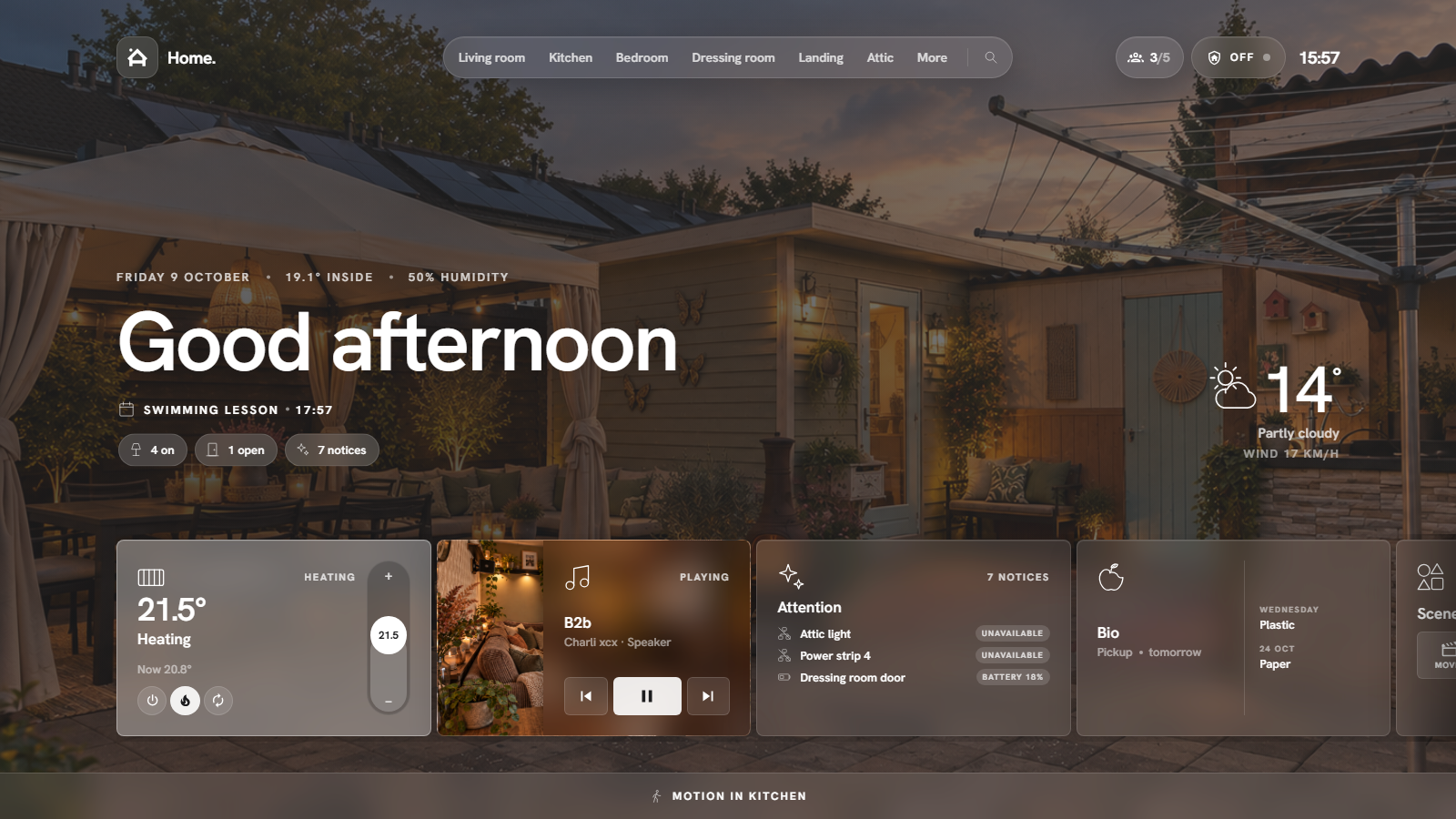
The HaCasa reboot. A room-first Home Assistant panel, built on the Homio design by iamtherufus.
Documentation · Install · Screenshots · HaCasa v2 (legacy)
[!CAUTION]
HaCasa Nova is a work in progress and needs testing. This first release has only been run on a handful of homes, so expect rough edges: things may break or change between versions. Try it next to your current dashboard rather than replacing it, and please report what you run into. Known issues are tracked in #158.
Why a reboot?
HaCasa started as a set of button-card templates: a calm, good-looking dashboard that the whole household could use. It grew to almost 500 stars, and then it stalled, because every new device meant more YAML and every Home Assistant update risked breaking a template.
HaCasa Nova keeps the idea and throws out the YAML. It is a single JavaScript file that reads your home straight from Home Assistant:
- Your areas become rooms. Every entity assigned to an area (directly or through its device) shows up on that room's page. Add a lamp in Home Assistant and it appears; no dashboard to edit.
- Everything is set up in the panel. A four-step wizard on first open, then a settings page with tabs. Settings are stored per Home Assistant user, so they follow you to every device and survive updates.
- No dependencies. No button-card, card-mod, layout-card or theme required.
Features
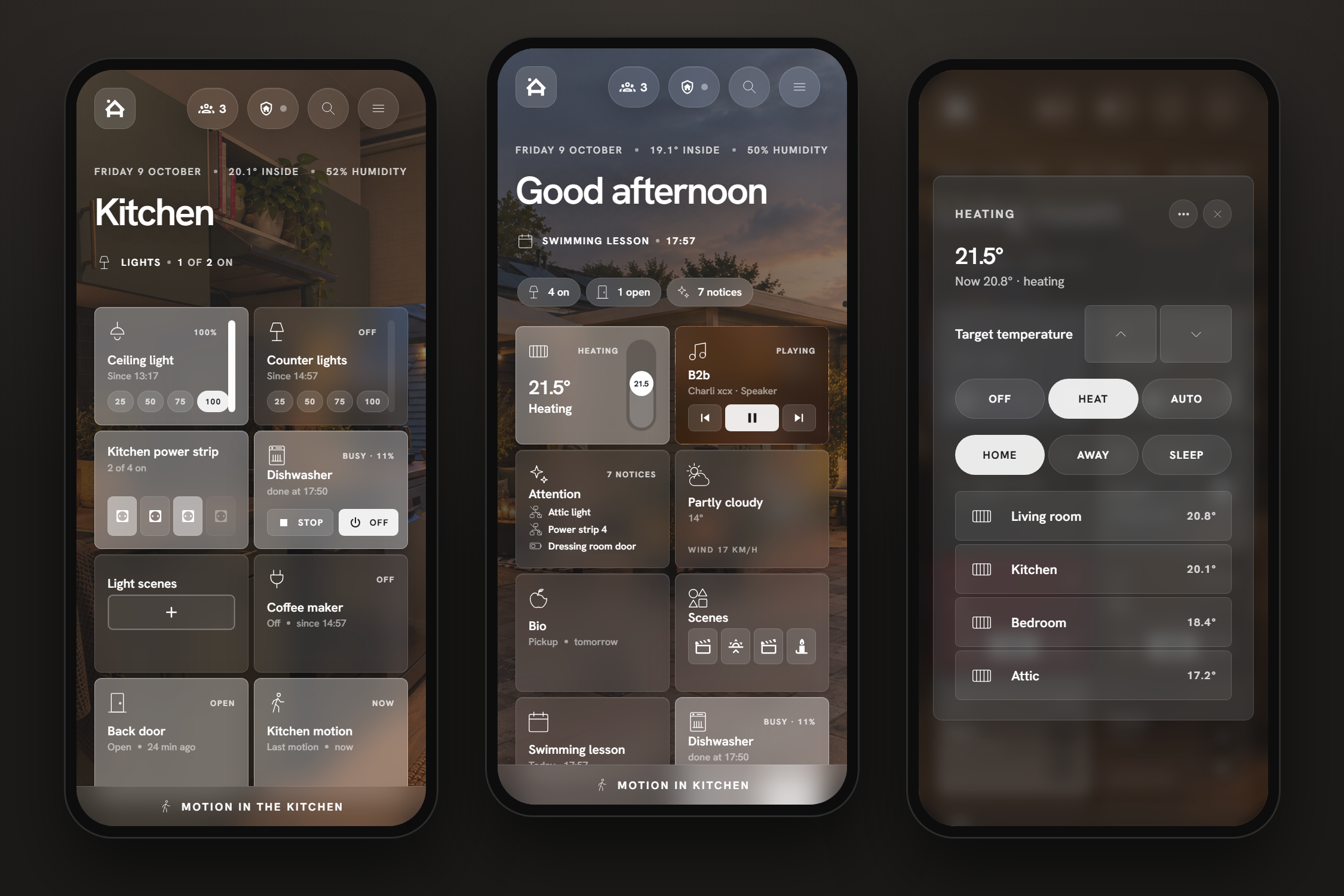
| | | |---|---| | Home view | Greeting, date, indoor climate, weather with hourly forecast, a rotating line of things worth knowing (waste pickup, open doors, appointments), status pills and quick actions. | | Room pages | One page per area with a photo, its temperature and humidity, and a scrolling strip of cards. Swipe or scroll between rooms. | | Cards | Lights (vertical dimmer, brightness steps or colour dots), switches and smart plugs (live watts, kWh today, timers), media with artwork and transport, covers, thermostats (drag rail, modes, presets), fans, locks, vacuums, humidifiers, cameras, appliances (Home Connect, Miele …: programme, progress, finish time), groups, scenes and Jinja template cards. | | Pages | Sensors (attention first, per room or per kind, trend bars), Energy (today per hour, biggest consumers), Automations (toggle, errors, last run), Cameras and System (CPU, memory, disk, network, updates). | | Attention | Unavailable devices, low batteries, pending updates and persistent notifications in one place, with one-tap install for updates. | | Popups | Every card opens a detailed popup: brightness, colour and colour temperature, climate modes, media volume, history of the last 24 hours, and a shortcut to Home Assistant's own dialog. | | Per-card settings | Name, icon, tap and hold behaviour, bottom line, custom action buttons and template overrides per card, plus defaults per card type. | | Extras | Search, presence pill, alarm keypad, doorbell camera popup, light scene presets per room, guest and vacation modes, idle screen, Dutch and English. | | Phone and tablet | Built for wall tablets and phones alike: the strip becomes a two-column grid on phones. |
Screenshots
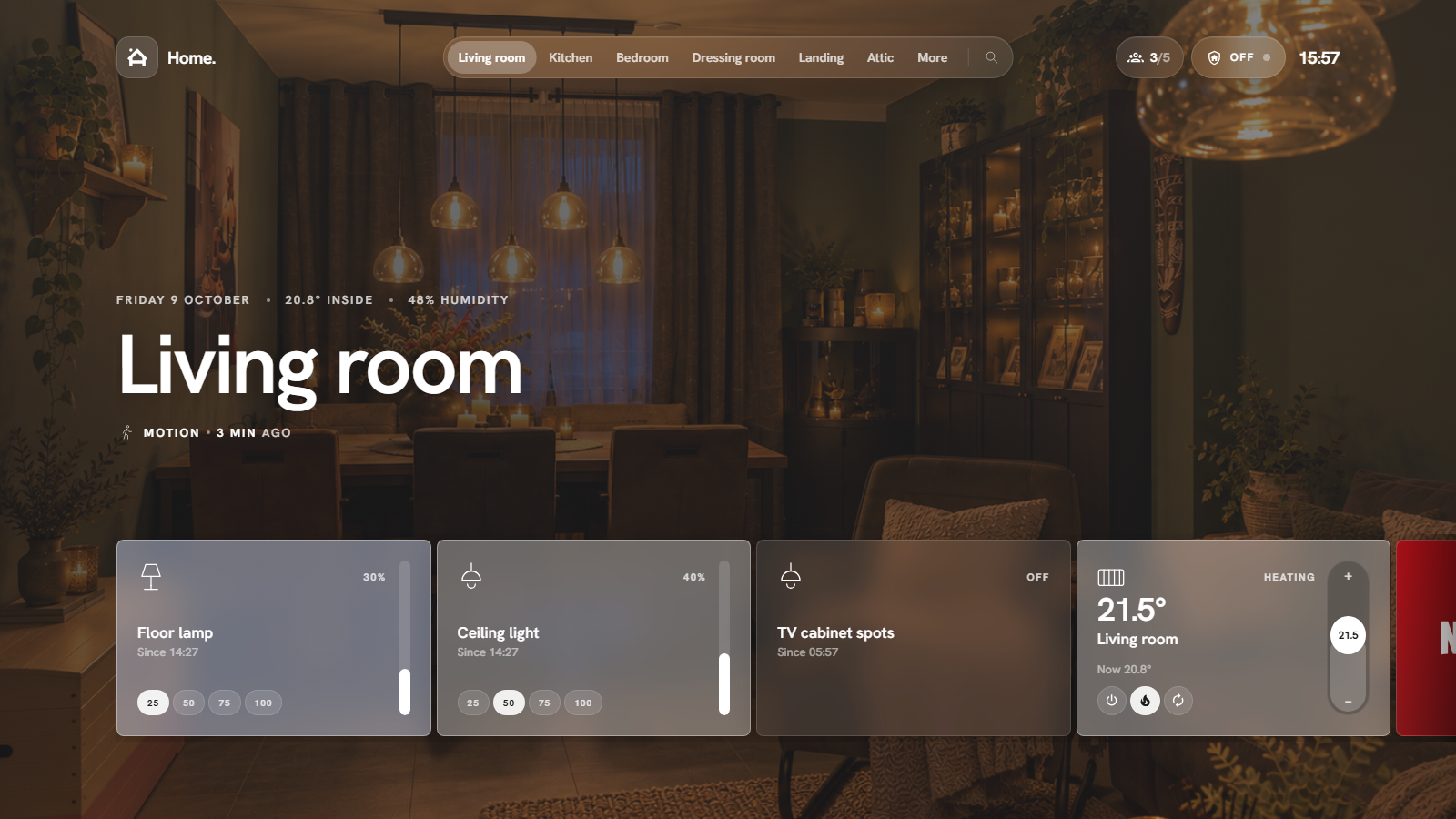 Room page · photo, climate and a strip of cards |
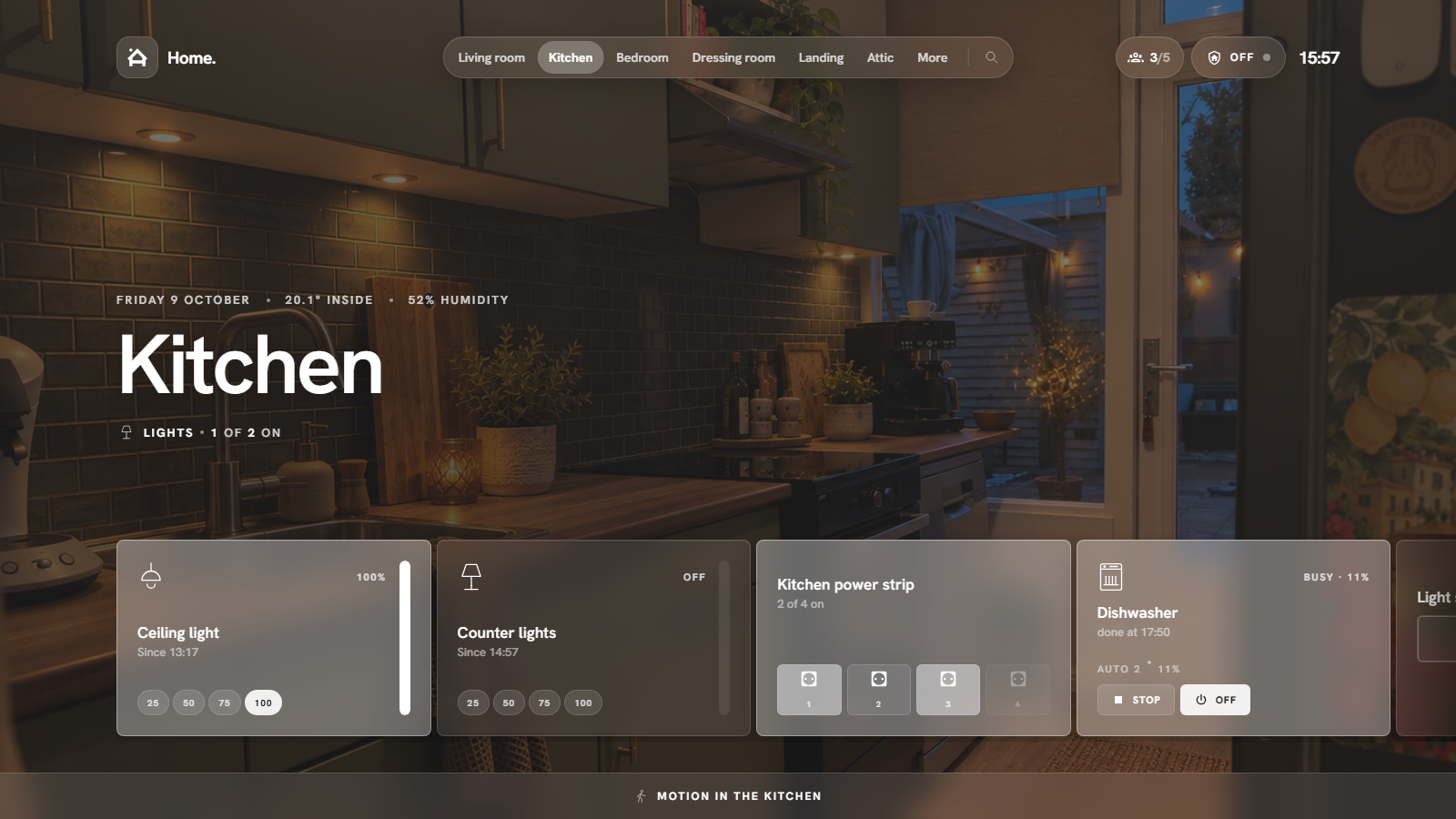 Appliances and plugs · power strips, dishwasher programme and progress |
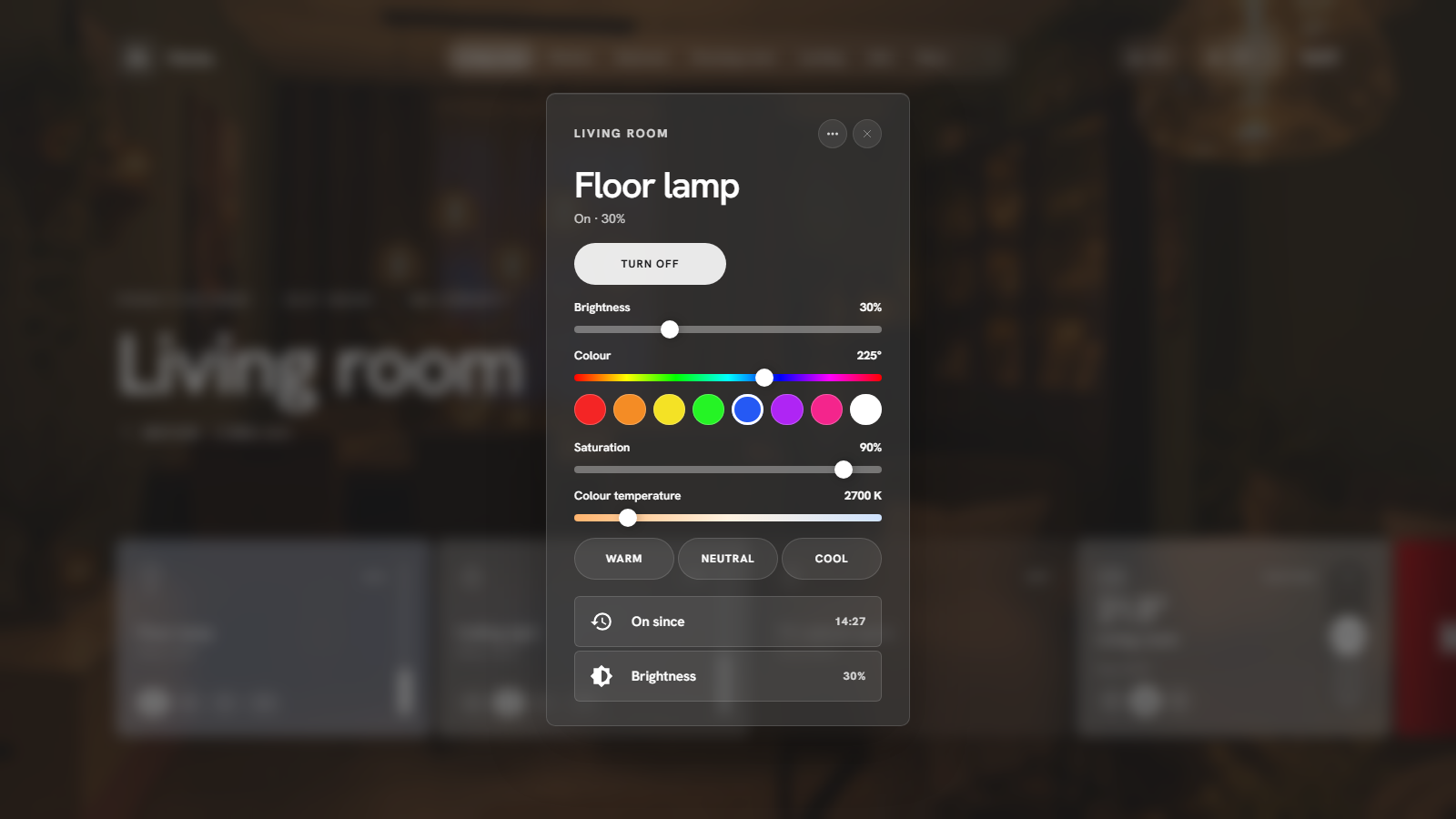 Light popup · brightness, colour and colour temperature |
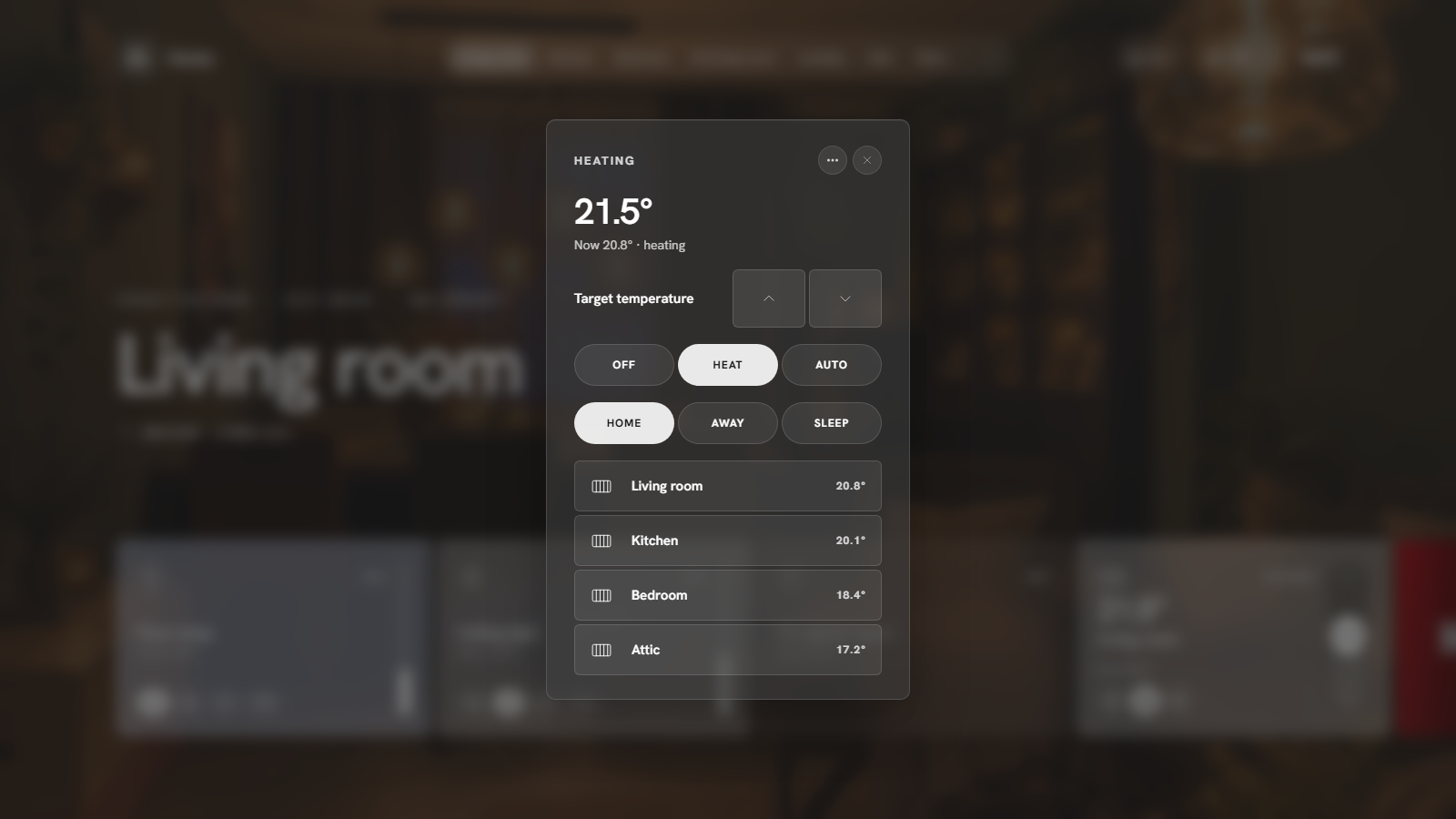 Climate popup · target, modes, presets, every room's temperature |
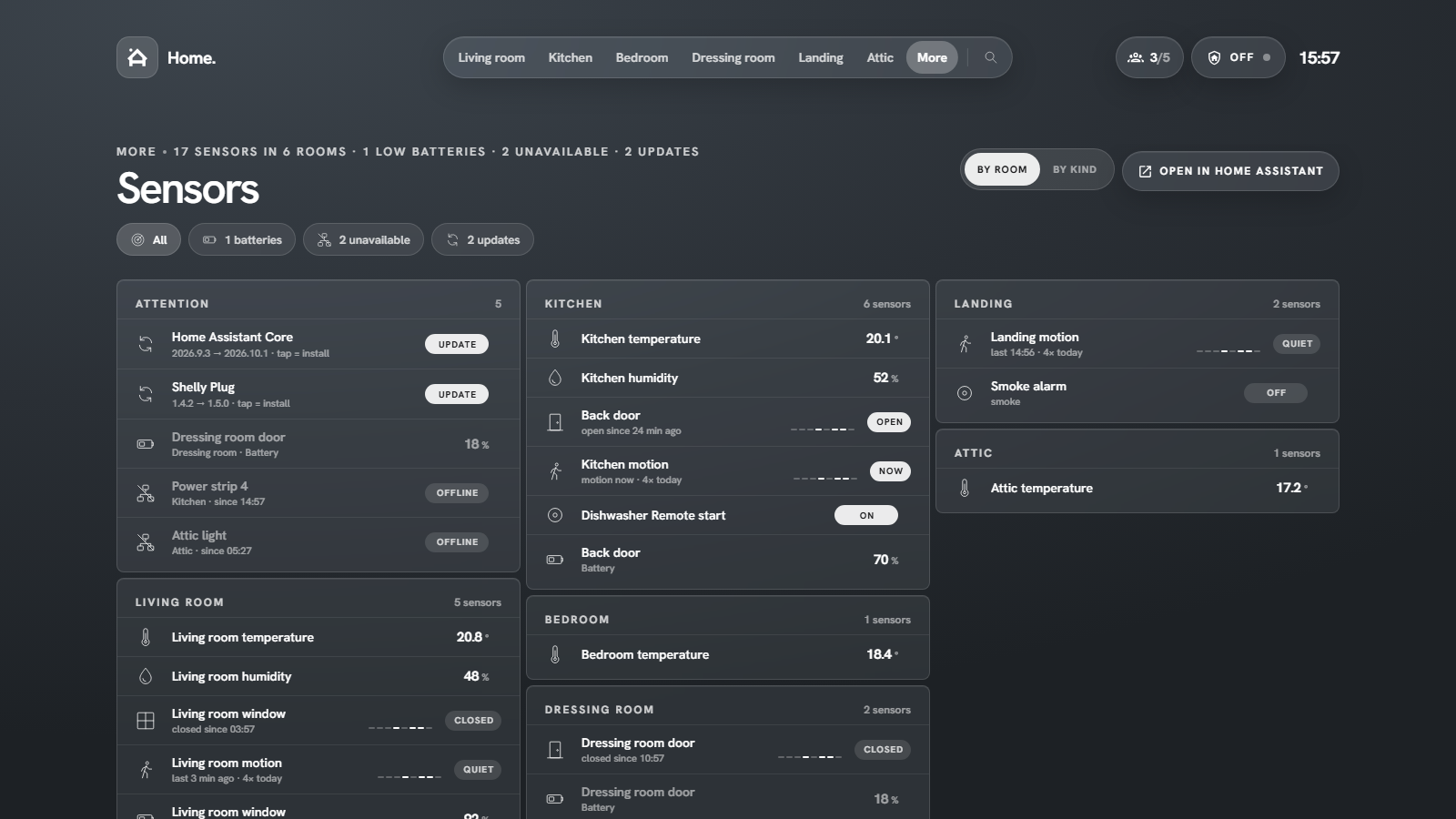 Sensors · attention first, then every room |
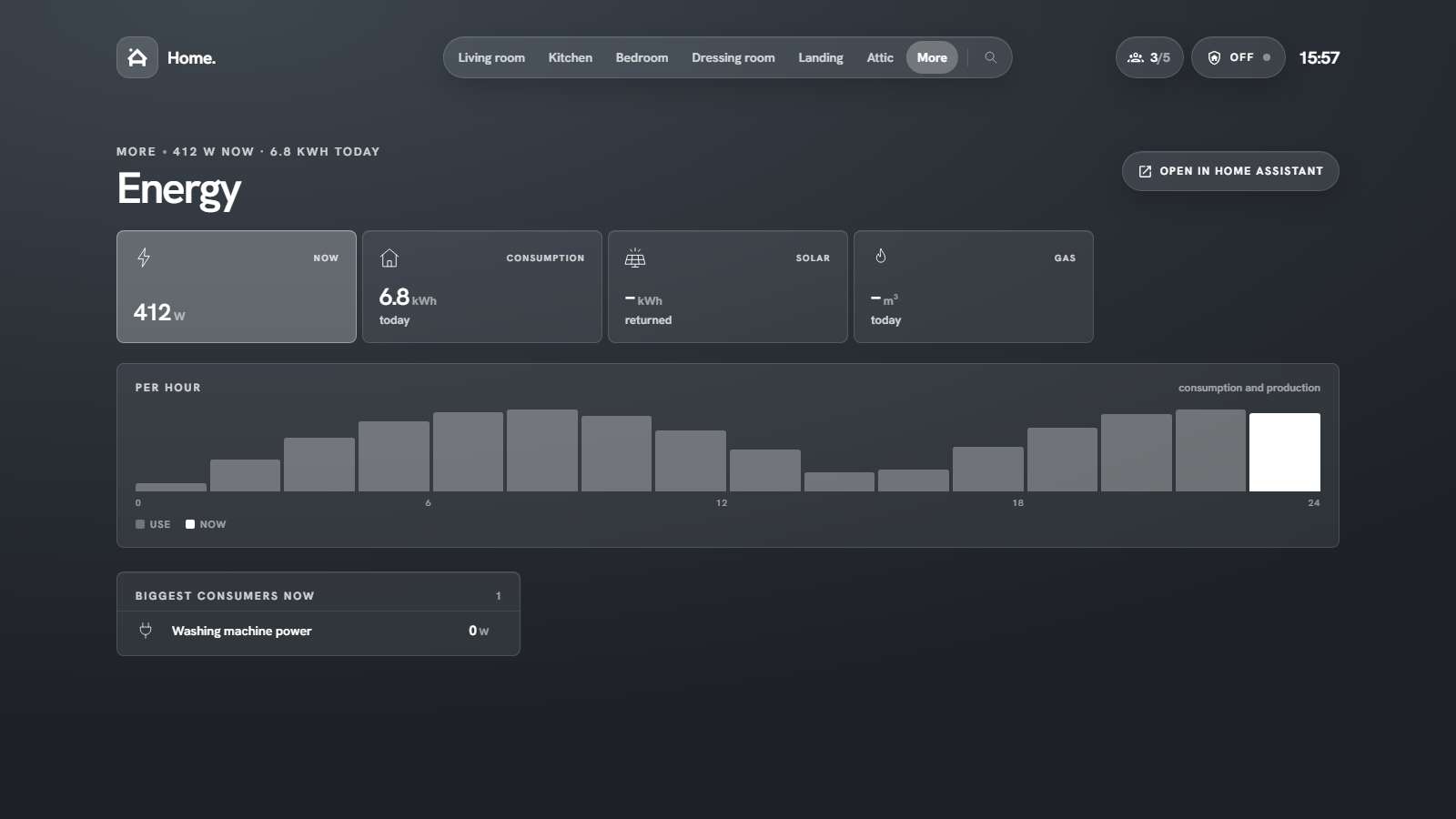 Energy · now, today per hour, biggest consumers |
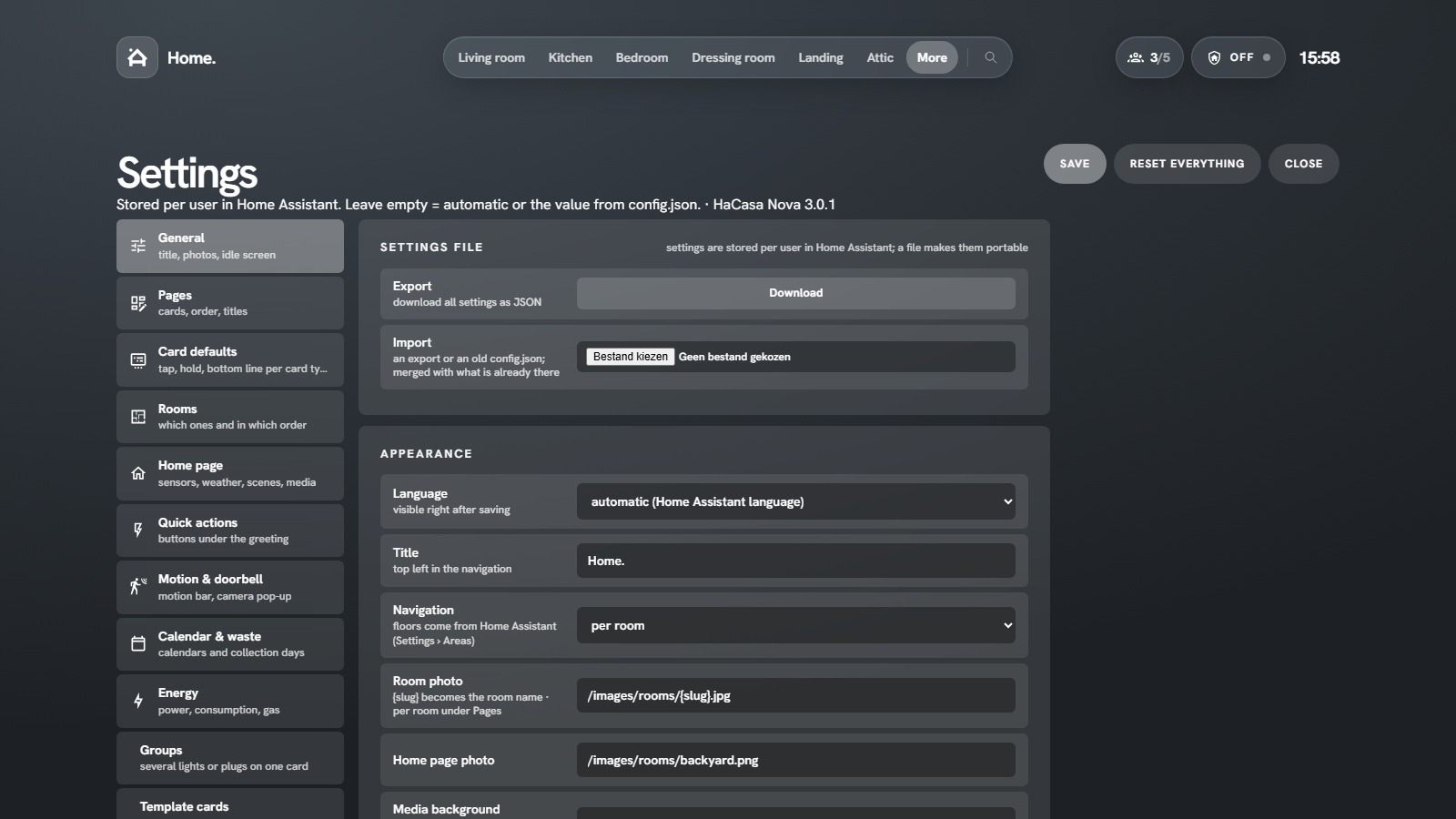 Settings · everything in the panel, stored per user |
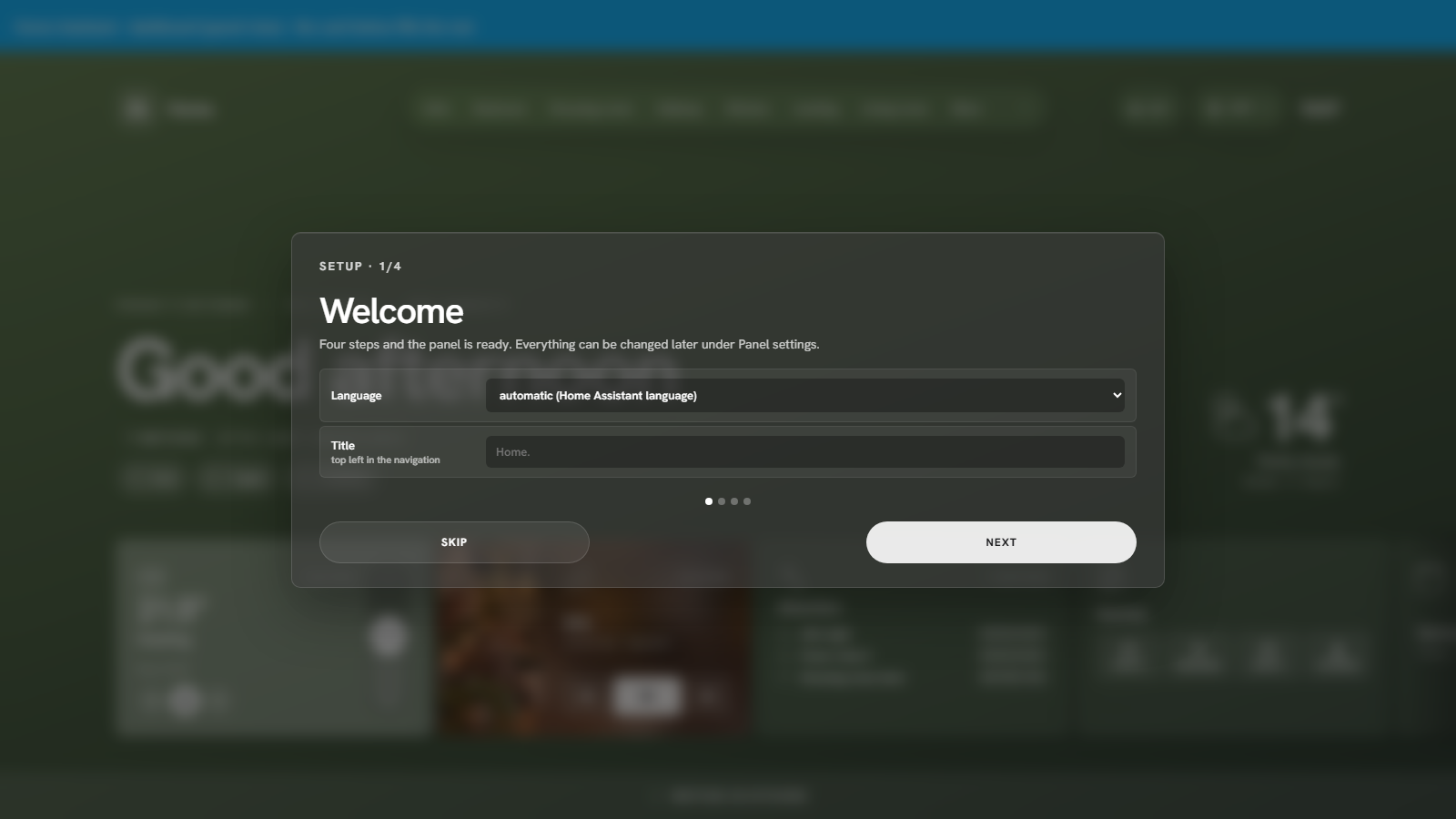 First run · a four-step setup |
Install
You need Home Assistant 2024.4 or newer. HaCasa Nova can run as its own sidebar panel (recommended) or as a card inside a dashboard.
1. Download with HACS
- Open HACS in Home Assistant.
- Open the menu (⋮, top right) and choose Custom repositories.
- Add
https://github.com/damianeickhoff/HaCasawith type Dashboard. - Search for HaCasa Nova, open it and choose Download.
- Reload your browser when HACS asks.
Manual download (without HACS)
- Download
hacasa-nova.jsfrom the latest release. - Copy it to
/config/www/hacasa-nova/hacasa-nova.js. - Use
/local/hacasa-nova/hacasa-nova.jswherever the steps below say/hacsfiles/HaCasa/hacasa-nova.js.
2a. Add it as a sidebar panel (recommended)
Add this to configuration.yaml and restart Home Assistant:
frontend:
  extra_module_url:
    - /hacsfiles/HaCasa/hacasa-nova.js   # loads the HaCasa logo icon for the sidebar
panel_custom:
  - name: hacasa-nova
    url_path: hacasa
    sidebar_title: HaCasa
    sidebar_icon: hacasa:logo
    module_url: /hacsfiles/HaCasa/hacasa-nova.js
HaCasa now appears in the sidebar with the HaCasa logo. Open it and the setup wizard starts.
[!TIP]
Already have afrontend:section (for themes, for example)? Addextra_module_urlto it instead of adding a second one. Withoutextra_module_urlthe panel still works; usesidebar_icon: mdi:home-outlinethen, because the logo icon only loads once the panel has been opened.
The icon works everywhere Home Assistant takes an icon, so hacasa:logo can also be used on your own cards.
2b. Or use it as a dashboard card (no YAML)
HACS registers the file as a dashboard resource for you. Then:
- Settings → Dashboards → Add dashboard → New dashboard from scratch, then open it.
- Edit the dashboard, change the view type to Panel (single card).
- Add a card of type HaCasa Nova (or paste the YAML below).
type: custom:hacasa-nova-cardInside a card the rooms are routed through the URL hash (#/kitchen), so the dashboard URL itself never changes.
3. Add room photos (optional)
Put a photo per room in /config/www/images/rooms/, named after the area: Living room → living-room.jpg (.jpeg, .png and .webp work too). The home view uses home.jpg. You can also set a picture on the area in Home Assistant, or choose a photo per page in the panel settings. Rooms without a photo get a calm gradient.
That's it. Everything else lives in the panel: More → Panel settings.
Documentation
The full guide is at damianeickhoff.github.io/HaCasa: installation, the setup wizard, every card and its settings, the built-in pages, the optional theme for the rest of Home Assistant, and troubleshooting.
Good to know
- Admin features. Template cards and your own ticker lines use Home Assistant's template renderer, installing updates calls
update.install, and the System page asks the Supervisor for host info. These need an administrator account; for other users those parts stay empty. - Fonts. The panel uses Hanken Grotesk from Google Fonts. Without internet access it falls back to the system font.
- Languages. English and Dutch, following your Home Assistant language. Other languages fall back to English. Translations are welcome: see
src/i18n.js.
HaCasa v2 (legacy)
The original button-card based HaCasa is kept on the legacy branch, with its releases up to v2.1.3. It is no longer maintained.
Development
npm install
npm run watch            # rebuilds dist/hacasa-nova.js on every change
npx http-server .. -p 8097 -c-1
open http://localhost:8097/<this folder>/dev/index.html
dev/index.html runs the panel outside Home Assistant against a mock home (dev/mock-hass.js); add ?lang=nl for Dutch. dev/card.html?fresh shows the card wrapper with the first-run wizard. Icons are drawn by dev/make-icons.mjs and inlined into the bundle by build.mjs. See the development guide for more.
Credits
- Design: Homio by iamtherufus. HaCasa Nova would not look the way it does without it.
- HaCasa: created by Damian Eickhoff. HaCasa logo by Fredrik Persson.
- Built with Lit. Icons are original, drawn for this project.
- Made with AI assistance. HaCasa Nova was written together with an AI coding assistant (Claude Code). The design decisions, the testing and the maintenance are mine; much of the code was written by the AI under my direction, which is why you'll see it credited in the commit history. It is also what made bringing HaCasa back possible at all.
- And the community, who kept asking about HaCasa long after it went quiet. This one is for you. 💜
License
MIT. The Homio design credit and the license notices of what is bundled are in NOTICE.md.