
Git-Ape 🐒
[!WARNING]
EXPERIMENTAL PROJECT: Git-Ape is in active development and is not production-ready.
Use it for local development, demos, sandbox subscriptions, and learning only.
📖 Documentation: azure.github.io/git-ape • 🛒 VS Code Marketplace: Git-ApeTeam.git-ape
Git-Ape is a platform engineering framework built on GitHub Copilot. It is a multi-agent system that plans, validates, and deploys any Azure workload — with security gates, cost analysis, and CI/CD pipeline integration built in.
Nothing is deployed without your explicit confirmation.
What Git-Ape Does
Git-Ape walks every deployment through the same four steps:
- Gather requirements through a guided interview.
- Generate an ARM template, architecture diagram, cost estimate, and security report.
- Confirm with you (interactive) or via PR review (headless) before anything is created.
- Deploy to Azure and run post-deployment validation.
- Any Azure resource deployable via Azure Resource Manager.
- Repository onboarding: OIDC, RBAC, GitHub environments, and secrets.
- Auditable deployments: every run is saved under
.azure/deployments/. - Drift detection between live Azure state and stored deployment artifacts via the
/azure-drift-detectorskill.
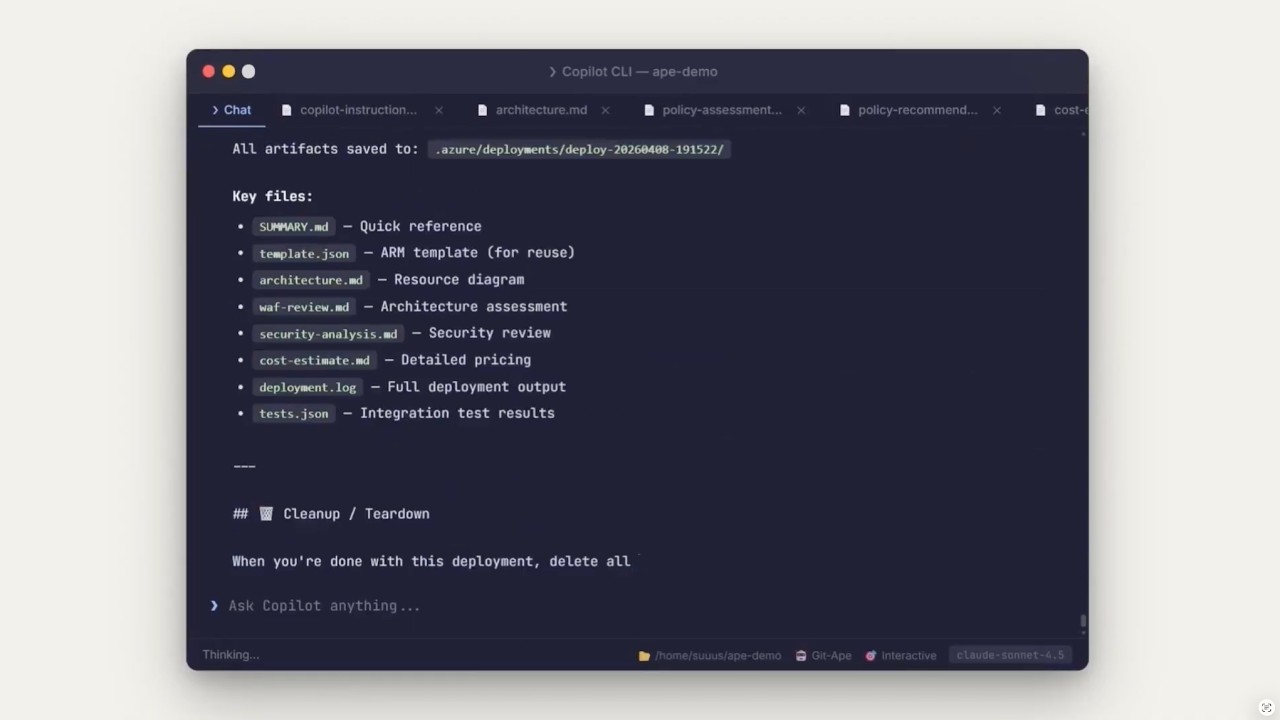
Git-Ape in action
A short demo video of the onboarding and deploy experience using Git-Ape.
Get Started
Prerequisites
- A Bash-compatible shell (use
git-bashon Windows). Other shells are untested. - Azure CLI (
az), GitHub CLI (gh),jq, andgitinstalled and authenticated. - Run
/prereq-checkin Copilot Chat to verify everything is in place.
1. Install the plugin
Git-Ape ships as a VS Code agent plugin and as a GitHub Copilot CLI plugin. Pick the path that matches how you use Copilot.
Option A: VS Code Marketplace (one-click)
The fastest way to install Git-Ape in VS Code. The published listing bundles all agents and skills as a VS Code extension.
- Open the Git-Ape listing on the VS Code Marketplace and click Install, or use one of the badges above to open VS Code directly.
- Verify the agents and skills appear in Copilot Chat — type
@git-apeor/prereq-check.
Option B: VS Code marketplaces setting (advanced)
Use this path if you want to pull the latest from GitHub on every update, or if you also want the ape-context companion plugin from the same marketplace.
- Add the marketplace in your VS Code
settings.json:
"chat.plugins.marketplaces": [
       "Azure/git-ape"
]- Open the Extensions view (
⇧⌘Xon macOS,Ctrl+Shift+Xon Windows/Linux), search for@agentPlugins, find git-ape, and select Install. - Alternatively, open the Command Palette (
⇧⌘Pon macOS,Ctrl+Shift+Pon Windows/Linux), run Chat: Install Plugin From Source, and enterhttps://github.com/Azure/git-ape. - Verify the agents and skills appear in Copilot Chat (for example, type
@git-apeor/prereq-check).
/git-ape-skills search to search the unified core and
community skill registry.
Community sources are reviewed through Azure/git-ape PRs but are not loaded
with core. Explicitly approve /git-ape-skills install to copy a selected
skill and its supporting files from a pinned Git-Ape commit into your workspace.
Option C: Copilot CLI plugin
copilot plugin marketplace add Azure/git-ape
copilot plugin install git-ape@git-ape
copilot plugin list   # Should show: git-ape@git-ape
Within Copilot CLI:
/plugin marketplace add https://github.com/Azure/git-ape
/plugin install git-ape@git-ape
/plugin list   # Should show: git-ape@git-ape
Option D: Local development install
Clone this repository and register the local checkout as a VS Code plugin in settings.json:
"chat.pluginLocations": {
    "/absolute/path/to/git-ape": true
}
Reload VS Code; the @git-ape agent and Git-Ape skills will appear in Copilot Chat.
2. Configure Azure access
- Sign in with
az login. - Configure the Azure MCP server in VS Code — see the Azure Setup guide.
3. Use the agents
In Copilot Chat, try one of:
@git-ape deploy a Python function app@git-ape deploy a web app with SQL database@Git-Ape Onboarding set up this repo for Azure deployments
4. Tear down
When you're done, clean up with:
@git-ape destroy Python function app
Where To Go Next
- Examples: End-to-end deployment walkthroughs.
- Azure Setup: Azure MCP server configuration for VS Code.
- State Management: How deployment artifacts are stored and reused.
- Onboarding: Repository onboarding, OIDC, RBAC, and GitHub environment setup.
- Codespaces: GitHub Codespaces and dev container setup.
Architecture
@git-ape is the central orchestrator. It coordinates a pipeline of specialized subagents, enforces security gates, invokes skills, and manages deployment state. It never deploys anything without explicit user confirmation.
Agent & Skill Orchestration
%%{init: {'theme':'base','themeVariables':{'fontSize':'13px','lineColor':'#64748b','textColor':'#1e293b','primaryTextColor':'#0f172a','edgeLabelBackground':'#f8fafc','tertiaryColor':'#f1f5f9'}}}%%
graph TD
    GA["<b>@git-ape</b><br/>Main Orchestrator<br/><i>Coordinates stages, enforces gates,<br/>delegates to subagents, invokes skills</i>"]
GA --> DP
    GA --> AD
    GA --> UT
subgraph DP ["Deployment Pipeline"]
        RG["<b>Requirements Gatherer</b><br/>Interview user<br/>CAF naming<br/>SKU validation"]
        TG["<b>Template Generator</b><br/>ARM template<br/>Architecture diagram<br/>Cost estimate"]
        SG{{"Security Gate<br/>(BLOCKING)"}}
        WR["WAF Review<br/>(Principal Architect)"]
        UC{{"User Confirmation"}}
        RD["<b>Resource Deployer</b><br/>az deployment<br/>Monitor & retry<br/>Integration tests"]
RG --> TG --> SG --> WR --> UC --> RD
    end
subgraph AD ["Advisory"]
        PA["<b>Principal Architect</b><br/>WAF 5-pillar review<br/>Trade-off analysis"]
        PO["<b>Policy Advisor</b><br/>Azure Policy compliance<br/>CIS / NIST mapping"]
    end
subgraph UT ["Utility"]
        IE["<b>IaC Exporter</b><br/>Import live resources"]
        OB["<b>Git-Ape Onboarding</b><br/>OIDC + RBAC<br/>GitHub envs & secrets"]
    end
classDef orchestrator fill:#1f6feb,stroke:#0b3d91,stroke-width:2px,color:#ffffff
    classDef pipeline fill:#dbeafe,stroke:#1f6feb,stroke-width:1px,color:#0b3d91
    classDef gate fill:#fde68a,stroke:#b45309,stroke-width:2px,color:#7c2d12
    classDef advisory fill:#ede9fe,stroke:#7c3aed,stroke-width:1px,color:#4c1d95
    classDef utility fill:#dcfce7,stroke:#15803d,stroke-width:1px,color:#14532d
class GA orchestrator
    class RG,TG,RD pipeline
    class SG,UC gate
    class WR,PA,PO advisory
    class IE,OB utility
Skills
Skills are invoked by agents at specific stages. Each skill handles one focused task.
| Phase | Skill | Purpose |
|-------|-------|---------|
| Pre-Deploy | /azure-rest-api-reference | Look up ARM property schemas and API versions. Mandatory before any template generation. |
| | /azure-naming-research | CAF abbreviation lookup, naming constraint validation |
| | /azure-resource-availability | SKU restrictions, version support, API compatibility, quota |
| | /azure-security-analyzer | Per-resource security assessment with blocking gate |
| | /azure-policy-advisor | Azure Policy compliance recommendations against CIS, NIST, or general best-practice frameworks |
| | /azure-deployment-preflight | What-if analysis and permission checks before deploy |
| | /azure-role-selector | Least-privilege RBAC role recommendations |
| | /azure-cost-estimator | Real-time cost estimation via Azure Retail Prices API |
| | /prereq-check | Verify required CLI tools and auth sessions are ready |
| Post-Deploy | /azure-integration-tester | Post-deployment health checks and endpoint tests |
| | /azure-resource-visualizer | Generate Mermaid diagrams from live Azure resources |
| Operations | /azure-drift-detector | Detect config drift between live Azure and stored state |
| | /git-ape-onboarding | Guided setup for OIDC, RBAC, environments, and secrets |
Deployment Flow
%%{init: {'theme':'base','themeVariables':{'fontSize':'13px','lineColor':'#64748b','textColor':'#1e293b','primaryTextColor':'#0f172a','edgeLabelBackground':'#f8fafc','tertiaryColor':'#f1f5f9'}}}%%
graph TD
    U["User prompt:<br/><i>deploy a Python function app</i>"]
U --> S1
S1["<b>Stage 1: Requirements</b><br/>Requirements Gatherer interviews user"]
    SK1["/azure-naming-research<br/>/azure-resource-availability"]
S1 -. skills .-> SK1
    S1 --> S2
S2["<b>Stage 2: Template & Analysis</b><br/>Template Generator produces ARM +<br/>architecture + cost + security report"]
    SK2["/azure-security-analyzer<br/>/azure-deployment-preflight<br/>/azure-cost-estimator<br/>/azure-role-selector"]
S2 -. skills .-> SK2
    S2 --> GATE
GATE{{"Security Gate"}}
    GATE -- "BLOCKED" --> FIX["Fix loop"] --> S2
    GATE -- "PASSED" --> WAF
WAF["<b>Stage 2.75: WAF Review</b><br/>Principal Architect scores 5 pillars"]
    WAF --> CONFIRM
CONFIRM{{"User confirms / PR approved"}}
    CONFIRM --> S3
S3["<b>Stage 3: Deploy</b><br/>Resource Deployer runs az deployment"]
    S3 --> S4
S4["<b>Stage 4: Validate</b><br/>Health checks, endpoint tests, diagram"]
    SK4["/azure-integration-tester<br/>/azure-resource-visualizer"]
S4 -. skills .-> SK4
classDef user fill:#e0e7ff,stroke:#4338ca,stroke-width:2px,color:#1e1b4b
    classDef stage fill:#dbeafe,stroke:#1f6feb,stroke-width:1px,color:#0b3d91
    classDef skill fill:#f1f5f9,stroke:#64748b,stroke-width:1px,color:#0f172a,stroke-dasharray: 4 2
    classDef gate fill:#fde68a,stroke:#b45309,stroke-width:2px,color:#7c2d12
    classDef fix fill:#fecaca,stroke:#b91c1c,stroke-width:1px,color:#7f1d1d
    classDef deploy fill:#dcfce7,stroke:#15803d,stroke-width:2px,color:#14532d
class U user
    class S1,S2,WAF stage
    class SK1,SK2,SK4 skill
    class GATE,CONFIRM gate
    class FIX fix
    class S3,S4 deploy
Execution Modes
Git-Ape runs the same agents and skills in two different contexts.
%%{init: {'theme':'base','themeVariables':{'fontSize':'13px','lineColor':'#64748b','textColor':'#1e293b','primaryTextColor':'#0f172a','edgeLabelBackground':'#f8fafc','tertiaryColor':'#f1f5f9'}}}%%
graph LR
subgraph Interactive ["🧑💻 Interactive Mode — VS Code / Chat"]
direction TB
I1["User ↔ @git-ape"]
I2["Real-time Q&A"]
I3["az login session"]
I4["Interactive confirmation"]
I5["Direct deployment"]
I6["@git-ape destroy {id}"]
end
subgraph Headless ["🤖 Headless Mode — Coding Agent / Actions"]
direction TB
H1["Issue → Agent on branch"]
H2["Parse requirements from body"]
H3["OIDC auth via Actions"]
H4["Commit artifacts to PR"]
H5["git-ape-plan.yml (PR)"]
H6["git-ape-deploy.yml (merge)"]
H7["git-ape-destroy.yml (merge)"]
end
classDef interactive fill:#dbeafe,stroke:#1f6feb,stroke-width:1px,color:#0b3d91
classDef headless fill:#ede9fe,stroke:#7c3aed,stroke-width:1px,color:#4c1d95
class I1,I2,I3,I4,I5,I6 interactive
class H1,H2,H3,H4,H5,H6,H7 headless
Interactive — you talk to @git-ape in VS Code Copilot Chat, authenticate via az login, and approve each step in real time.
Headless — the Copilot Coding Agent picks up a GitHub issue, generates the template on a branch, opens a PR, and the CI/CD workflows (git-ape-plan, git-ape-deploy, git-ape-destroy) handle validation, deployment, and teardown via OIDC.
CI/CD Workflows
| Workflow | Trigger | Purpose |
|----------|---------|---------|
| git-ape-plan.yml | PR with template changes | Validate, what-if, post plan as PR comment |
| git-ape-deploy.yml | Merge to main | Execute ARM deployment |
| git-ape-destroy.yml | Merge PR with destroy-requested | Delete resource group |
| git-ape-verify.yml | Manual dispatch | Verify OIDC, RBAC, pipeline health |
Note: These workflows ship as canonical templates inside the onboarding skill at.github/skills/git-ape-onboarding/templates/workflows/. The/git-ape-onboardingflow scaffolds them into your repository's.github/workflows/directory as ready-to-run.ymlfiles (skip-with-notice on collision — never overwrites a customized workflow).
Included Components
Git-Ape is packaged as a Copilot CLI plugin with agents and skills under .github/:
plugin.json                          # Plugin manifest
.github/
├── agents/
│   ├── git-ape.agent.md                       # Main orchestrator
│   ├── git-ape-onboarding.agent.md            # Onboarding agent
│   ├── azure-requirements-gatherer.agent.md
│   ├── azure-template-generator.agent.md
│   ├── azure-resource-deployer.agent.md
│   ├── azure-principal-architect.agent.md
│   ├── azure-policy-advisor.agent.md
│   └── azure-iac-exporter.agent.md
├── skills/
│   ├── git-ape-onboarding/          # OIDC, RBAC, env setup + workflow templates
│   │   └── templates/workflows/     # Canonical git-ape-{plan,deploy,destroy,verify}.yml
│   │                                # + git-ape-drift.{md,lock.yml}
│   │                                # Scaffolded into your repo by /git-ape-onboarding
│   ├── azure-rest-api-reference/    # ARM property + API version lookup
│   ├── azure-naming-research/       # CAF naming
│   ├── azure-resource-availability/ # SKU & quota checks
│   ├── azure-security-analyzer/     # Security assessment
│   ├── azure-policy-advisor/        # Azure Policy compliance
│   ├── azure-deployment-preflight/  # What-if analysis
│   ├── azure-role-selector/         # RBAC recommendations
│   ├── azure-cost-estimator/        # Cost estimation
│   ├── azure-drift-detector/        # Drift detection
│   ├── azure-integration-tester/    # Post-deploy tests
│   ├── azure-resource-visualizer/   # Architecture diagrams
│   └── prereq-check/                # CLI tool + auth session verification
└── workflows/                       # CI workflows for the git-ape repo itself
    └── git-ape-onboarding-template-check.yml  # Verifies scaffold parity
See plugin.json and .github/plugin/marketplace.json for packaging details.
License
MIT License. See LICENSE.